TL;DR: If you don’t know who will sign a waiver until they arrive, sending individual signature requests turns check-in into a scramble. A bulk link gives you one reusable URL that any number of people can use to complete an online waiver form, with each signer getting their own tracked copy and no recipient list required.
Ten minutes before a yoga class, four walk-ins are at the desk and none of them has signed a waiver. Someone hunts for a clean printout. Someone else starts typing email addresses into a signature request, one person at a time.
The class starts late. Two of those waivers end up in a drawer instead of a file anyone can search.
This rarely has anything to do with paper. It comes down to when the online waiver form reaches the signer.
Where online waiver collection breaks down
Paper is the obvious culprit, but it is not the whole problem. Document collection happens during check-in, when staff are already busy, and it stays unfinished afterward. Someone still has to match signed sheets against a roster, scan them, and find them again months later when a question comes up.
Sending individual signature requests removes the paper and keeps the bottleneck. A sender can only prepare a request once they have a name and an email address. For recurring intake, that address arrives at the moment the person walks in.
The riskier version is a shared PDF or a generic form link posted somewhere. You get files back, but no record of who opened the document, when they signed it, or whether the email address belongs to the person who used it.
Digitizing the waiver as a fillable PDF has the same flaw. It removes paper without solving distribution or tracking.
All of these assume you know who is signing before the document goes out. With waivers, you usually don’t.
Who runs into this
The pattern shows up anywhere intake is recurring and the roster is unknown until the last minute:
- Gyms, studios, and climbing walls collecting a liability release form at first visit
- Event and race organizers handling day-of registration
- Nonprofits and volunteer coordinators onboarding people who signed up the night before
- Schools collecting parental consent for field trips and after-school programs
- Training providers running open-enrollment sessions
- Clinics and wellness businesses collecting digital consent forms
- Developers who need waiver collection to happen inside an existing registration flow
What a bulk link is
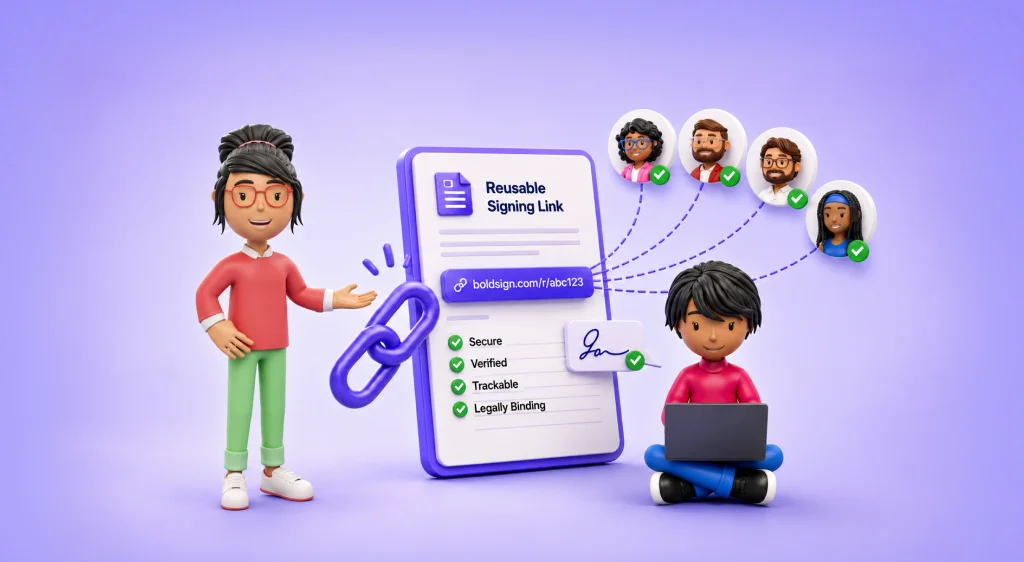
A bulk link is one signing URL that any number of people can use to sign the same document, with each person receiving their own copy once they finish. Nobody needs to be on a list beforehand.
Think of it as a self-service signature request. A normal request needs a name and an email address before you can send anything, which is exactly the information you don’t have until someone walks up to your desk.
You publish the link once and it sits there, ready for three people this week or three hundred over a season. That timing shift is the whole fix. The document exists before the signer does, instead of being built in reaction to them.
This is different from bulk send, which most platforms treat as a separate feature. Bulk send still needs a name and email for every recipient up front. A bulk link needs neither.
Why it holds up for waivers
It scales without adding sender work. The same waiver signing link handles three signers or three hundred. Nobody builds a new request for each one.
Each response is its own record. This is not one shared document collecting names. Each response spawns its own document with its own audit trail, which is why that trail belongs to the signer rather than the link. This detail matters the first time someone asks you to produce a single waiver without handing over everyone else’s.
Controls stay with you. Response limits and expiry dates mean an open link does not stay open forever.
Verification can match the actual risk. An email one-time code confirms the signer controls that inbox, which is proportionate for most waivers. NIST’s Digital Identity Guidelines make the same argument: choose identity controls based on risk, because unnecessary friction pushes legitimate users to abandon a process instead of finishing it.
The record survives. The U.S. ESIGN Act establishes that a signature is not denied legal effect solely because it is electronic, and UETA does the same at state level for the states that adopted it. Both also expect the record to stay accessible and reproducible later. A tracked, exportable response list is what turns that from a legal principle into something you can actually do.
What to check before you commit to a platform
Most modern eSignature platforms offer some version of a reusable signing link. The differences are in the details, and those details decide whether the workflow survives a busy Saturday:
- Can you cap responses and set an expiry?
- What signer authentication is available beyond a checkbox, such as email OTP, access codes, SMS, ID verification, or KBA?
- Can you embed the waiver on your own site, or does every signer get pushed to a vendor-hosted page?
- Can you prefill fields from a registration system?
- Does the signing page carry your branding?
- How do responses come out: individually, in bulk, with the audit trail attached?
What BoldSign is
BoldSign is an eSignature platform for sending, signing, tracking, and managing documents electronically, with a developer API for embedding signing into other applications. It includes reusable templates, signer authentication options, integrations with Salesforce, HubSpot, and Zapier, and compliance coverage across SOC 2, HIPAA, GDPR, PCI DSS, ESIGN, and eIDAS.
Its reusable signing link feature is called Bulk Links.
One thing to settle before a large event: BoldSign bills bulk link responses as an add-on, separate from standard signature requests. Check your plan against expected volume first.
How to set up an online waiver form with BoldSign bulk links
Start from a template
A template stores the waiver file, the signer’s role, and the exact position of every field. The version participants sign in March is the same one they sign in November.
Build it around a role, not a person
Add fields for name, date, and signature, along with any other information the document requires, such as an emergency contact, a risk acknowledgment checkbox, or a date of birth. For a minor, add a second role for the parent or guardian.
Generate the bulk link
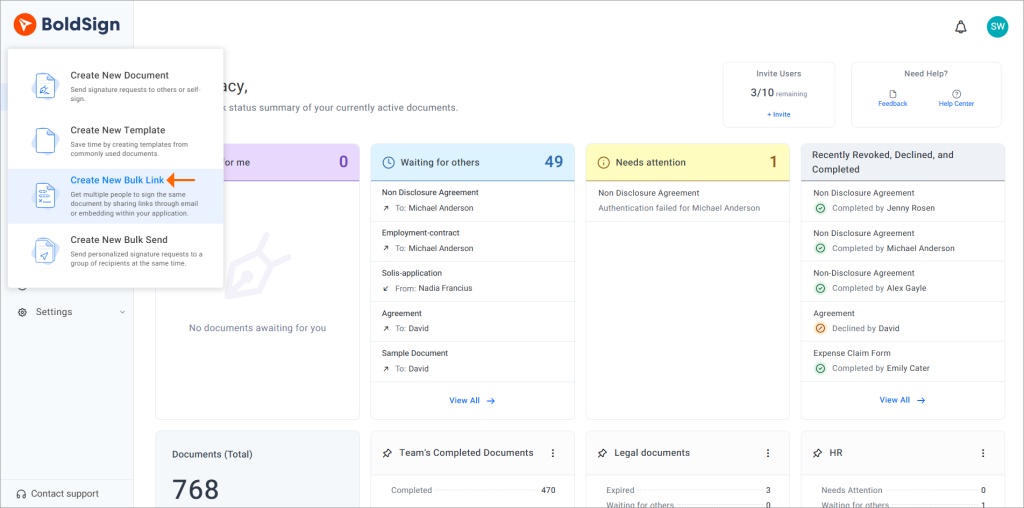
From the dashboard, go to Templates, select your waiver template, and choose Create Bulk Link. You can also start from Create New → Create New Bulk Link and pick an existing template.
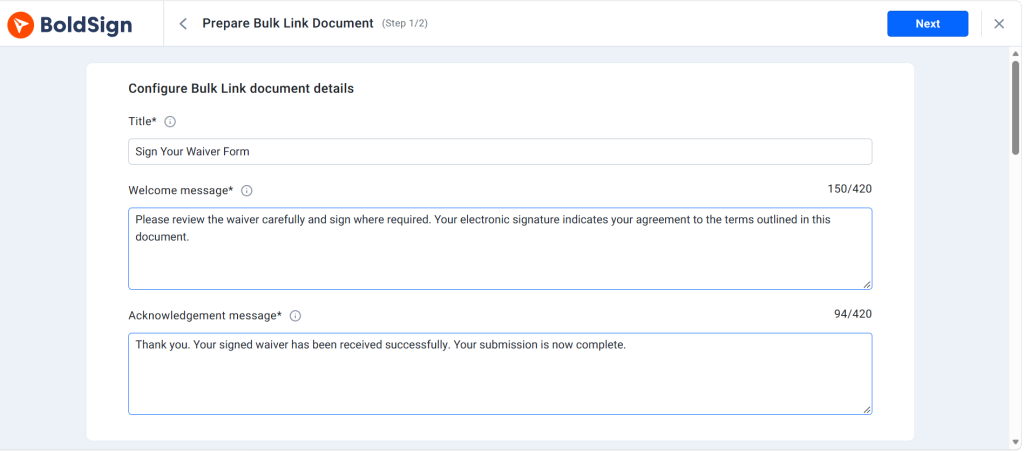
Write the welcome and acknowledgment messages
The welcome message tells signers what they are about to sign. The acknowledgment confirms the response went through. That second one cuts down on duplicate submissions from people who weren’t sure the first attempt worked.
Set response limits, expiry, and verification
Cap the number of responses the link accepts and set an expiry date so it stops working after your event window closes. Turn on email verification to send a one-time code before the document opens. An email pattern check is also available if you only want to accept addresses from a specific domain, useful for internal training sign-offs.
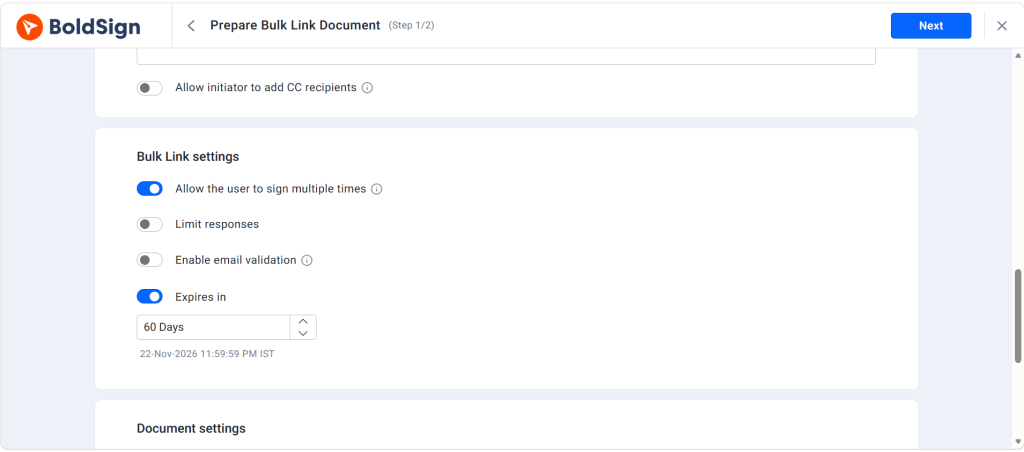
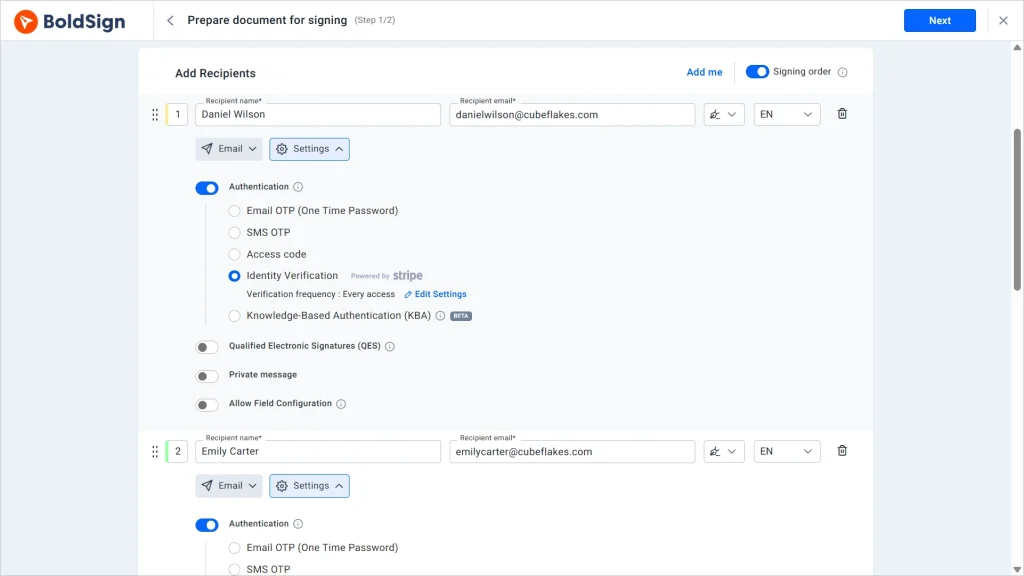
For higher-stakes documents, BoldSign supports stronger signer authentication, including access codes, SMS one-time codes, KBA, and ID verification. Most waivers do not need it. Know it’s there for the ones that do.
Share it, QR it, or embed it
Send the link directly, generate a QR code for a front-desk sign or a printed race packet, or use the embed code to place the waiver on your own website so signers never leave the page. The signing page uses your branding rather than a generic vendor screen, which matters more than it sounds when a parent is deciding whether a link is legitimate.
Signing works in a mobile browser, so a QR code taped to the check-in desk covers most walk-in traffic without a tablet.
Prefill what you already know
If your registration system already holds a name and email, pass those values into the link as URL query parameters. The participant opens a partly completed form and only has to review and sign.
Worth knowing: prefilled signers can skip identification and verification. That speeds up check-in, but it means you are vouching for the identity instead of the inbox confirming it. Fine for a registered-attendee list you control. Not fine for an open public link.
Track what comes back
Signer activity appears in real time. Export responder details, download completed waivers individually or in bulk, and pull the audit trail for any single document, the record you’d actually need if a participant later disputes that they agreed to something.
One boundary worth stating plainly
An electronic signature addresses the form of the record, not the substance of the waiver. Whether a specific release of liability holds up depends on how it is written and the law in your state. That’s a question for your counsel, not for any signing platform.
Wrapping up
Build the template once, generate the link, set a cap and an expiry, put the QR code where people check in. After that the waiver is waiting for whoever shows up, and the responses land somewhere searchable instead of a drawer.
Setting it up usually takes less time than it took to read this.
Start your free trial and set up your first waiver bulk link.
Frequently asked questions
Are online waivers legally binding?
Yes, when they clearly show the signer's identity, intent, consent, and acceptance. Enforceability also depends on the wording of the waiver and the law where it applies.
How do I create an online waiver form?
Upload your waiver to an eSignature platform, add fields for participant details, acknowledgements, dates, and signatures, then save it as a reusable template.
Can I send one waiver link to many people?
Yes. A reusable signing link lets multiple people open and sign the same template, with a separate record created for each signer.
What should an electronic waiver form include?
Participant details, clearly explained risks, acknowledgement and consent statements, release terms, signature fields, and the signing date. Have a legal professional review the wording.
Can customers sign a waiver on their phone?
Yes. Mobile waiver signing works in any compatible phone browser, usually without installing an app.
What is the difference between bulk send and bulk links?
How do I verify the signer of an online waiver?
Use email verification, access codes, SMS authentication, ID verification, or KBA, depending on the level of assurance you need.
How should signed waivers be stored and tracked?
Store completed waivers with their timestamps and audit trails intact. Use searchable records, status tracking, and retention controls so you can retrieve them later.

Preethi Loganathan
Preethi is a Digital Marketing Executive at BoldSign who develops precise, research-driven content on eSignatures, compliance, and digital signing workflows. She works closely with product and engineering teams to ensure every article is accurate, validated, and aligned with industry best practices. Connect with her on LinkedIn.
More posts by Preethi Loganathan