



eSignatures for Insurance
With BoldSign, your agency or claims team sends applications, renewals, and claim forms as a link that clients sign on any phone, with no account.
- Identity checks before signing
- Audit trail for every document
- 1ApplicantSigned
- 2Co-applicantViewed, not yet signed
- 3Insurance agentNot yet viewed
Trusted by 100,000+ organizations worldwide








How do insurance teams get documents signed electronically?
With BoldSign, you upload a form, mark where each person signs, and send a link.
Works in: the BoldSign web app in any browser, and the BoldSign mobile app for iOS and Android.
-
Upload
Upload Claim form.pdf from your computer, cloud storage or a template.
-
Add parties
Add Emily Carter and Marcus Lee, in the order they sign. No one needs a BoldSign account to sign.
-
Place fields
Drag the signature, date and other fields onto the page for each party.
-
Send
Add a message and send. BoldSign emails each party a secure link.
-
Sign anywhere
Emily Carter signs on a phone or any browser. Everyone gets the completed copy with its audit trail.
Where insurance paperwork slows a policy down
Applications wait for a signature
A client who has to print, sign, and scan a form puts it off, and the policy waits.
With BoldSignClients tap a link and sign in their phone browser. See signing from a phone
No proof of who signed
A scanned page shows little about who signed it, or when.
With BoldSignSigners prove who they are, and every step is logged. See identity checks
Renewals arrive every month
Retyping the same renewal form for each policyholder invites typos.
With BoldSignOne renewal template, filled for each policyholder from a CSV file. See renewals in batches
What insurance teams send for signature
With BoldSign, agencies, brokers, and carriers send the forms that start, change, and close a policy.
| Document | Who signs | What matters most |
|---|---|---|
| Policy application | Applicant, and any co-applicant | Each applicant signs their own lines, in the order you set |
| Renewal acceptance | Policyholder | The same form for many policyholders, each with their own details |
| Endorsement or policy change | Policyholder | A record of who approved the change, and when |
| Claim form and proof of loss | Claimant, then the adjuster | Signing from a phone, with photos attached |
| Cancellation request | Policyholder | Proof that the right person asked for it |
| Agent or broker agreement | Agent, then your agency | One approved version that every new agent receives |
These are a few common examples. Insurance teams use BoldSign for every signing workflow, end to end.
Can policyholders sign insurance forms on a phone?
Yes, with BoldSign your clients open the signing link in any phone browser and sign without an account or an app.
-
Requests by email, SMS, or WhatsApp
Send the link the way each client reads messages.
-
Attachments from the signer
Claimants add photos of the damage as they sign.
-
Reminders and expiry dates
Reminders go to anyone who has not signed, on your schedule.
How do you send the same renewal form to many policyholders?
With BoldSign, you save the renewal form as a template once, then send it to a list of policyholders from a CSV file.
Save the renewal form as a template
Upload your form and add a field for each detail that changes, such as the policy number.
Policy renewal templatePolicyholder: NamePolicy number: PolicyNoRenews on Renews, at $Amount a year.Sign hereSample renewal template with four fields: Name, PolicyNo, Renews, and Amount List your policyholders in a CSV file
Add one row per policyholder and a column per field. Upload, preview, and send.
CSV file, one row per policyholderCSV file, one row per policyholder (sample values) Name PolicyNo Renews Amount Emily C.emily@cubeflakes.com AUT-20418 11/01/26 1,240 Michael B.mike@cubeflakes.com AUT-20433 11/03/26 980 Sample CSV with two policyholders, one column for each template field, with each email under the name Each policyholder gets their own form
Each policyholder receives a form with their own details, ready to sign.
The form Emily receivesPolicyholder: Emily C.Policy number: AUT-20418Renews on Nov 1, 2026, at $1,240 a year.Sign hereThe form Michael receivesPolicyholder: Michael B.Policy number: AUT-20433Renews on Nov 3, 2026, at $980 a year.Sign hereSample result: Emily and Michael each receive a separate renewal form filled from their own CSV row
How do you know the right person signed an insurance document?
With BoldSign, you choose how each signer proves who they are before the document opens.
-
Access code or email code
A code the signer enters first, for routine forms.
-
SMS code
A one-time code sent to the signer’s phone.
-
Knowledge-based authentication
Questions from public records that only the signer should know.
-
ID verification
A government ID checked against a live selfie, for claims and policy changes.
-
Audit trail for every document
Who opened, signed, and downloaded it, with the time and IP address.
How is policyholder data kept secure?
BoldSign encrypts every insurance document twice with AES-256. Its security controls are independently audited for SOC 2 Type 2, and each standard is listed in your account’s Compliance page, shown below.
Compliance
BoldSign meets global security and compliance standards to protect your documents and data. Manage the settings below to align with your organization’s requirements.

Data Residency
Active (US - Global)Your documents and signer data are securely stored in your selected region to meet data sovereignty and local regulatory requirements.

HIPAA Compliance
EnabledEnable HIPAA mode to protect PHI using administrative, technical, and physical safeguards aligned with HIPAA regulations.

PCI DSS
CompliantPayments are securely processed through Stripe, a PCI DSS Level 1-certified provider, ensuring the safe handling and encryption of all payment data.

CCPA & CPRA
CompliantEnsures compliance with California privacy laws, giving residents transparency and control over their personal data, including rights to access, delete, and opt out.

SOC 2 Type II
CompliantBoldSign has successfully completed a SOC 2 Type II audit, validating our controls for security, availability, confidentiality, and data integrity.

UETA & ESIGN
CompliantBoldSign ensures that all e-signatures are legally binding and compliant with the U.S. ESIGN Act and the Uniform Electronic Transactions Act (UETA).

eIDAS (SES)
CompliantBoldSign complies with the EU eIDAS Regulation (910/2014) and supports Simple Electronic Signatures (SES) by default.

eIDAS (QES)
EnabledEnable Qualified Electronic Signatures (QES) for contracts requiring the highest legal assurance under eIDAS.
Why choose BoldSign for your insurance team
BoldSign gives agencies and carriers one place for every signed policy document.
Send and track
-
Templates
Every agent sends the approved version of each form.
-
Multi-signer support
Every party signs one document, in order or at the same time.
-
Scalability
Unlimited envelopes per sender, and one renewal form for a whole list of policyholders.
Sign anywhere
-
No signer account required
Clients sign from a link, with no BoldSign account.
-
Mobile accessibility
Clients sign on any device, and agents send from the iOS and Android apps.
-
User-friendly interface
Agents drag fields onto a form, and signers follow guided steps.
Trust and records
-
Signer authentication
A code, KBA, or ID verification, set per signer.
-
Audit trail
A record of who did what, and when, on every document.
-
Security and compliance
Encrypted documents and independently audited controls.
Brand, build and help
-
Custom branding
Your logo and colors on emails and signing pages.
-
Embedded signing
Developers place signing inside your client portal or claims app.
-
Help on every plan
Help by chat, email, or support ticket, free on every plan.
Security and procurement documents for eSignature
IT and procurement teams can read BoldSign’s security policy, data processing agreement, and subprocessor list online. They can also request the SOC 2 Type 2 report.
- Sign-in
Single sign-on and user provisioning
Works with Microsoft Entra ID.
See features by plan - Audit report
SOC 2 Type 2 report
Available on request from BoldSign.
Request the SOC 2 report - Data protection
Data processing agreement
Includes the EU Standard Contractual Clauses and the UK Addendum by reference.
Read the data processing agreement - Data protection
Subprocessor list
Every third party BoldSign uses to process data.
See the subprocessor list - Service
Service level agreement
Uptime, support response times, and service commitments.
Find it in the Legal Center
Can your team send insurance documents from a phone?
Yes, with BoldSign your agents send and track documents in the mobile app.
The BoldSign mobile app
Check who has signed between client visits. The iOS and Android apps come with every plan.
Scan the QR code or tap an app store badge to get started.Tap a badge to get the app.


Estimate your own eSignature cost
BoldSign has two calculators: one works out what BoldSign would cost your team, and the other estimates what switching would save.
- Calculator
BoldSign pricing calculator
Set your number of senders, monthly envelopes, and add-ons to see your monthly or yearly cost.
Estimate your cost - Calculator
eSignature ROI calculator
Compare what your current eSignature tool costs with what BoldSign would cost.
Estimate your savings
Limits and costs to know before you send insurance documents with BoldSign
BoldSign sends, tracks, and stores insurance documents for signature. It does not quote, rate, or issue policies, and it does not notarize. Prices are in USD.
- $15 Business plan, per user a month Billed yearly. SMS and WhatsApp delivery, bulk sending, SMS codes, KBA, and ID verification start here (pricing).
- $2 per ID verification attempt
- $1.50 per KBA attempt
- $0.25 per envelope sent in bulk On top of the plan price.
- $0.20 per SMS
- $0.10 per WhatsApp message Only when you deliver requests or codes by SMS or WhatsApp (rates).
Before your first insurance send
- Accounts created with a free email domain, such as Gmail, must be verified through BoldSign support before bulk sending is turned on.
- ID verification cannot read ID details written in Arabic, Chinese, Cyrillic, Greek, Hebrew, Japanese, Korean, Tamil, or Thai script.
- Embedded signing, and sending live documents through an AI agent, need the Enterprise API plan, from $30 a month.
Which insurance teams use BoldSign?
BoldSign is used by insurance agencies such as Dave Silver Insurance, a Medicare agency in Bradenton, Florida, and Champion Services, which sends customer contracts and keeps signed copies on file.
-
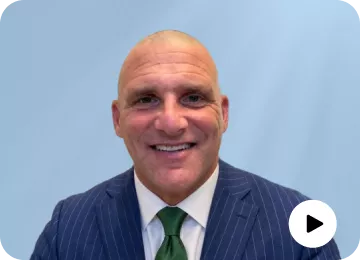 Dave Silver Insurance · Medicare, Florida
Thousands of Medicare forms signed remotely
Dave Silver replaced mailed and printed forms with signing links his retired clients complete on their own, and every document is time stamped for government audits.
Read the Dave Silver Insurance story -
 Champion Services · Insurance, United States
Customer contracts sent and stored in one place
Zach Calvert moved off Docusign and now sends signature requests and keeps every signed contract on file for later reference.
Read the Champion Services story
Switching from another eSignature tool
Docusign templates import into BoldSign at no charge with BoldSign’s import tool, and BoldSign support helps teams make the switch.
- Guide
Import your Docusign templates
Step-by-step help for moving Docusign templates into BoldSign.
Read the import guide - Comparison
BoldSign compared with Docusign
Features and prices side by side, for teams moving from Docusign.
See the Docusign comparison - Comparison
BoldSign compared with Dropbox Sign
For teams moving from Dropbox Sign, formerly HelloSign.
See the Dropbox Sign comparison - Comparison
BoldSign compared with Adobe Acrobat Sign
For teams moving from Adobe Acrobat Sign.
See the Adobe comparison - Comparison
BoldSign compared with PandaDoc
For teams moving from PandaDoc.
See the PandaDoc comparison - Comparison
SignNow and other tools
Every eSignature tool BoldSign is compared with.
See all comparisons
More guides for insurance eSignatures
BoldSign guides and demos go deeper on each insurance task.
- Guide
Underwriting agreement signatures
Applications and endorsements signed during underwriting.
Read the guide - Guide
Policy renewals with BoldSign
From renewal document to signed copy.
Read the guide - Guide
Accident damage on claim forms
Claimants mark damage as they sign.
Read the guide - Developer guide
Signing in an insurance claim app
Add signing to a .NET claims app.
Read the guide - Demo
Insurance claim agent demo
An AI agent takes a claim from a chat and sends the claim form. The claimant signs it.
Try the demo - Page
eSignature legality
The laws behind signed documents, by country.
See the page
Questions insurance teams ask about eSignatures
What is the best eSignature software for insurance companies?
BoldSign. Agencies, brokers, and carriers send applications, renewals, and claim forms from shared templates, and check who is signing.
Are eSignatures legally binding on insurance documents?
Yes. BoldSign complies with the ESIGN Act, UETA, and eIDAS, so its signatures are secure and legally binding.
Can claimants sign a claim form on their phone?
Yes. The claimant opens the link in any phone browser, signs, and can attach photos of the damage before finishing.
Do policyholders need a BoldSign account to sign?
No. BoldSign sends each signer a link, and they sign without an account, an app, or any payment.
Can several people sign the same policy document?
Yes. Add every signer, such as the applicant, a co-applicant, and the adjuster, and set the order they sign in. Each person signs only the fields assigned to them.
Can an insurance agency try BoldSign for free?
Yes. BoldSign offers a 30-day free trial with 50 eSignature documents, shared by the Growth and Business plans. Signups with a public email domain, such as Gmail, get a smaller allowance.
Last updated: October 16, 2026