



Free Google Sheets QR Code Generator
Easily convert any Google Sheets link into a QR code within seconds. Just paste your URL, generate the code, and share it anywhere, 100% free, with no signup needed.
Google Sheets URL
Pattern Color
Background Color
Generate Google Sheets QR code in seconds
-

Insert Google Sheets Link
Type or paste a Google Sheets document URL to create your QR code.

-

Customize
Adjust the pattern, background color, and size to match your brand.
-

Download
Save your QR code instantly as a PNG, SVG, or JPEG in your preferred format.
Why our Google Sheets QR code generator?
Quickly generate a Google Sheets QR code for free, no registration required. Your data stays secure in your browser, delivering fast, high-quality results.

Completely Free
Generate unlimited Google Sheets QR codes with no fees, limits, or hidden watermarks.

Easy to Use
Generate QR codes instantly without delays, making them quick and simple to share.

Your Information Stays Private
Your links are processed securely in your browser and never stored or tracked.

Works on Any Device
Create and download QR codes easily on desktop, tablet, or mobile devices.
Create any QR code you need
Generate the right QR code for any purpose in seconds. Fast, free, and easy to use, no signup, no limits.
-

Phone Number
Start a call to the specific phone number directly after a quick scan made.
Explore More -

Spotify
Create a QR code to share a track, album, or playlist so listeners can play it instantly.
Explore More


Why free?
We built this tool to make Google Sheets QR code generation easy for everyone, with no fees and no sign-up. It’s our way of introducing BoldSign, our full-featured eSignature solution trusted by 100,000+ organizations.
Free tools built for the community
BoldSign offers free tools as a contribution to society. The tools run entirely in the browser and support personal and commercial use, with no watermarks, limits, or hidden costs.


Explore more articles on this topic
Discover the latest articles, updates, and helpful insights related to this topic.
-
June 12, 2025
Delete unwanted PDF pages online for free in seconds
-
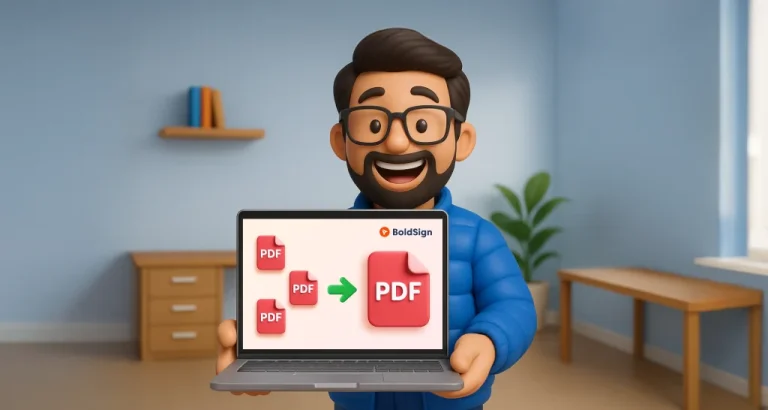
April 28, 2025
Introducing the BoldSign’s Free PDF Merge Tool
Frequently asked questions
What is a Google Sheets QR code?
A Google Sheets QR code is a scannable code that directs users instantly to your shared sheet, tab, or document.
How can a Google Sheets QR code help my workflow?
It makes it easy for teams, students, or clients to access shared spreadsheets instantly from presentations, reports, posters, or emails.
Can I use this QR code for classroom or business collaboration?
Yes. Place the QR code on handouts, slides, or dashboards to help participants quickly access your Google Sheets.
Can I create different QR codes for different sheets or tabs?
Yes. You can generate separate QR codes for each sheet, tab, or shared link.
Will the QR code work if I update the sheet’s content?
Yes. As long as the page URL stays the same, the QR code will continue to work.
What file formats can I download?
PNG, SVG, and JPEG for versatile use in print or digital.