Top 5 KBA eSignature Solutions, and What to Check Before You Pick One
TL;DR: Every eSignature platform’s knowledge-based authentication works the same way underneath, so feature checklists won’t tell you which one to pick. What actually differs is whether the price is published upfront, how much you can tune the verification settings, and what happens to your document when a legitimate signer gets blocked. This guide ranks five major vendors on those three factors.
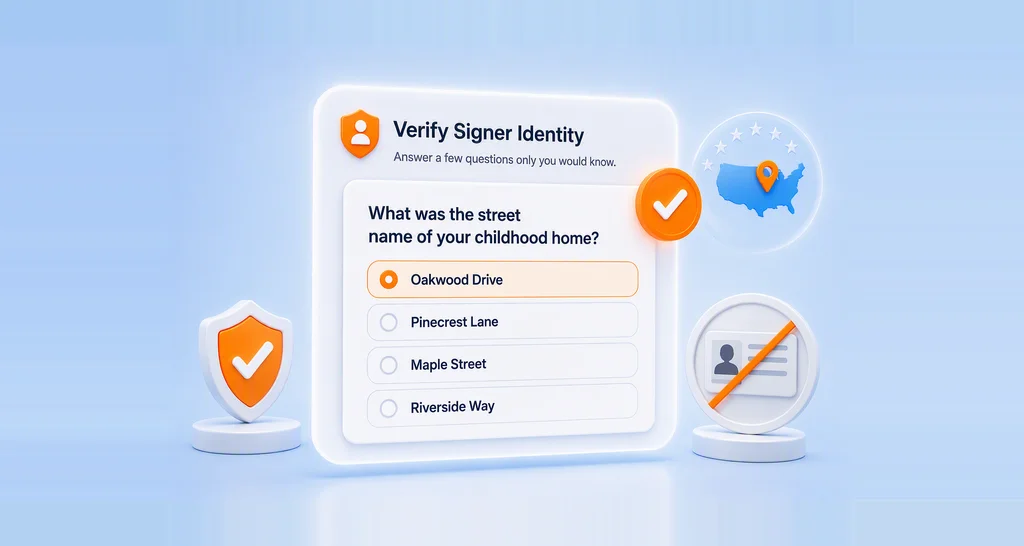
Knowledge-based authentication for eSignatures works the same way underneath, on every platform. Pull public record data, build a handful of questions in real time, gate the document behind a correct answer.
That sameness is the whole problem with feature-checklist comparisons. Every vendor’s row says yes, so the checklist tells you nothing.
The divergence is in the commercial and operational detail around the check. What you can find out about the price before you commit. How many times the same signer can be billed. Whether an administrator can tune the check at all. And what happens to a document when a signer gets blocked, which matters because KBA blocks legitimate people routinely, for reasons that have nothing to do with fraud, and the IRS builds that expectation into its own rules.
This guide walks through the five checks that predict how KBA will perform inside your workflow, then ranks BoldSign, Docusign, PandaDoc, Adobe Acrobat Sign, and OneSpan Sign. It’s built for teams handling loan documents, tax forms, insurance claims, or any agreement where an emailed link isn’t proof enough of who signed it.
The problem KBA solves
What is knowledge-based authentication (KBA) in eSignature software?
Every eSignature platform can tell you someone opened the link and clicked sign. None of that tells you who that person was.
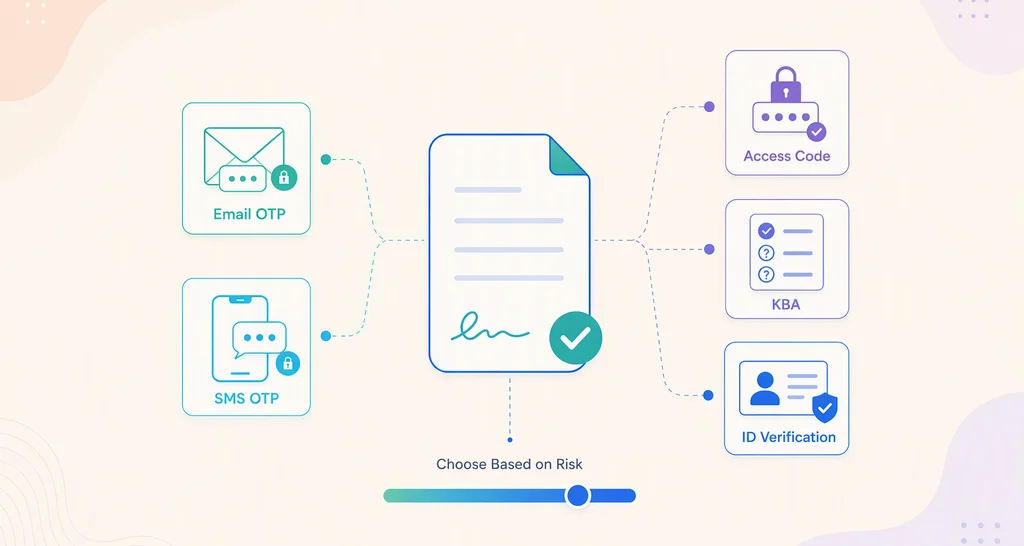
Email delivery proves access to an inbox. SMS codes prove access to a phone. Passcodes prove someone told the signer a passcode. An attacker who has compromised an email account, ported a number, or intercepted a forwarded message passes all three without ever being the signer.
For most agreements that gap doesn’t matter. An NDA or an offer letter is fine with email plus an audit trail. Three situations change that.
A regulator requires proof of identity. IRS Publication 1345 requires identity verification following NIST Special Publication 800-63 at Level 2 assurance with knowledge-based authentication or higher for remotely e-signed Forms 8878 and 8879. Software must disable verification after three attempts, and a taxpayer who fails must sign by hand.
The transaction is expensive to unwind. Loan payoffs, real estate closings, beneficiary changes on estates. A forged signature here costs six figures to litigate.
You have no prior relationship with the signer. KBA establishes identity without an onboarding step, because the questions come from records you never had to collect.
The questions are generated fresh at the moment of signing, so there is nothing static for an attacker to research in advance. What KBA does not do is verify anyone outside the U.S. or match a face to a document, all five platforms here document U.S.-only signer coverage. Use government ID verification for signers elsewhere, and treat KBA as one control among several rather than a complete fraud program.
Why the vendor choice matters more than the feature
What should you check before choosing KBA eSignature software?
Every platform here runs dynamic KBA against similar data, and the signer experience looks nearly identical. The differences that affect you are underneath.
1. Where your signer’s data goes
KBA requires a signer to hand over their name, address, and usually the last four digits of their SSN. That data leaves your platform and reaches a credit bureau or risk-data provider.
Whether it is retained, and by whom, is a question your security review will ask and your signers deserve an answer to.
Ask: Is the SSN fragment retained after questions are generated? Which sub-processors receive it? Where is it processed geographically?
2. Whether the price is knowable before you commit
There are two billing shapes in this category, and they behave very differently once real signers hit them.
Per attempt. BoldSign and PandaDoc charge each time a signer starts a challenge, pass or fail. Here your cost is:
cost per completed signature = unit price × attempts used × expected failure rate
Most failures are not fraud. They are name mismatches, stale addresses, and thin credit files. So, the published rate is only the first term, and the retry cap and name-match setting matter as much as the number on the invoice.
Per recipient, or per process start. Adobe charges once per recipient no matter how many attempts that person makes, so retries are free. Docusign counts a charge each time a recipient starts the process. In this shape retries are cheap, but a signer who has to authenticate again on a later visit can start the meter over on a document they never failed.
That second shape is why re-verification frequency is a pricing question, not a settings detail. A title company with a document open for three weeks can pay more in repeat challenges than in failures.
Ask: Which shape is it, per attempt, per recipient, or per process start? Do retries bill separately? How many retries does the default allow? Does a returning signer re-verify, and does that bill again? Can you see a rate without a sales call?
3. Which identity provider is behind the check
You are not really buying your eSignature vendor’s KBA. You are buying LexisNexis, GBG IDology, or a similar provider through a reseller. That choice determines question quality, geographic coverage, and match rates for thin-file signers.
It also determines your compliance paperwork. A named provider is something your auditors can assess directly. Four of the five platforms here name one. If a vendor doesn’t, get it in writing before you sign.
Ask: Which provider generates the questions, and will the vendor name them in writing?
4. What happens when a real signer fails
This is where platforms diverge most, and where the cost lands on your team rather than your invoice.
Some cancel the agreement outright, which means rebuilding and resending. Some lock the signer until someone intervenes. Some let the sender reset verification while the document stays live. The difference is a two-minute fix versus restarting a closing.
Ask: On lockout, does the document survive? Can your sender fix it, or does it go to support? Is there a cooldown, and how long?
5. Whether the settings fit your business
A tax firm verifying a returning client, a lender onboarding a stranger, and a title company with a document open for three weeks need different settings. Most platforms ship one configuration.
Three settings matter: how often a signer re-verifies, how many retries they get, and how strictly the name on the document must match their credit file. That last one quietly drives false failures. A signer whose document says “Robert J. Smith” and whose file says “Bob Smith” fails a strict match, and you pay for the attempt.
Ask: Can an admin set account-wide defaults and still let senders override per signer?
The three levers these checks resolve into
Those five checks map onto three things you either have or don’t:
- Published price. Is there a rate and a charge trigger in public documentation, so you can calculate a cost per completed signature before you sign a contract? Two vendors here have one.
- Verification tuning. How much of the check itself can be adjusted, how strictly the name must match, how many attempts a signer gets, and how often the same signer is challenged again? These settings decide how many signers get blocked and how many times you are billed for the ones who aren’t. One vendor here documents the full set.
- Lockout recovery. When a signer is blocked, can your sender recover the live document, or does someone rebuild it? Two vendors here document a way.
No platform in this category fails at KBA itself. They fall short on one or more of these three, and that is what the ranking below measures.
KBA eSignature software comparison: BoldSign vs. Docusign vs. PandaDoc vs. Adobe Sign vs. OneSpan
Ranked below on the three levers: whether you can see the cost, control what you are billed for, and fix a blocked signer.
| BoldSign | Docusign | PandaDoc | Adobe Acrobat Sign | OneSpan Sign | |
| Identity provider | GBG IDology | LexisNexis Risk Solutions | Not named for KBA | LexisNexis | LexisNexis |
| Published KBA unit price | Yes, $1.50 per attempt | No | Yes, $2 per attempt, 10 minimum | No, purchased through a sales rep | No, fee-based add-on |
| Charged per | Attempt | Each start of the process, per recipient | Attempt | Recipient | Not documented |
| Retry limit | Configurable, 1 to 3 | Configurable, admin sets the maximum | Configurable, 1 to 3, default 2 | Configurable, no documented ceiling; agreement cancels once exceeded | Signer locked out after three failures; the setting itself is not in official docs |
| Re-verification frequency | Every access, until signed, or once per document | First access or every access, with a configurable expiry | Before opening or before signing | Re-auth if the signer closes the agreement | Once per transaction |
| Name-match tolerance | None / Lenient / Moderate / Strict | Not documented | Not documented | Name lock only, not a tolerance scale | Not documented |
| Lockout recovery | Sender resets KBA, removes authentication, or corrects signer details; document stays live | Envelope locks; sender corrects and/or resends | Signer contacts the sender; sender-side steps not documented | Agreement is canceled and cannot be reactivated; a new agreement is required | Sender must create a new transaction |
| Free API sandbox for KBA testing | Yes, published test identity and answer key | Demo account, ID verification off by default | General sandbox; KBA in sandbox not addressed | No, sandbox is a separate paid environment | Developer sandbox available |
Disclaimer: This blog contains product comparisons based on publicly available information as of September 2026 and may change.
1. BoldSign
KBA on BoldSign is a paid add-on available on the Business, Premium, and Enterprise API plans. An admin sets the defaults at account level, and senders can override them for an individual signer.
Strengths
- The lowest published per-attempt rate of the five, at $1.50 per attempt, drawn from included plan credits and then billed pay-as-you-go. Only two vendors here publish a KBA rate at all.
- Name-match tolerance across four levels (None, Lenient, Moderate, Strict), set as an account default by an admin and overridable per signer. No other platform in this set documents a KBA name-match tolerance scale, and it is the single most direct lever on your failure rate.
- A failed signer doesn’t invalidate the document. The sender can reset KBA authentication, remove the requirement, or correct signer details in place, without recreating the agreement.
- Three re-verification modes: every access, every access until signed, or once per document, so a document open for three weeks doesn’t re-bill on every visit.
- The identity provider is GBG IDology, named for KBA specifically on BoldSign’s public subprocessors page and scoped to U.S. users with KBA enabled.
- The last four SSN digits are used only to generate the security questions and are not retained.
- For teams building on the API, a dedicated KBA mode in the developer sandbox, a free test environment separate from your live account, with a predefined test identity and a published answer key. Sandbox challenges incur no charges, so a developer can rehearse the whole flow, failures included, before it touches a real signer or a real invoice.
Trade-offs
- Charged per attempt, so a retry bills again. With the rate published and the cap at three, the worst case for one signer is $4.50, and you can see that number before you buy. Adobe and Docusign charge per recipient instead, which sounds cheaper, but neither publishes the rate, so whether a single unpublished charge beats a capped $4.50 is not something you can find out from their documentation.
- The retry ceiling tops out at 3, which matches the IRS cap for Forms 8878 and 8879 but is the tightest documented limit of the five. It isn’t a dead end: a signer who runs out contacts the sender, who resets KBA on the live document, but a hard-to-verify signer needs that sender intervention rather than simply trying again.
2. Docusign
KBA on Docusign is part of the Docusign Identify add-on, which bundles several identity methods behind a single configuration that an administrator enables per method.
Strengths
- Identity provider is named: LexisNexis Risk Solutions, which auditors can assess directly.
- Failure recovery keeps the agreement alive. When attempts run out, ID Verification locks the envelope and the signer contacts the sender; the sender then corrects and resends, which resets the available attempts. No rebuild required.
- Re-verification is genuinely configurable: authenticate on first access or on every access, plus a persistent-authentication window an administrator can set in minutes, hours, or days.
- KBA sits inside the Docusign Identify portfolio alongside access codes, SMS, phone authentication, government ID verification, CLEAR, and EU eIDs. Useful if your risk team routes agreement types to different methods, though OneSpan documents a comparable range.
- KBA is settable through the REST API, with a dedicated how-to for requiring it on a recipient.
- The metering basis is published. Docusign describes KBA as carrying a per-use fee, and the plan allowances page states that each time a recipient starts the ID Verification or KBA process by selecting an ID method, it counts against the allowance. Worth noting how deliberate that is: for premium data verification, Docusign wrote an outcome-based rule instead, counting only once the data is verified or the recipient exhausts their attempts. KBA counts on the start.
Trade-offs
- No KBA rate is published. The plan table lists knowledge-based authentication only under Contact sales, so you cannot put a number against the metering basis Docusign does publish. The broader ID verification add-on is priced at $2.40 per attempt, but that is a different add-on and should not be read as the KBA rate.
- The metering basis and the re-verification setting can work against each other. Because a charge counts each time a recipient starts the process, running authentication on every access instead of first access can bill the same signer repeatedly on a document they never failed. Of the five, this is the combination most likely to produce a bill you didn’t forecast, and you can’t size the exposure, because there’s no published rate.
- No name-match tolerance control is documented.
3. PandaDoc
KBA on PandaDoc sits under its Identity Verification add-on, alongside the ID Check document-and-selfie method, and both draw from the same prepaid verification balance.
Strengths
- Publishes its entire KBA configuration on a single page. $2 per attempt with a 10-attempt minimum, charged for each attempt rather than each successful verification, an attempt limit from 1 to 3 (default 2). Every term in the cost formula is on one page.
- Docusign and Adobe also publish a charge trigger, but neither publishes a rate, so PandaDoc and BoldSign are the only two platforms here where you can put an actual number on a completed signature before you buy.
- PandaDoc states plainly that it does not access or retain the identity information used for KBA as part of the verification process.
- Identity Verification is enabled by default on Business and Enterprise plans, and ID Check draws from the same verification balance as KBA, which simplifies budgeting across both.
- Verification triggers at one point only, before the signer opens the document or before they sign, so a signer who returns to a document isn’t re-challenged and re-billed.
Trade-offs
- PandaDoc does not name a KBA provider. The KBA article attributes the questions to public records, credit reports, and other sources without naming a vendor, and the subprocessors list covers identity verification generically.
- Charged per attempt, including attempts the signer fails, and each retry bills again. At the default of two attempts, a signer who fails once and passes on the retry costs $4, and $2 of that bought nothing. At the maximum of three, a signer who never passes costs $6 and you still have an unsigned document.
- No documented name-match tolerance, so mismatched legal names become failed attempts you still pay for.
- PandaDoc offers a general developer sandbox for API work, but whether KBA can be exercised inside it isn’t addressed anywhere in the documentation. A development team may have to spend live attempts to confirm the flow behaves as expected.
4. Adobe Acrobat Sign
KBA on Adobe Acrobat Sign is one of several premium authentication methods, bought as transactions that are pooled at the account level so every group draws from the same allowance.
Strengths
- Charged once per recipient, including recipients who fail, and retries do not bill again. An agreement with three KBA recipients consumes three transactions no matter how many attempts each one makes. Retries never add to the bill, so the number of charges per agreement is fixed no matter how badly verification goes. Whether that works out cheaper than a capped per-attempt bill depends entirely on the rate, which Adobe doesn’t publish.
- Identity provider is named: successful verifications are logged in the audit report with the LexisNexis authentication token.
- Two independent control sets at account and group level: send settings for which senders can use KBA, security settings for how many attempts a recipient gets. Adobe documents no ceiling on that number, only that the agreement cancels after a defined number of failed attempts, the most retry headroom of the five, and since retries don’t bill, the extra attempts cost nothing.
Trade-offs
- On max failed attempts, the agreement is automatically canceled and canceled agreements cannot be returned to active status; a new agreement must be created. Adobe and OneSpan are the two heaviest recovery paths here: Adobe cancels the agreement, OneSpan requires a new transaction. The difference is that Adobe’s cancellation fires automatically, without the sender choosing the moment. The retry costs nothing; the rebuild does.
- A recipient who closes the agreement mid-flow must re-authenticate. Per-recipient billing means that costs nothing extra, unlike on Docusign, but it still spends signer patience when nothing went wrong.
- No public unit price; transactions must be purchased through an Adobe sales representative. There is also no free environment for developers to test KBA against, because Adobe Acrobat Sign Sandbox is a separately purchased enterprise product rather than a test environment included with the account.
- No name-match tolerance control is documented.
5. OneSpan Sign
KBA on OneSpan Sign is a fee-based add-on that layers on top of an existing authentication method rather than replacing it, and it also drives identity checks inside OneSpan’s remote notarization product.
Strengths
- The identity provider is named without ambiguity: LexisNexis performs the KBA authentication on all accounts.
- Built for lending workflows. KBA layers on top of SMS, Email, or Q&A authentication rather than replacing it, and slots into OneSpan’s notary product for RON sessions, where KBA requirements can be customized to the notary’s jurisdiction. In RON and Virtual Room sessions, a Retry Authentication button lets a signer try again without using up one of their remaining attempts.
- Signers verify once per transaction rather than every time they open the signing link, so a document left open for weeks stops re-challenging them.
Trade-offs
- Nothing is published on cost. Dynamic KBA is described only as a fee-based service add-on, with no rate, no metering basis, and no charge trigger anywhere in the documentation. Every other vendor here publishes at least a rate or a metering basis; OneSpan publishes neither.
- On a failed KBA attempt outside RON, the sender must create a new transaction for the signer to try again, rather than unlocking the same document in place.
- Official documentation describes the lockout behavior, a signer who fails too many times, three, may be locked out, but the account-level max-attempts setting itself does not appear in OneSpan’s official docs.
- No name-match tolerance control is documented.
How to choose KBA eSignature software in three questions
Can you see what it will cost?
Only BoldSign and PandaDoc publish a rate, so only those two let you budget verification the way you budget envelopes. Everyone else requires a sales conversation before you can put a number on a completed signature, and Adobe and OneSpan require one before you can even buy the feature.
Can you control what you get billed for?
Two settings decide this, and they apply whether or not anyone ever fails. Name-match tolerance determines how many legitimate signers get blocked over a middle initial, and BoldSign is the only platform here that documents one. Re-verification frequency determines how many times a single signer is challenged on the same document: BoldSign’s once-per-document mode and OneSpan’s once-per-transaction behavior charge once and leave them alone, while Docusign’s every-access option counts a new charge each time the process starts.
Can you fix a blocked signer?
BoldSign resets them on the live document, and Docusign’s sender corrects and resends to reset attempts. Those are the two that don’t cost you the agreement. PandaDoc documents no sender-side path, OneSpan needs a new transaction, and Adobe cancels automatically.
What the comparison shows
Put the three levers side by side and the ranking explains itself:
| Published price | Verification tuning | Lockout recovery | |
| BoldSign | Yes | Yes | Yes |
| Docusign | No | No | Yes |
| PandaDoc | Yes | No | No |
| Adobe Acrobat Sign | No | No | No |
| OneSpan Sign | No | No | No |
One caveat worth stating plainly: a “no” means the vendor doesn’t publish the information, not that the capability is absent. Any of these platforms may do more than its documentation says, and a sales engineer may well confirm as much on a call. But a procurement team can only budget against a published rate, and a security review can only assess what a vendor has committed to in writing.
Docusign and PandaDoc sit close together, each with one of the three. The tiebreaker is which gap you can close yourself. Docusign’s missing rate takes one conversation before you buy; PandaDoc’s undocumented recovery path is something you’d be working out with support at the moment a signer is already stuck. Adobe and OneSpan document the least of the five, though Adobe does at least publish how it charges, which lets you model the shape of a bill even without the number.
The reason BoldSign lands first is narrower than a feature count: it is the only one of the five that answers all three questions in public, before you have talked to anyone. That holds regardless of how often your signers fail, because the published rate applies to every verification you run and the re-verification setting decides what you pay for signers who pass on the first try.
This is a comparison of commercial fit, not security. Every platform here will verify your signer. The question is how much of the cost and the outcome you get to control while it does.
Getting started with KBA on BoldSign
A few more specific details are worth a look if you’re evaluating BoldSign: re-verification frequency, name-match tolerance, and what happens when KBA fails. The full KBA help center category covers settings, frequency, failure handling, reset, and charging in one place. Accounting firms moving Form 8879 e-file authorizations online can see how this fits their workflow specifically on BoldSign’s page for accounting firms.
Check the Knowledge-Based Authentication feature page to see how BoldSign’s retry caps and re-verification frequency work, or start a free trial to try KBA on your own documents.
FAQs: KBA eSignature software
Frequently asked questions
What is KBA in eSignature?
KBA is an identity verification method that asks a signer multiple-choice questions generated from public records and credit-header data before they can open a document. The questions are created at the moment of signing, so there is nothing static for an attacker to research in advance.
Is KBA required for IRS Form 8879?
For remote signatures, yes. IRS Publication 1345 requires identity verification meeting NIST SP 800-63 Level 2 assurance with knowledge-based authentication or higher when a taxpayer e-signs Form 8878 or 8879 outside the preparer's physical presence. Confirm your specific obligations with your own tax advisor.
Does KBA work outside the United States?
Not on any of the major platforms compared here. KBA depends on U.S. credit and public-records data, and BoldSign, Docusign, PandaDoc, Adobe Acrobat Sign, and OneSpan Sign all currently document U.S.-only signer coverage for it. For signers elsewhere, use government ID verification instead.
How much does KBA cost?
Two vendors publish a rate. BoldSign charges $1.50 per attempt, drawn from included plan credits and then billed pay-as-you-go. PandaDoc charges $2 per attempt with a 10-attempt minimum. Both charge on the attempt rather than the outcome, so multiply by your retry cap for a realistic figure. Adobe Acrobat Sign charges once per recipient but sells transactions through a sales rep without a public rate. Docusign counts a charge each time a recipient starts the process, but lists KBA under Contact sales; its published $2.40 per attempt applies to the broader ID verification add-on, not KBA. OneSpan Sign publishes neither a rate nor a charge trigger.
Does a failed KBA attempt still cost money?
It depends on the billing shape. BoldSign and PandaDoc charge per attempt, so a failed attempt bills and each retry bills again. Adobe Acrobat Sign charges once per recipient, including recipients who fail, but retries after that do not bill again. Docusign counts a charge each time a recipient starts the process, though it doesn't say separately whether a second question set counts again. OneSpan publishes no charge trigger at all.
Does a signer get charged again if they come back to the document later?
On the per-attempt platforms it depends on the re-verification setting, and this is worth checking before you launch. BoldSign lets you authenticate once per document, so a returning signer isn't re-challenged or re-billed. PandaDoc verifies at a single point, before opening or before signing. Docusign counts a charge each time a recipient starts the process, so every-access authentication can bill the same signer repeatedly. Adobe re-authenticates if a recipient closes the agreement, but per-recipient billing means no extra charge. OneSpan verifies once per transaction.
What happens if a signer fails KBA?
They get the retries you configured, then access locks. Recovery differs sharply. BoldSign lets the sender reset, remove authentication, or correct signer details while the document stays live. Docusign locks the envelope, and the sender corrects and resends to reset attempts. OneSpan Sign requires the sender to create a new transaction. Adobe Acrobat Sign cancels the agreement automatically, and a canceled agreement cannot be reactivated. For IRS Forms 8878 and 8879, three failed attempts means the taxpayer must sign by hand.
Why do legitimate signers fail KBA?
Usually a name mismatch between the document and the signer's credit file, a recent address change, or a thin credit file. Platforms with adjustable name-match tolerance let you loosen the check enough to pass a real signer without weakening the underlying identity questions. BoldSign is the only platform in this comparison that documents one.
Is KBA the same as ID verification?
No. KBA asks questions about the signer's history. ID verification checks a government-issued document and usually a selfie against it. KBA is faster and needs no camera but covers U.S. signers only. ID verification is slower and works globally. The two are billed separately on most platforms, including BoldSign.

Navaneetha Kannan
Navaneetha Kannan is a senior product manager at BoldSign who leads the content team, shaping resources that help businesses navigate eSignature and document workflow challenges. With over a decade of software development experience across .NET, WPF, Xamarin, MAUI, and ASP.NET, he brings a technical grasp of eSignature systems and the broader technology landscape shaping them today. Connect with him on LinkedIn.
More posts by Navaneetha Kannan