Webinar Show Notes: Verify Signers with Knowledge-Based Authentication in BoldSign
TL;DR: This webinar shows how BoldSign Knowledge-Based Authentication (KBA) verifies U.S.-based signers with security questions generated from public-record information. The session demonstrates the complete sender and signer experience, failed verification and retry handling, configurable KBA settings, and when to choose KBA instead of ID Verification. Gayathri, Software Developer at BoldSign, also covers how teams can use KBA through the web app and API.
Receiving a document at an email address does not prove the intended person signed it. This recap explains how KBA authentication in BoldSign lets senders confirm the identity of U.S.-based signers before they open a document, without asking them to upload a government-issued ID.
If you missed the live session or want to revisit the demonstration, watch the recording below.
Knowledge-Based Authentication with BoldSign [Webinar]
Timestamps
[00:00] Welcome and introduction
[00:09] Why signer identity verification matters
[00:34] Introduction to BoldSign Knowledge-Based Authentication
[01:17] Session agenda
[01:46] When email authentication may not be enough
[02:25] Compliance and higher-value agreement use cases
[02:51] KBA vs. government ID verification
[03:22] Poll: How do you verify signer identity today?
[04:11] Demo: Sending a document with KBA
[05:01] Selecting Knowledge-Based Authentication
[05:35] Signer experience
[06:19] Completing identity verification before document access
[06:38] Entering signer identity information
[07:22] No ID upload, camera, or selfie required
[07:43] Answering KBA security questions
[08:08] Successful verification and document signing
[08:45] KBA privacy and retained metadata
[09:07] Failed verification scenario
[09:46] Retrying verification
[10:41] Reaching the retry limit
[11:05] Resetting verification from the sender side
[11:43] Configuring KBA settings
[12:08] KBA frequency, retry attempts, and name matching
[13:00] KBA results in the audit trail
[13:23] When to use KBA vs. ID verification
[14:00] KBA limitations and fallback options
[15:05] Real-world KBA use cases
[15:53] Using KBA through the BoldSign API
[16:37] Poll: Next steps for KBA
[17:05] Key takeaway
[18:08] Q&A
What is KBA authentication?
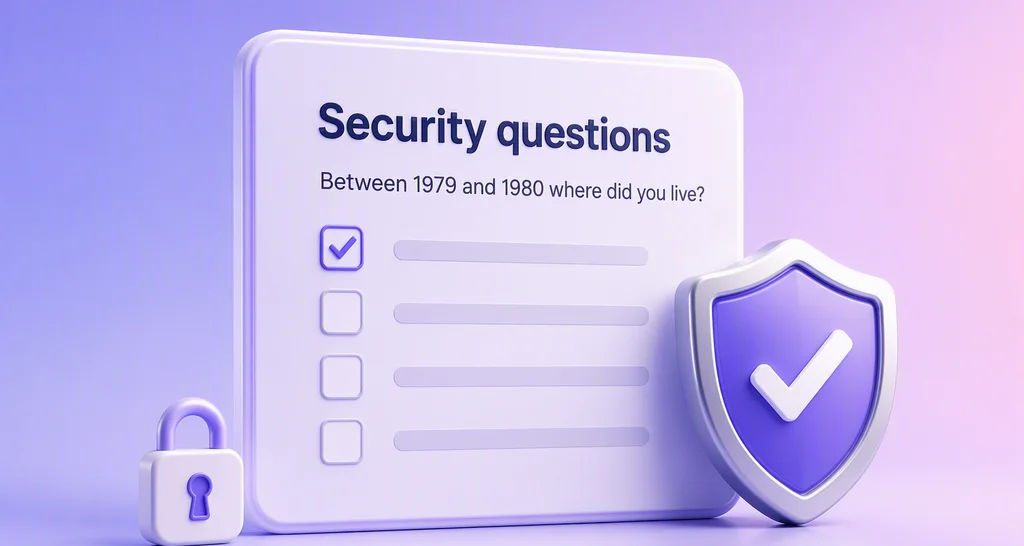
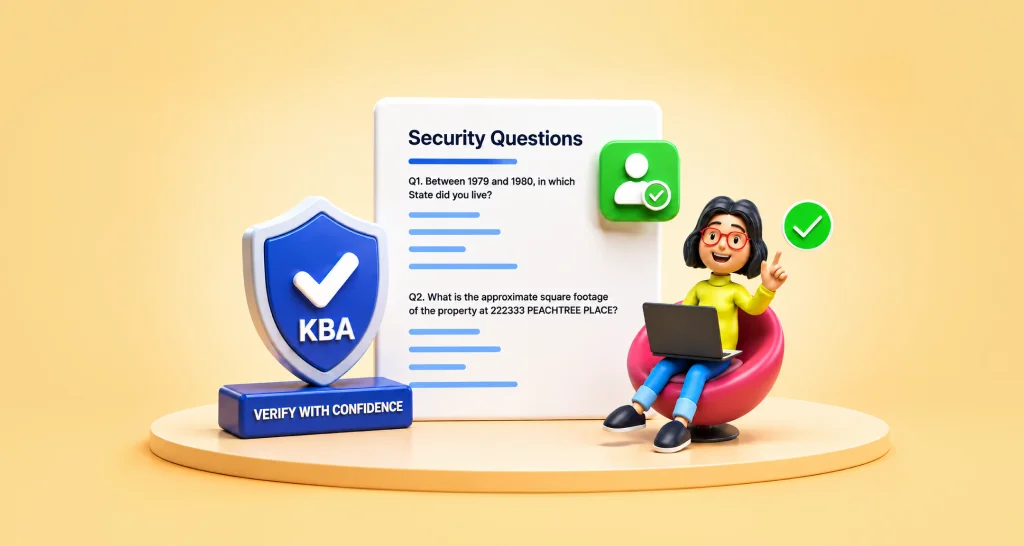
KBA authentication verifies a signer by asking security questions that only the real person should be able to answer. In BoldSign, the signer enters their name, address, and the last four digits of their Social Security number. BoldSign then generates security questions from public-record information associated with that signer, and the signer can open the document only after answering them correctly.
This flow does not require an ID upload, camera, or selfie. KBA is currently available only for BoldSign accounts in the U.S. region and for U.S.-based signers.
For a deeper look at how KBA fits into signer verification, read how to verify signers with knowledge-based authentication or see the Knowledge-Based Authentication feature page.
KBA authentication webinar recap
Why email alone is not enough
The webinar opened with a common signer authentication challenge: a document delivered to an email address does not establish that the intended person completed the signature. For higher-value agreements and certain regulated workflows, organizations may need stronger verification of signer identity before the document is opened.
The sender and signer experience
Gayathri demonstrated how a sender selects KBA as the authentication method when creating a signing request. The demonstration then moved to the signer, who provides their name, address, and the last four digits of their Social Security number before accessing the document. Security questions are generated from public-record information, and only after successful authentication can the signer open and complete the document.
The session also covered data handling: BoldSign does not store the personal information entered by the signer during KBA. Operational metadata, including verification status and timestamps, is retained.
What happens when verification fails
When a signer fails verification and reaches the configured retry limit, the document is locked for that signer. The sender can reset the verification so the signer can try again, without voiding or resending the entire document.
Configurable KBA settings
The webinar covered three settings that let teams match KBA to their workflow:
- Verification frequency: controls how often a signer must complete KBA.
- Retry attempts: sets how many times a signer can attempt verification before the document is locked.
- Name-match tolerance: sets how closely the name entered by the signer must match the name on the signing request.
KBA authentication vs ID verification
Gayathri compared the two methods based on signer location and identity-verification requirements:
- Choose KBA authentication when the signer is U.S.-based and you want identity verification without a document upload.
- Choose ID Verification when you have international signers or need document-based proof of identity. ID Verification supports both U.S. and international signers.
Where KBA authentication fits in signing workflows
The session explored where KBA can be used in lending, real estate, accounting and tax, insurance, and other signing workflows where confirming the signer’s identity before document access matters.
KBA authentication through the BoldSign API
Developers can configure KBA by setting the signer’s authentication type and providing the required KBA settings in an API request. Use the KBA sandbox to test and validate the flow before moving to production.
Key takeaways
After watching this webinar, you will be able to:
- Determine when KBA is appropriate: Identify when KBA can verify U.S.-based signers without requiring a government-issued ID upload.
- Set up a KBA-protected signing request: Know where KBA is selected in the sender workflow and how verification occurs before document access.
- Understand the signer experience: Know what information signers provide, how security questions are generated, and what happens after successful verification.
- Handle failed verification: Know when a document locks after unsuccessful attempts and how a sender can reset verification so the signer can try again.
- Configure KBA for your workflow: Set verification frequency, retry attempts, and name-match tolerance.
- Choose between KBA and ID Verification: Use KBA for U.S.-based signers, and ID Verification for U.S. and international signers or when document-based proof of identity is required.
- Evaluate KBA for API workflows: Configure KBA by setting the signer’s authentication type and providing the required KBA settings in an API request.
Q&A
Helpful resources
- For developers, use the BoldSign KBA sandbox to test and validate the KBA flow before moving to production.
- Review the Knowledge-Based Authentication feature page for an overview of KBA in BoldSign.
- Use the Knowledge-Based Authentication API documentation when implementing KBA through the BoldSign API.
- Browse BoldSign Support for KBA help and guidance.
Bringing it all together
Knowledge-Based Authentication gives organizations a way to add stronger identity verification for U.S.-based signers without requiring an ID upload. In the webinar, Gayathri demonstrated the complete experience, from configuring KBA and completing security questions to handling failed attempts and choosing between KBA and ID Verification.
For teams evaluating stronger authentication for signing workflows, the session provides a practical understanding of how KBA works, what the signer experiences, and how it can be used through both the BoldSign web app and API.
Ready to try KBA authentication?
Put what you learned in the webinar into practice with BoldSign KBA. KBA is available through both the BoldSign web app and API, so you can choose the path that fits your workflow.
New to BoldSign? Start a free BoldSign trial to create your account. If you already have a BoldSign account, you can use your existing account. To enable KBA for your account, contact BoldSign Support. Once enabled, you can use KBA through the BoldSign web app or API. Developers can also use the KBA API sandbox to test and validate their integration.
Frequently asked questions
Is KBA available in the UK or Italy?
No. Currently, KBA is supported only for BoldSign accounts in the U.S. region and for U.S.-based recipients. The sender can be located in the UK, Italy, or another country, but the BoldSign account must be in the U.S. region, and the signer completing KBA must be U.S.-based. Learn more about BoldSign Knowledge-Based Authentication.
Are there other signer verification options for UK users?
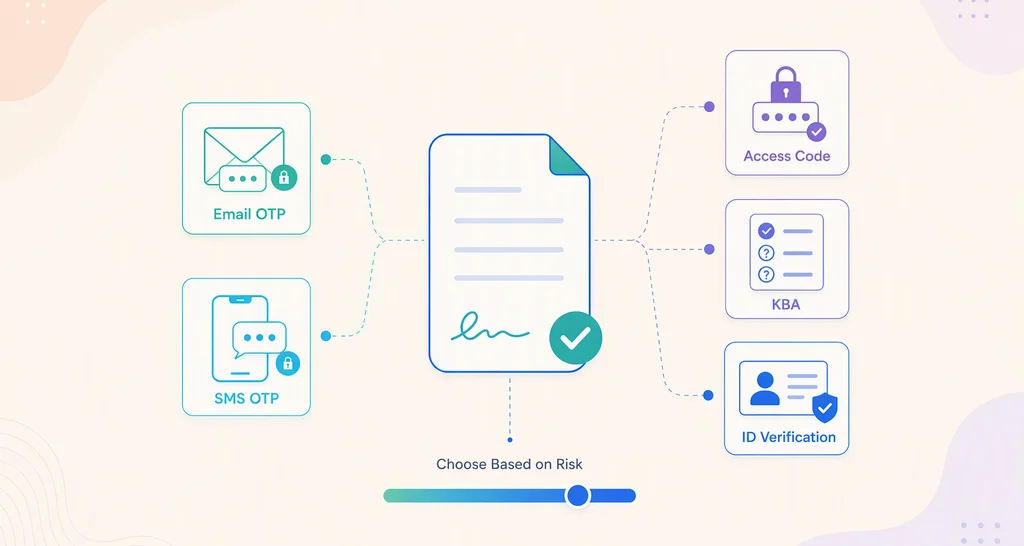
Yes. BoldSign offers other signer authentication methods, including email OTP, SMS OTP, access codes, and ID Verification. For stronger identity verification in the UK, ID Verification can be configured to accept supported government-issued identity documents.
Where can I find more information about ID Verification in the UK?
See the BoldSign Identity Verification documentation to learn how supported issuing countries and ID document types can be configured, including for UK signers.
Is KBA a paid add-on if we already have a BoldSign account?
Yes. KBA is a paid add-on. If you are currently using a standard BoldSign plan, your account will need to be moved to a custom plan, with KBA added as an add-on. KBA usage is billed when a signer starts a billable KBA challenge and the security questions are generated, even if the signer does not successfully complete verification. Contact BoldSign Support to discuss enabling KBA for your account.

BoldSign Team
The official team behind BoldSign—the simple, secure eSignature solution trusted by businesses worldwide. Our platform helps individuals and teams create, sign, and manage documents effortlessly while maintaining full compliance. Experience BoldSign yourself with a free trial or request a personalized demo to see it in action.
More posts by BoldSign Team