Send eSignature Requests Through SMS with BoldSign API
Text messages are a preferred method for sending and receiving valuable information and documents. SMS messages are especially easy to access for people on the go, with only their mobile phones in hand. BoldSign allows senders on Business, Premium, and Enterprise API plans with the Envelope via SMS add-on to send documents to signers via SMS, boosting completion rates and ensuring documents reach recipients through their preferred channel
Sending the document for eSignature via SMS
With the BoldSign API, you can request signatures via SMS by setting the delivery mode as SMS and entering the phone number (including the country code) of the signer. Upon sending, signers will receive an SMS with a link to the BoldSign app, where they can review and electronically sign the document.
Asynchronous document processing
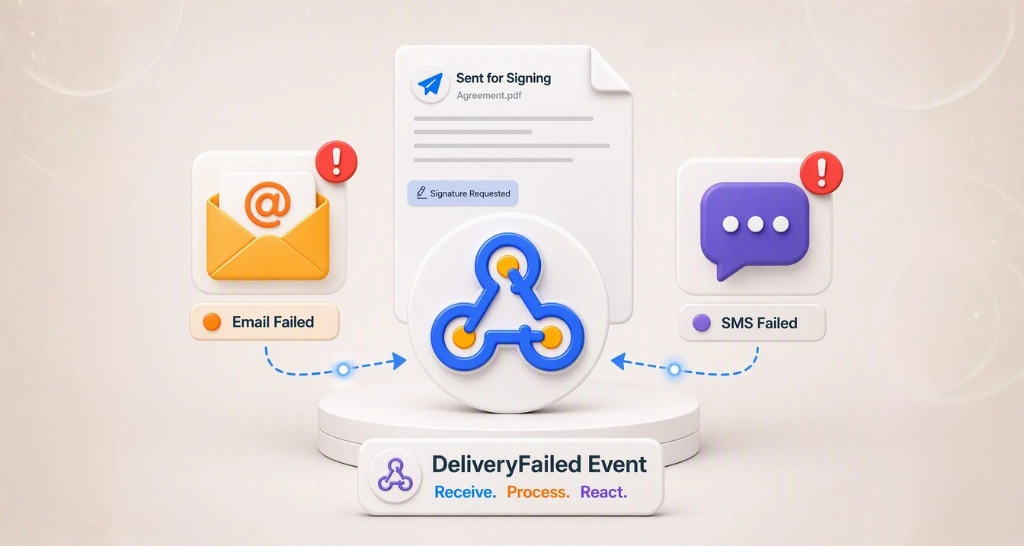
The process of document sending is asynchronous. Although you will promptly receive the document ID upon initiation, the actual file may still be undergoing processing in the background. To determine whether the document has been successfully sent, you must listen for the webhooks.
The system will trigger either a Sent or SendFailed event, indicating the success or failure of the document transmission, respectively. In the event of failure, the system will send a SendFailed event along with an accompanying error message. It is imperative to address and resolve this error to ensure the proper sending of the document in the next request. Read more about webhooks
Code snippets
Let’s see, in various programming languages, how to send a signature request via SMS.
curl -X 'POST' \
  'https://staging-api.boldsign.com/v1/document/send' \
  -H 'accept: application/json' \
  -H 'X-API-KEY: {your api key}' \
  -H 'Content-Type: multipart/form-data' \
  -F 'Message=sign please' \
  -F 'Signers={
  "name": "star",
  "phoneNumber": {
    "countryCode": "{Signer Country Code}",
"number": "{signer phone number}"
  },
 "deliveryMode": "SMS",
  "signerType": "Signer",

  "allowFieldConfiguration": true,
  "formFields": [
    {
      "id": "signature1",
      "fieldType": "Signature",
      "pageNumber": 1,
      "bounds": {
        "x": 130,
        "y": 130,
        "width": 82,
        "height": 32
      },
      "isRequired": true
    }
  ],
  "locale": "EN"
}' \
  -F 'Files=@bill.pdf;type=application/pdf' \
  -F 'Title=sample document' \
var apiClient = new ApiClient("https://api.boldsign.com","{Your API Key}");

var documentClient = new DocumentClient(apiClient);

var documentFilePath = new DocumentFilePath
{
ContentType = "application/pdf",
FilePath = "{Your File Path}"
};

var filesToUpload = new List<idocumentfile>
{
documentFilePath
};

var signatureField = new FormField(
id: "signature",
isRequired: true,
type: FieldType.Signature,
pageNumber: 1,
bounds: new Rectangle(
x: 100,
y: 100,
width: 125,
height: 25));

var formFieldCollections = new List<formfield>
{
signatureField
};

var signer = new DocumentSigner(
signerName: "David",
phoneNumber: new PhoneNumber(
countryCode: "{Signer Country Code}",
number: "{Signer Phone Number}"),
formFields: formFieldCollections,
locale: Locales.EN);

signer.DeliveryMode = DeliveryMode.SMS;

var documentSigners = new List<documentsigner>
{
signer
};

var sendForSign = new SendForSign
{
Signers = documentSigners,
Title = "Sample Document",
Message = "Please sign this",
Files = filesToUpload
};

var documentCreated = documentClient.SendDocument(sendForSign);
import boldsign

configuration = boldsign.Configuration(
host="https://api.boldsign.com",
api_key="YOUR_API_KEY"
)

with boldsign.ApiClient(configuration) as api_client:

document_api = boldsign.DocumentApi(api_client)

form_field = boldsign.FormField(
fieldType="Signature",
pageNumber=1,
bounds=boldsign.Rectangle(
x=50,
y=50,
width=200,
height=25
)
)

document_signer = boldsign.DocumentSigner(
name="David",
signerType="Signer",
deliveryMode="SMS",
formFields=[form_field],
phoneNumber=boldsign.PhoneNumber(
countryCode="Signer Country Code",
number="Signer Phone Number"
)
)

send_for_sign = boldsign.SendForSign(
title="Document SDK API",
files=["YOUR_FILE_PATH"],
signers=[document_signer]
)

document_created = document_api.send_document(send_for_sign)
<?php
require_once "vendor/autoload.php";

Signer Country Codee BoldSign\Configuration;
Signer Country Codee BoldSign\Api\DocumentApi;
Signer Country Codee BoldSign\Model\{FormField, Rectangle, DocumentSigner, SendForSign, PhoneNumber, FileInfo};

$config = new Configuration();
$config->setHost('https://api.boldsign.com');
$config->setApiKey('YOUR_API_KEY');

$documentApi = new DocumentApi($config);

$formField = new FormField();
$formField->setFieldType('Signature');
$formField->setPageNumber(1);

$bounds = new Rectangle();
$bounds->setX(100);
$bounds->setY(100);
$bounds->setWidth(100);
$bounds->setHeight(50);

$formField->setBounds($bounds);

$phoneNumber = new PhoneNumber();
$phoneNumber->setCountryCode('Signer Country Code');
$phoneNumber->setNumber('Signer Phone Number');

$documentSigner = new DocumentSigner();
$documentSigner->setName('David');
$documentSigner->setSignerType('Signer');
$documentSigner->setDeliveryMode('SMS');
$documentSigner->setPhoneNumber($phoneNumber);
$documentSigner->setFormFields([$formField]);

$sendForSign = new SendForSign();
$sendForSign->setTitle('Document SDK API');
$sendForSign->setFiles(['YOUR_FILE_PATH']);
$sendForSign->setSigners([$documentSigner]);

$documentCreated = $documentApi->sendDocument($sendForSign);
ApiClient client = Configuration.getDefaultApiClient();
client.setBasePath("https://api.boldsign.com");
client.setApiKey("YOUR_API_KEY");

DocumentApi documentApi = new DocumentApi(client);

FormField signatureField = new FormField();
signatureField.setFieldType(FormField.FieldTypeEnum.SIGNATURE);
signatureField.setPageNumber(1);

Rectangle bounds = new Rectangle()
.x(100f)
.y(100f)
.width(100f)
.height(50f);

signatureField.setBounds(bounds);

PhoneNumber phoneNumber = new PhoneNumber();
phoneNumber.setCountryCode("Signer Country Code");
phoneNumber.setNumber("Signer Phone Number");

DocumentSigner signer = new DocumentSigner();
signer.setName("David");
signer.setSignerType(DocumentSigner.SignerTypeEnum.SIGNER);
signer.setDeliveryMode(DocumentSigner.DeliveryModeEnum.SMS);
signer.setPhoneNumber(phoneNumber);
signer.setFormFields(Arrays.asList(signatureField));

SendForSign sendForSign = new SendForSign();

File file = new File("YOUR_FILE_PATH");
sendForSign.setFiles(Arrays.asList(file));
sendForSign.setSigners(Arrays.asList(signer));
sendForSign.setTitle("Document SDK API");

DocumentCreated documentCreated =
documentApi.sendDocument(sendForSign);
import {DocumentApi, DocumentSigner, FormField, Rectangle, SendForSign, PhoneNumber} from "boldsign";

import * as fs from "fs";

async function sendDocument() {

const documentApi = new DocumentApi("https://api.boldsign.com");
documentApi.setApiKey("YOUR_API_KEY");

const bounds = new Rectangle();
bounds.x = 100;
bounds.y = 50;
bounds.width = 100;
bounds.height = 100;

const formField = new FormField();
formField.fieldType = FormField.FieldTypeEnum.Signature;
formField.pageNumber = 1;
formField.bounds = bounds;

const phoneNumber = new PhoneNumber();
phoneNumber.countryCode = "Signer Country Code";
phoneNumber.number = "Signer Phone Number";

const documentSigner = new DocumentSigner();
documentSigner.name = "David";
documentSigner.signerType = DocumentSigner.SignerTypeEnum.Signer;
documentSigner.deliveryMode = DocumentSigner.DeliveryModeEnum.SMS;
documentSigner.formFields = [formField];
documentSigner.phoneNumber = phoneNumber;

const files = fs.createReadStream("YOUR_FILE_PATH");

const sendForSign = new SendForSign();
sendForSign.title = "Agreement";
sendForSign.signers = [documentSigner];
sendForSign.files = [files];

const documentCreated = await documentApi.sendDocument(sendForSign);

console.log(documentCreated);
}

sendDocument().catch(console.error);
SMS notifications sent to signers
Our system sends text message notifications to signers for various events, ensuring signers stay informed. These include requests for signature, warnings about document expiration, alerts for document deletion, manual reminders, and notifications confirming the completion of a signature.
Conclusion
Sending out documents via text message improves efficiency and accessibility, letting you reach signers through their preferred channel. Start your 30-day free BoldSign trial today and sent out documents via SMS.
We value your feedback, so please share your thoughts below. If you have any questions or need more information about our services, don’t hesitate to schedule a demo or reach out to our support team through our support portal.

Starvritsa Buhungi
Starvritsa is a Technical Assistant at BoldSign, channelling her passion into crafting top-tier content for users through meticulous documentation. She creates content across various formats, including API tutorials, help articles, and comprehensive guides.
More posts by Starvritsa Buhungi