Healthcare eSignature: How Healthcare Providers Collect Patient Consent Digitally
TL;DR: Healthcare providers collect patient consent digitally using online forms and eSignatures that patients can complete before appointments, during check-in, or as part of telehealth visits. Digital consent workflows reduce paperwork, speed up patient intake, improve record accuracy, and make it easier to track, store, and retrieve consent records. By replacing manual processes with secure digital workflows, healthcare teams can create a more efficient experience for both patients and staff.
Patient consent is a necessary part of healthcare, but paper-based processes can create unnecessary delays for both patients and staff. Forms often need to be completed during check-in, reviewed manually, and followed up when information or signatures are missing. As patient volumes increase, these administrative tasks can increase paperwork, create bottlenecks, and make consent records harder to manage.
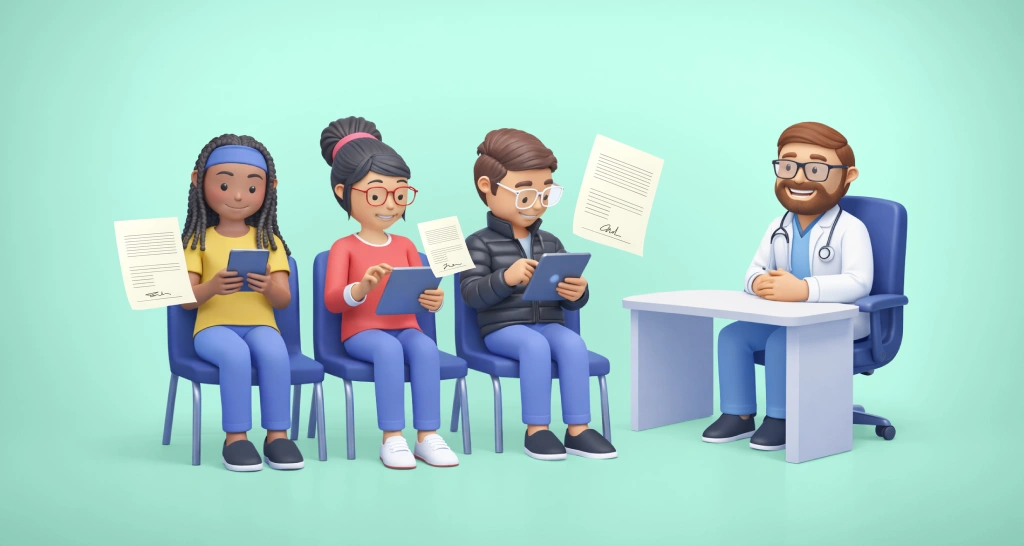
To simplify the process, many healthcare providers are moving to digital consent workflows. Patients can review and sign forms online before appointments, during check-in, or remotely for telehealth visits, while staff can easily track completion and manage records. Combined with a healthcare eSignature workflow, digital consent helps healthcare organizations reduce paperwork, improve efficiency, and create a smoother patient experience.
Why healthcare providers are moving to digital consent
For many healthcare organizations, paper consent forms have long been part of the patient intake process. However, manual workflows become more difficult to manage as healthcare organizations grow, expand telehealth services, and serve patients across multiple locations.
Paper-based consent often requires staff to:
- Distribute forms during check-in
- Review paperwork for missing information
- Collect signatures manually
- Scan and upload documents
- Store and retrieve records
- Follow up on incomplete forms
Digital patient consent eliminates many of these steps by allowing forms to be sent, completed, signed, and stored electronically. Instead of relying on paper documents, healthcare teams can manage consent through centralized digital workflows that are easier to track and maintain.
Modern healthcare eSignature workflows allow patients to review and sign consent forms securely from a computer, tablet, or smartphone without relying on paper-based processes.
A healthcare eSignature workflow helps healthcare providers collect patient consent electronically, track document completion in real time, and maintain accessible digital records throughout the patient journey.
Paper vs. digital consent workflow
| Process step | Paper workflow | Digital workflow |
| Form delivery | Printed forms | Email, SMS, or secure link |
| Form completion | Handwritten | Online from any device |
| Signature collection | In person | eSignature |
| Status tracking | Manual follow-up | Real-time visibility |
| Document storage | Physical files or scanning | Centralized digital records |
| Record retrieval | Manual search | Instant access |
| Auditability | Limited visibility | Detailed audit trail |
Digital workflows reduce friction throughout the consent process while making records more accessible and easier to manage.
How healthcare providers collect patient consent digitally
Most healthcare providers use one or more of the following methods.
1. Pre-visit digital consent
Many clinics send consent forms before an appointment through email, SMS, or secure signing links.
Typical Workflow
- An appointment is scheduled.
- Consent forms are sent automatically.
- The patient reviews and signs forms remotely.
- Completed forms are stored electronically.
- Staff verify completion before the visit.
Benefits
- Reduces paperwork during check-in.
- Improves form completion rates.
- Shortens patient wait times.
- Reduces manual follow-up.
- Enables faster patient intake.
This approach is often part of a broader digital patient intake workflow, where registration forms, insurance documents, and consent forms are completed before arrival.
2. On-site digital signing during check-in
Some patients prefer to complete forms when they arrive. In these cases, healthcare providers often use tablets, kiosks, or shared devices for digital signing.
Typical Workflow
- The patient checks in.
- Required consent documents are presented digitally.
- The patient reviews and signs the forms.
- Signed records are automatically stored.
Benefits
- Eliminates printing and scanning.
- Supports paperless front-desk operations.
- Reduces filing requirements.
- Ensures forms are completed before treatment.
This creates a more efficient check-in process while keeping consent records digital from the start.
3. Telehealth consent collection
Telehealth services require consent to be collected without in-person interactions.
Typical Workflow
- A virtual appointment is scheduled.
- Consent forms are delivered electronically.
- The patient reviews and signs remotely.
- Completed records are available before the consultation.
Benefits
- Supports remote patient onboarding.
- Reduces appointment delays.
- Creates a consistent digital experience.
- Maintains clear consent records.
Telehealth services are one of the fastest-growing use cases for healthcare eSignature workflows because patients can review and sign consent forms remotely before an appointment. This reduces administrative delays and ensures documentation is completed before virtual care begins.
When healthcare eSignature workflows need stronger verification
Not every consent workflow carries the same level of risk. While routine intake documents may only require standard email-based signing, some scenarios require additional verification.
Examples include:
- Telehealth consent for new patients
- Surgical and procedure consent forms
- Release of information authorizations
- Research participation agreements
Depending on the workflow, healthcare providers may use:
- Email verification
- SMS authentication
- Access codes
- Identity verification
Choosing the right level of signer verification helps strengthen trust in the consent process while maintaining a convenient patient experience.
What types of healthcare consent forms can be collected online?
Healthcare organizations commonly collect the following forms digitally:
General Treatment Consent
Authorizes providers to deliver routine medical care and treatment.
Telehealth Consent
Obtains patient agreement for virtual consultations and remote care.
Surgical and Procedure Consent
Used when patients must provide informed consent before a procedure.
Financial Responsibility Agreements
Explain billing policies, payment obligations, and insurance responsibilities.
Information Release Authorizations
Allow healthcare information to be shared with approved third parties when necessary.
Digital templates help healthcare teams standardize these forms and maintain consistency across departments and locations.
Benefits of digital patient consent for healthcare teams
A healthcare eSignature workflow does more than eliminate paper forms. It helps healthcare organizations streamline patient intake, reduce administrative overhead, and create a better experience for both patients and staff.
Key benefits include:
- Faster patient intake by allowing forms to be completed before appointments.
- Less administrative work because staff spend less time printing, scanning, filing, and tracking paperwork.
- More accurate records through digital forms that reduce missing information and handwriting-related errors.
- Better visibility into document status, making it easier to identify incomplete forms before visits.
- Greater convenience for patients, who can review and sign forms from any device at a time that works for them.
- Stronger auditability through digital records that help verify when and how consent was obtained.
How BoldSign supports digital patient consent
Healthcare organizations moving away from paper-based processes need a healthcare eSignature solution that can securely send, collect, track, and manage patient consent forms throughout the care journey.
With BoldSign, healthcare teams can streamline consent collection across the patient journey by:
- Sending consent forms before appointments using secure signing links.
- Collecting treatment, telehealth, and intake consent forms from any device.
- Creating reusable templates for frequently used healthcare documents.
- Monitoring document status and identifying incomplete forms before appointments.
- Reducing manual follow-up with automated reminders.
- Adding signer verification for workflows that require additional assurance.
- Maintaining detailed audit trails for completed consent records.
- Supporting in-person, remote, and telehealth consent workflows from a single platform.
Whether a patient signs before arriving, during check-in, or remotely for a telehealth visit, BoldSign helps healthcare teams create a consistent digital consent process while reducing administrative effort.
Conclusion
Healthcare providers collect patient consent digitally through healthcare eSignature workflows that support pre-visit, check-in, and telehealth experiences. Compared to paper-based processes, digital consent helps reduce administrative work, improve patient intake efficiency, and create more accessible consent records.
As healthcare organizations continue to modernize patient intake and documentation processes, digital consent has become an important part of delivering a faster and more convenient patient experience. Solutions like BoldSign help healthcare teams standardize consent collection, improve visibility into document status, and manage consent workflows more efficiently at scale.
Ready to simplify patient consent workflows? Start a free trial and explore how BoldSign can help make digital consent collection easier and more efficient.
Frequently asked questions
Can healthcare providers collect patient consent electronically?
Yes. Many healthcare organizations use digital consent processes for treatment consent, telehealth forms, intake paperwork, privacy Acknowledgments, and other patient authorizations.
What types of consent forms are commonly sent before an appointment?
Providers often send general treatment consent forms, telehealth consent forms, patient intake forms, insurance information forms, and financial responsibility agreements before appointments. Completing these documents in advance helps reduce check-in delays and ensures the necessary information is available before the visit.
Can telehealth consent be collected with eSignatures?
Yes. eSignatures are commonly used to collect telehealth consent before virtual appointments to ensure documentation is completed before care begins.
Do patients need an account to sign healthcare forms online?
Not necessarily. Many eSignature solutions, including BoldSign, allow patients to review and sign forms through secure links without creating an account.
Can patients sign consent forms on their phones?
Yes. Many healthcare eSignature solutions, including BoldSign, allow patients to review and sign consent forms from a smartphone, tablet, or computer.
How do providers prove a patient signed a digital consent form?
Providers typically use audit trails, timestamps, document history, and authentication records to verify signing activity.
What authentication should be used for telehealth consent?
The appropriate level of authentication depends on the workflow. Many organizations use email verification, while higher-risk workflows may require SMS authentication, access codes, or identity verification.
Are electronic signatures legal for patient consent forms?
Yes. Electronic signatures are generally legally valid for patient consent forms. However, healthcare organizations should ensure their consent workflows comply with applicable regulations and organizational requirements.

Lakshmi Priya Soundar Rajan
Lakshmi Priya Soundar Rajan is a Technical Writer at BoldSign. With expertise in simplifying complex concepts, she contributes to the comprehensive documentation and user-friendly content at BoldSign. Lakshmi’s commitment to quality ensures users have access to clear and helpful information. Connect with her on LinkedIn.
More posts by Lakshmi Priya Soundar Rajan