Electronic Signature in Healthcare: Where They Help Most
TL;DR: E‑signatures help healthcare teams reduce paperwork delays, improve form accuracy, and create a more efficient patient experience. With proper security and workflow design, e-signatures make care smoother for staff and patients alike.
A busy clinic receptionist needs a patient’s signed consent before a simple procedure, but the paper consent form is missing from the file. Filling, printing, chasing signatures, and scanning eat-up time and frustrate patients. What they really need is a quick, secure way to collect signatures digitally that fit into clinical workflows without extra hassle. Tools like BoldSign can step in as a simple helper to collect, track, and store those signatures securely.
Why e‑signatures matter in healthcare
Health providers handle lots of forms that must be signed correctly and stored securely. Paper slows care, increases errors, and makes audits harder. E-signatures reduce friction, improve traceability, and support faster patient flow, helpful for clinics, hospitals, telehealth providers, and billing teams.
Simple real-life scenario
A small dental practice sees six patients per hour. Each patient must sign an intake form, a consent for treatment, and a privacy notice. The clinic currently uses paper forms on a clipboard. Sometimes forms are illegible, sometimes a printed form is misplaced, and staff must reprint or call patients. The practice needs a simple, secure digital signing flow so patients can sign a tablet in the waiting room or finish at home before the appointment.
Common paper-based workflow
Some clinics try to solve this by scanning signed paper into a shared folder or emailing PDFs back and forth. Problems:
- Extra manual steps: scan, rename, move files.
- Hard to track whether a form is signed or which version is current.
- Security and access control are inconsistent.
- Audits become time-consuming because records are scattered.
A better digital workflow
Design a simple e-sign workflow:
- Create a single template for each form type (intake, consent, release).
- Collect patient data once and send a secure link or present a tablet for on-site signing.
- Save the signed document directly into the patient’s record with access logs.
Benefits:
- Faster check-in.
- Fewer filing errors and lost forms.
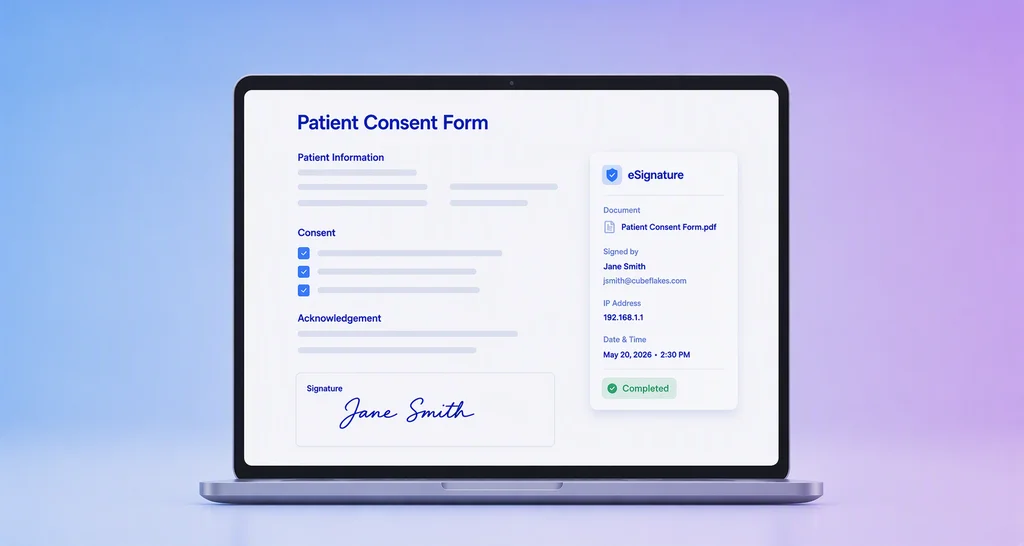
- Clear audit trail (who signed, when, where).
- Patients can sign remotely before their appointment.
How tools like BoldSign support this workflow
E-signature platforms provide the building blocks for the workflow above, templating, field pre-fill, signer authentication, secure storage, and audit logs. Below is a simple, generic example of workflow:
Typical steps:
- Upload or create a template for consent forms.
- Send a secure signing link to the patient (or open on a clinic tablet).
- Receive the signed document and store it in the patient’s record with an audit trail.
Key Takeaway: Use templates and pre-fill fields to cut patient time-to-sign and avoid manual data entry.
Security and privacy considerations
- Use secure authentication for accessing e-sign tools.
- Limit who can view or send sensitive forms.
- Ensure transport (HTTPS) and storage are encrypted.
Best practices
- Create reusable templates for each form type.
- Pre-fill fields from the EHR to reduce typing and errors.
- Provide multiple signing options. Ex: on-tablet, email link.
- Use signer authentication appropriate to the risk level (Email OTP, SMS OTP, Access code).
- Keep an audit trail, signer identity, timestamp, IP address, etc.
- Train staff on the new workflow so they can assist patients quickly.
- Test the signing process on common device types (phones, tablets) before rolling out.
Conclusion
E-signatures simplify many administrative tasks in healthcare by cutting down waiting times, reducing errors, and giving a clear audit trail. When combined with templates and proper authentication, they fit naturally into clinical workflows, improving patient experience and freeing staff to focus on care.
Get started today! Sign up for a free BoldSign account and begin managing tasks with just a few steps. For questions or assistance, visit our support portal or book a demo.

BoldSign Team
The official team behind BoldSign—the simple, secure eSignature solution trusted by businesses worldwide. Our platform helps individuals and teams create, sign, and manage documents effortlessly while maintaining full compliance. Experience BoldSign yourself with a free trial or request a personalized demo to see it in action.
More posts by BoldSign Team