What Are the Common Challenges When Using Signature APIs in Software Development
 Ranjitha Vazhivittan 9 min read
TL;DR: Sandbox success doesn’t guarantee production success. Most eSignature API integrations pass every test in a sandbox, then start failing under real traffic: real documents, real signers, real volume. The API usually isn’t the problem; the workflow around it wasn’t built for conditions the sandbox never produced.
Across providers, the same seven failure points account for most issues after launch: authentication, PDF field placement, webhooks, template versioning, deliverability, compliance evidence, and rate limits. None are exotic, they’re the ordinary cost of a distributed system.
Here’s what breaks at each point, and where to go deeper.
Key takeaways
- Almost every production eSignature API failure traces back to one of seven points: authentication, PDF placement, webhooks, templates, deliverability, compliance, or rate limits.
- Most of these failures are invisible in a sandbox, since sandbox testing rarely reproduces long-running tokens, real-world PDF generators, concurrent webhook delivery, or carrier-level SMS filtering.
- The fix is rarely a different API call. It’s usually a different assumption about how the underlying system behaves once it’s under real load.
- Each of these seven areas has a specific, documented way to handle it, not one universal fix, so which approach applies depends on which failure you’re actually looking at.
At a glance
Before diving into the details, use this table as a quick reference for the seven production issues covered in this guide.
| Challenge | What breaks | How BoldSign helps |
|---|---|---|
| Authentication | Tokens expire mid-process, refresh calls race across instances, clock skew causes false "expired" errors | Configurable refresh token expiration (absolute or sliding), scoped API keys separate from OAuth2 |
| PDF field placement | Coordinates, fonts, and page rotation vary across PDF generators, shifting where a field lands | Text tags anchor fields to content instead of fixed coordinates, with per-page coordinate scoping |
| Webhooks | Duplicate or out-of-order events can silently change document state twice | HMAC-signed payloads, automatic retries with backoff, and idempotency support via event IDs |
| Template versioning | Editing a live template's roles or fields can silently drop what you didn't mean to touch | Edits are scoped to the template only; documents already sent are unaffected |
| Deliverability | Emails bounce, SMS gets carrier-filtered, and both can fail with no visible error | A dedicated DeliveryFailed webhook event, separate from a failed send |
| Compliance and audit trail | Hard to prove who signed, when, and under what conditions after the fact | An automatic, tamper-evident audit trail generated per document |
| Rate limits | Aggressive retries and polling trigger 429s or duplicate signature requests | Published limits, rate-limit response headers, and a Retry-After header on 429s |
Authentication: token expiry, refresh races, and clock skew
Auth almost never fails in a quick sandbox test. It fails in production, days into a long-running integration, when an access token expires mid-process, a refresh call races with another instance doing the same thing, or a small clock difference between servers makes a still-valid token look expired.
A common real-world trigger: several server instances all discover an expired token on the same request and each fire a refresh call at once, and if the provider rotates refresh tokens, the second call can get treated as a replay instead of a normal refresh.
How BoldSign handles this: Use an API key for backend-owned automation and OAuth2 only when you’re acting on behalf of a signed-in user. BoldSign’s OAuth2 implementation runs on OpenID Connect and supports both the Authorization Code Grant and Client Credentials flows. Refresh tokens can be configured with absolute expiration (fixed at 30 days, the default) or sliding expiration.
Calling refresh_token exchanges an expired access token for a new one without forcing the user to re-authenticate. Neither setting fixes a refresh race across multiple app instances, that’s still something to build a single-flight refresh around in your own code.
Read the full guide on OAuth 2.0 integration
PDF field placement: fields land in the wrong place
A field that sits perfectly in a test file shows up sideways, offset, or overlapping a paragraph the moment a real customer document hits your integration. The cause is almost never the API call.
It’s usually a wrong assumption about units or origin: BoldSign’s field coordinates are measured in pixels from the page’s top-left corner, not the PDF format’s own point-based, bottom-left system, so values copied from a PDF-native tool need converting, not just copying. Font substitution or page rotation can shift where a field lands relative to fixed coordinates too.
How BoldSign handles this: Fixed-bounds placement takes x, y, width, and height per field, in pixels, scoped to a specific pageNumber rather than one global transform. For documents whose layout isn’t stable enough to hardcode, text tags skip coordinate math entirely: you place text tag syntax in the document, and BoldSign converts it into an equivalent form field wherever that syntax actually renders, immune to rotation or page-size differences.
For documents that already have fillable form fields, auto-detection converts them directly, though it only recognizes textbox, checkbox, radio button, dropdown, and signature fields today, so anything else still needs one of the other placement methods.
Read the full breakdown of why PDF field placement breaks
Webhooks: duplicate events and out-of-order state changes
Webhooks are the most reliable source of truth for document lifecycle events, but only if your endpoint treats delivery as unreliable by default. A slow endpoint causes retries. A duplicate delivery can update the same state twice if your handler isn’t idempotent. An event that arrives out of order can make a completed document look like it’s still in progress.
How BoldSign handles this: Every webhook event is signed with HMAC SHA256 in the X-BoldSign-Signature header, so you can verify it actually came from BoldSign before trusting the payload. If your endpoint doesn’t respond with a 200 within 10 seconds, BoldSign retries on an exponential backoff schedule across six attempts, and if all six fail, the webhook is flagged for disabling and monitored for seven days, then reactivates automatically once your endpoint responds.
On your side, the fix for duplicates is storing processed event IDs and ignoring ones you’ve already handled, since this retry mechanism means a webhook can legitimately arrive more than once.
Read the full webhook best practices guide
Template versioning: an edit that breaks automation you didn’t touch
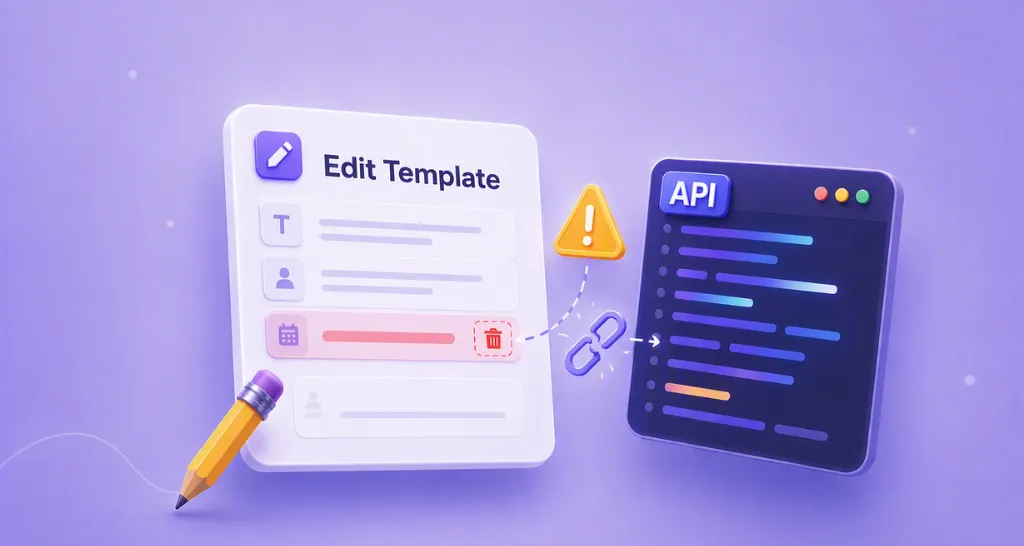
Templates feel stable until someone edits one field and automation breaks across the product. The Edit Template API treats top-level properties like title and description as true partial updates, but roles and form fields work differently: updating a role’s field list replaces the entire list, not just the field you changed. Leave an existing field’s ID out of the request, and it disappears from the template.
How BoldSign handles this: Documents already sent from a template are unaffected by a later edit, since edits are scoped to the template, not to documents in flight. Roles carry a numeric index as well as a name, and removing one at send time with roleRemovalIndices automatically renumbers what’s left, so a hardcoded role index can silently point to the wrong person after a change.
One easy step to miss: whenever an edit request includes roles, BoldSign expects enableSigningOrder set explicitly, since leaving it out makes signer sequencing ambiguous. The safe pattern: fetch the template’s current properties, edit only what’s needed inside that structure, and send the whole thing back.
Read the full guide on what breaks when you edit a template
Deliverability: the request that never arrives, silently
A signature request that never gets signed usually isn’t a signer problem, it’s a delivery problem. Hard bounces are permanent (an invalid address, SMTP 5xx); soft bounces are temporary (a full inbox, SMTP 4xx) and usually retried automatically before failing for good.
SPF and DKIM establish that a message came from an authorized, unaltered source, and DMARC decides what happens when that check fails: delivering anyway, quarantining to spam, or rejecting outright, which is often why a misconfigured record produces silence instead of a bounce. SMS fails through a different mechanism entirely: carriers now block unregistered sender traffic outright, with no bounce-style notice at all.
How BoldSign handles this: A dedicated DeliveryFailed webhook event fires when a recipient’s email notification doesn’t get through, separate from SendFailed, which fires when the API request itself couldn’t be processed. The event’s failedDeliveryMode field names which channel failed, and isDeliveryFailed on the signer’s record is also visible if you poll document status directly.
For custom sending domains, BoldSign provides the required DKIM and Return-Path configuration details and verifies the domain through a support ticket rather than an automated check.
Read the full guide on catching a delivery failure in code
Compliance: proving who signed, when, and under what conditions
A signed PDF alone doesn’t answer “who signed this, and when,” or hold up well if a signer later disputes it. That requires a separate, tamper-evident record of the signing process itself, not just the final document.
This matters most in a dispute: a completed document without a corresponding audit trail leaves you with a PDF and no independent way to verify how it was signed, a weaker position under UETA, eIDAS, or HIPAA review than being able to produce the full event history on request.
How BoldSign handles this: Every document generates an audit trail covering document details (ID, title, status, signing order, page count, send and completion timestamps), participant details (name, email, IP address, device information), and a full activity log (viewing, signing, reassignment, completion, each timestamped), along with the authentication method used per signer and whether a signature was typed, drawn, or uploaded.
The audit trail includes a cryptographic hash, a fixed-length fingerprint of the document’s exact contents. If the document is altered afterward, even by a single byte, recomputing the hash produces a different value, which is what makes tampering detectable. The audit trail becomes downloadable once all signers complete the document, either separately or combined with the signed PDF into one file. This is generated automatically per document, so the main design decision on your side is what you retain and for how long, not whether the evidence exists.
Read more on BoldSign’s audit trail
Rate limits: retries that turn one request into two
Rate limits rarely hurt because they exist. They hurt because applications respond badly to them: retrying everything indiscriminately, retrying 4xx validation errors that will never succeed, or letting a timeout trigger a second “create” call that duplicates a signature request.
How BoldSign handles this: Limits are published and predictable: 2,000 requests per hour in production, 50 per hour in sandbox, applied per account rather than per app or user, and identical whether you’re authenticating with an API key or OAuth2.
Since limits apply at the account level, a shared API key across multiple integrations counts everything against the same quota, so a bulk-send job and a routine polling script can throttle each other even though neither is misbehaving on its own.
X-Rate-Limit-Limit, X-Rate-Limit-Remaining, and X-Rate-Limit-Reset headers let you back off before hitting the ceiling, and a 429 response includes a Retry-After header telling you exactly when to try again. The pattern that avoids duplicate sends: retry only transient failures with exponential backoff, and use webhooks instead of polling so routine status checks don’t compete with your core request quota.
Read the full rate limit and retry guide
Diagnose first
What separates a smooth integration from a fragile one isn’t which platform you pick, it’s how much of this guardrail work the platform already does for you versus leaves sitting in your own code. Knowing which of the seven you’re actually looking at is most of the diagnosis.
Create a free API sandbox to test any of these against your own documents and workflow before you rely on them in production.
Frequently asked questions
Are these seven problems specific to BoldSign, or do they affect any eSignature API?
They're general distributed-systems problems, not something tied to one vendor. Any API that handles authentication, asynchronous delivery, and versioned configuration runs into some version of all seven. What differs between providers is how much of the guardrail work is already built in versus left for your own code, which is what the "How BoldSign helps" column above is answering for each one.
Which of these seven should I fix first?
It depends on where you are in the integration, but in practice, rate limits and webhook handling tend to surface earliest, since they show up as soon as you're sending more than a handful of test documents. Template versioning and audit trail evidence tend to become priorities later, once you're maintaining templates over time or facing a compliance review.
Do I need to solve all seven before going to production?
Not necessarily all at once, but it's worth reading through all seven before launch anyway. Since most of these failures are invisible in a sandbox, knowing the symptoms in advance is often the only way to recognize one when it actually happens.
Where do I find working code for these fixes, not just the explanation?
Each section links to a full technical breakdown with code samples for the topics that got new deep-dive articles (PDF placement, template versioning, deliverability). Authentication, webhooks, and rate limits link to BoldSign's existing developer guides, which already include implementation code.

Ranjitha Vazhivittan
Ranjitha is a skilled software developer with 3 years of experience at BoldSign. Alongside her technical expertise, she has a passion for writing and enjoys sharing thoughtful insights on technology and development. Beyond work, she stays curious by exploring emerging tools and trends, constantly seeking opportunities to learn and grow.
More posts by Ranjitha Vazhivittan