How BoldSign Speeds Up Board Meetings and Governance Signing
Board meetings and governance processes involve obtaining signatures to ensure formal approval, accurate documentation, and compliance with legal and regulatory standards. Managing and signing physical documents can lead to delays and inefficiencies. BoldSign addresses these challenges by offering a digital solution that streamlines the signing process. Board members can review and sign documents electronically, reducing administrative burdens and speeding up approvals.
In this blog post, we will explore how BoldSign simplifies the signing process in board meetings and governance.
Key BoldSign features for board meetings and governance
Let’s take a look at how BoldSign’s features streamline board meetings and governance in educational institutions.
Easy signature request process
BoldSign allows you to upload documents, add fields, customize those fields, and then send the document for signature:
- Log into your BoldSign account or create a new account if you don’t have one.
- Click Create New and select Create New Document.
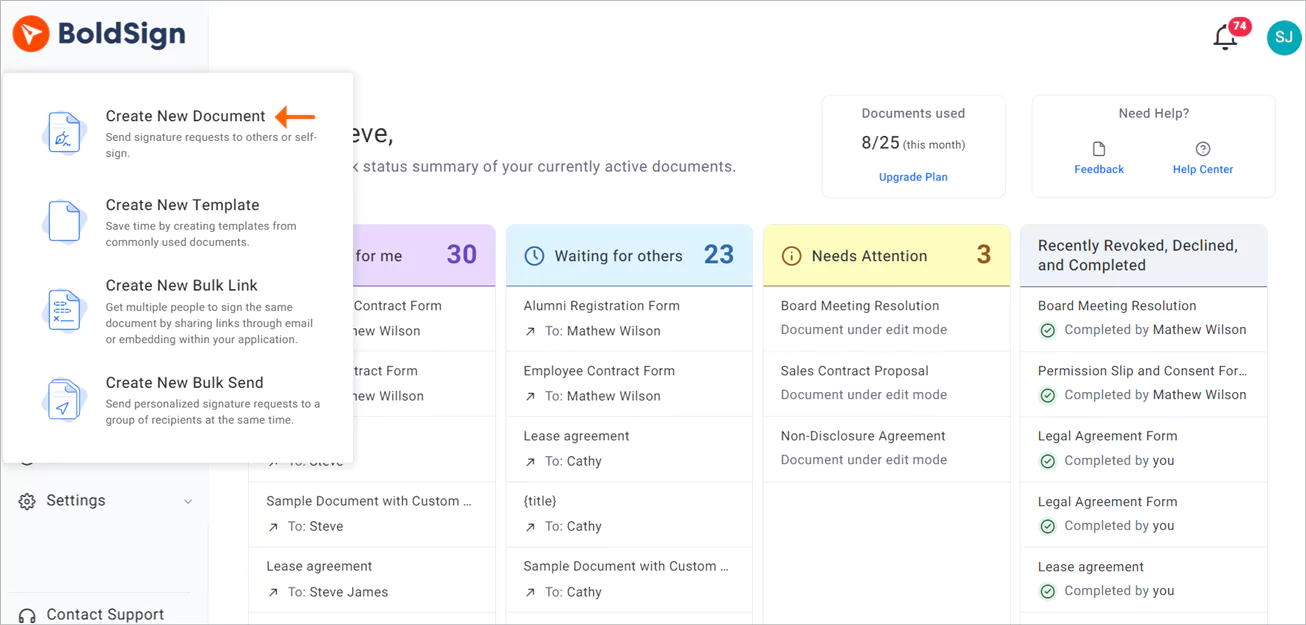
Create New Document option
- You will be directed to the Prepare documents for signing page. Upload your files in the Add files section and then add your recipients.
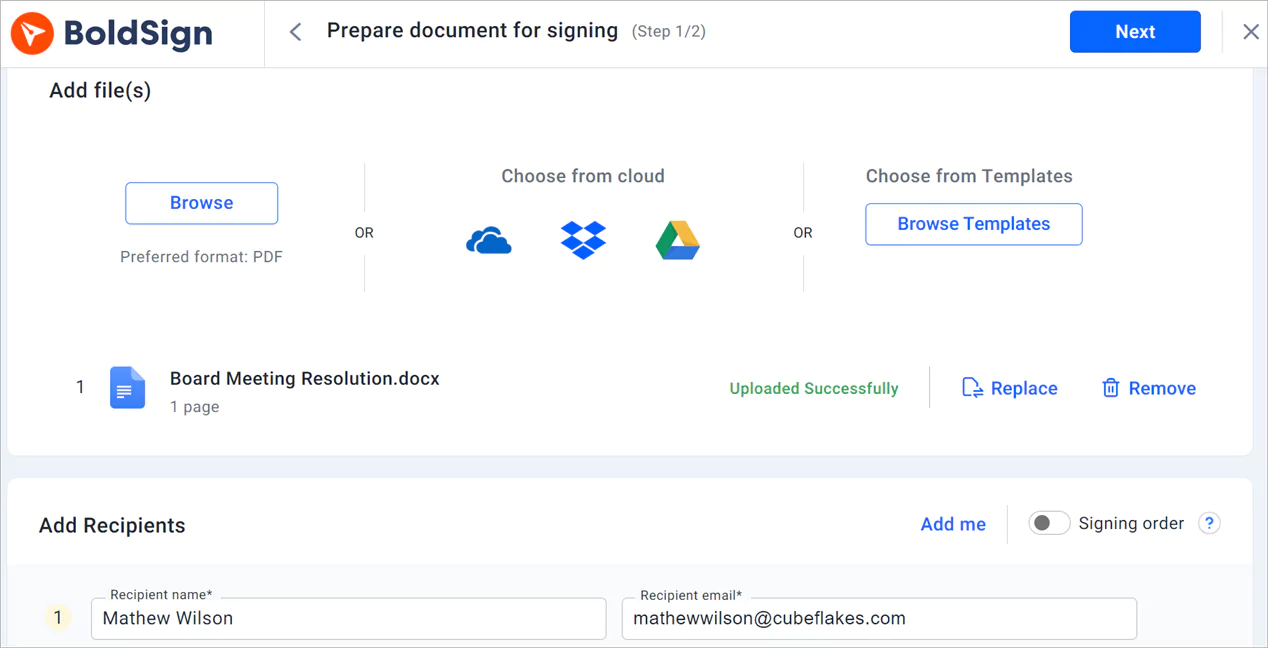
Prepare document for signing page
- Fill in any other required fields and click Next to proceed to the Configure fields page.
- Drag and drop the required form fields onto the document and customize them.
- Once done, click Send to send the document for signature.
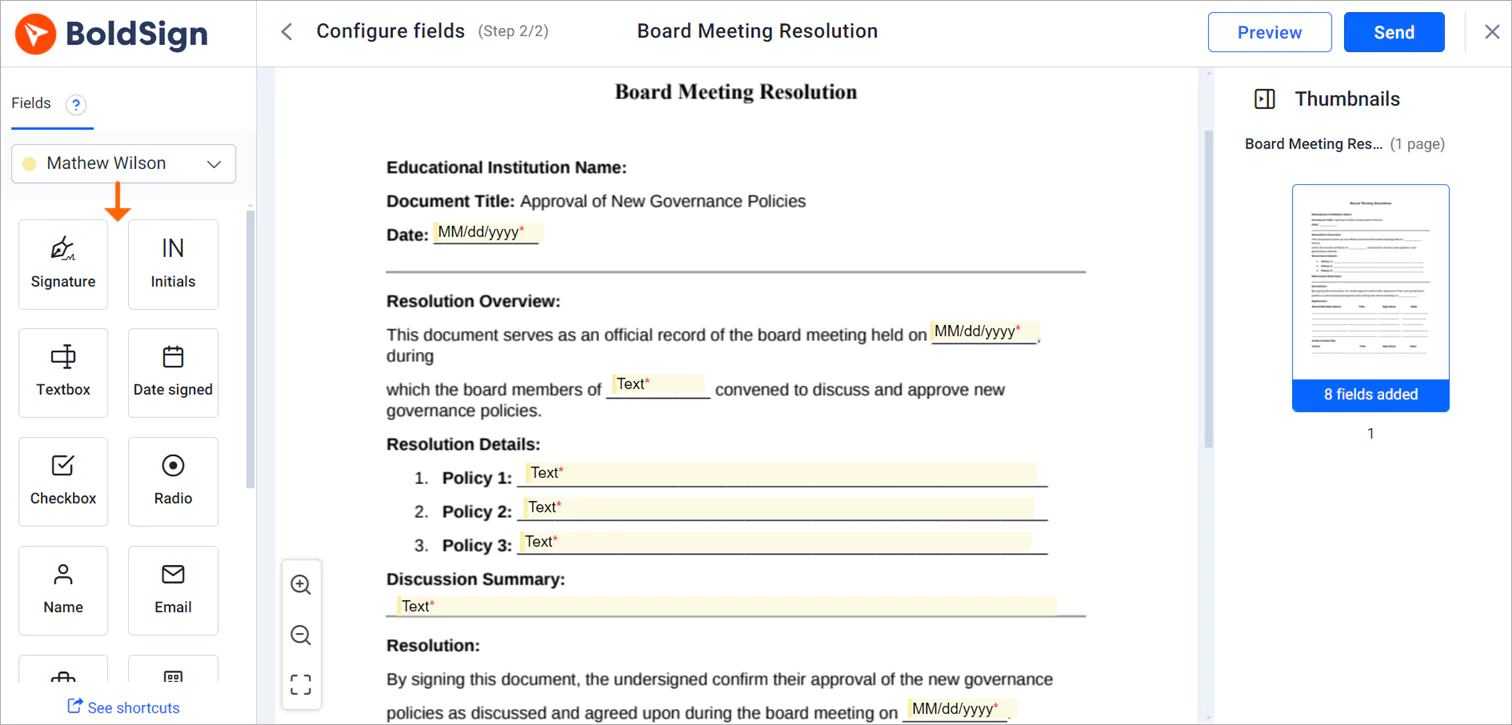
Configure fields page
Verify the identity of signers
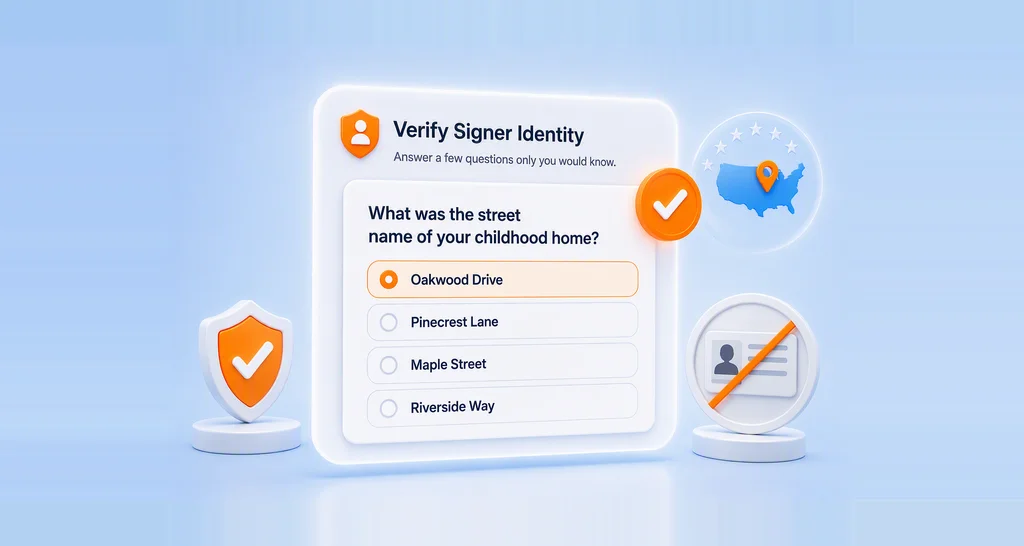
Signer authentication ensures that only authorized individuals can sign important governance documents. By verifying identities through email, access codes, SMS, KBA or ID verification, institutions can maintain the integrity of their documents and prevent unauthorized access. This feature is particularly useful for high-stakes documents, such as board resolutions and policy changes, where the authenticity of each signer is paramount.
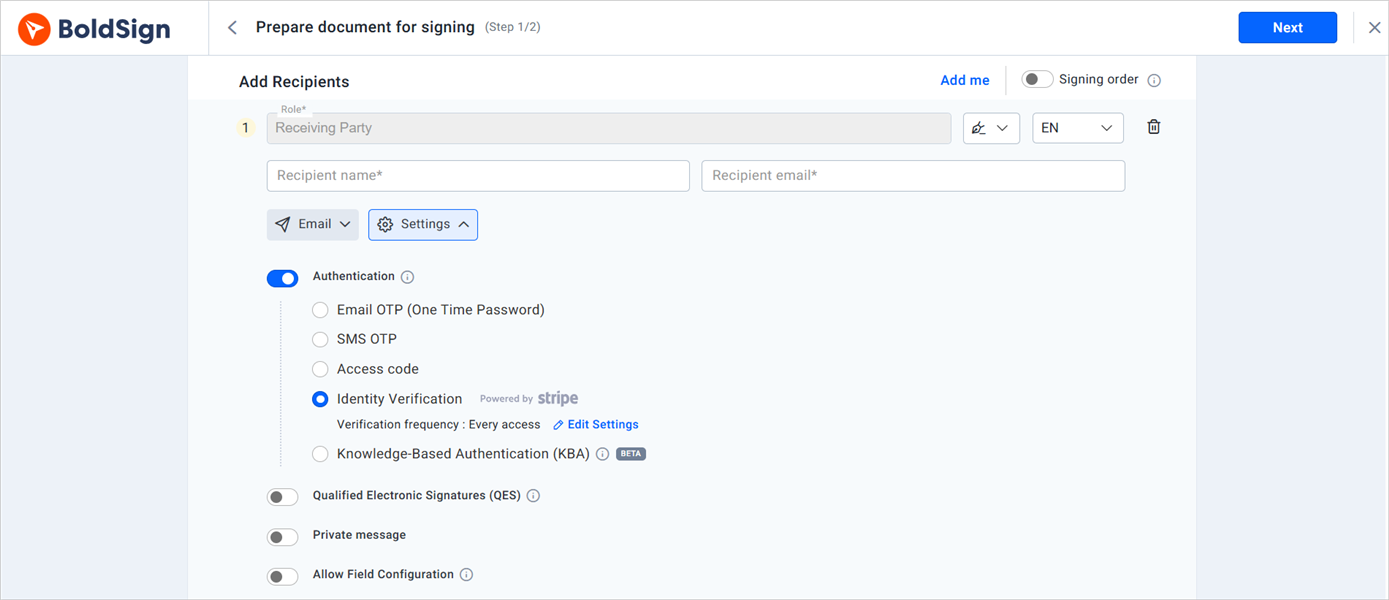
Signer authentications
Multi-channel delivery
Some employees may not respond promptly through a single communication channel. With BoldSign’s multi-channel delivery options, HR teams can send performance review requests through email, SMS, or WhatsApp, allowing employees to access and sign documents through their preferred channel. This flexibility helps improve response rates, accelerate document turnaround, and keep performance evaluations on schedule.
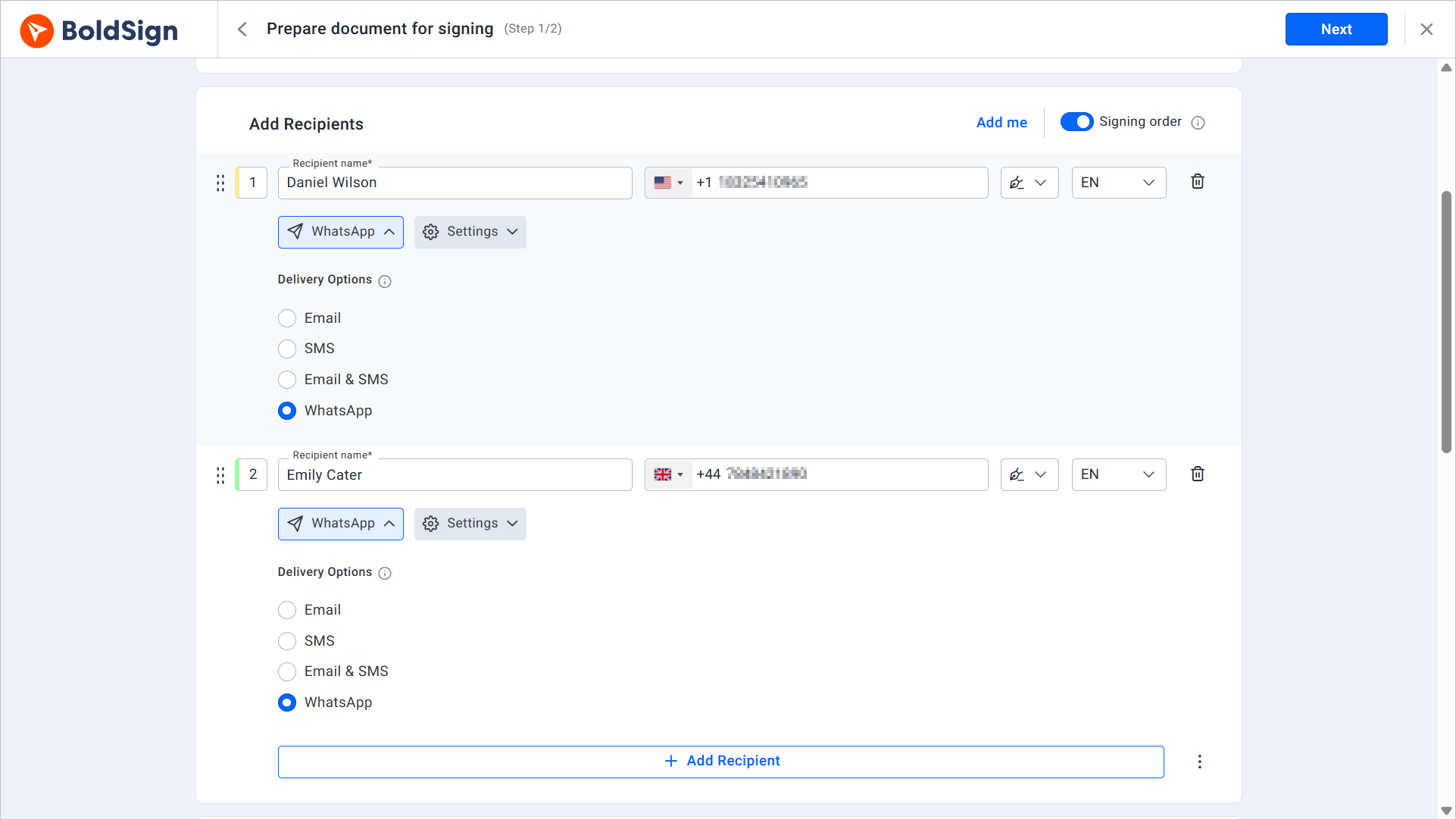
SMS delivaery method
Set reminders for signers
Auto reminders help ensure that all required signatures are obtained promptly. By sending email or SMS reminders for outstanding signatures, institutions can reduce delays in their governance processes and maintain the momentum of board meetings and decision-making activities. This feature is particularly useful for managing large volumes of documents and keeping track of pending approvals.
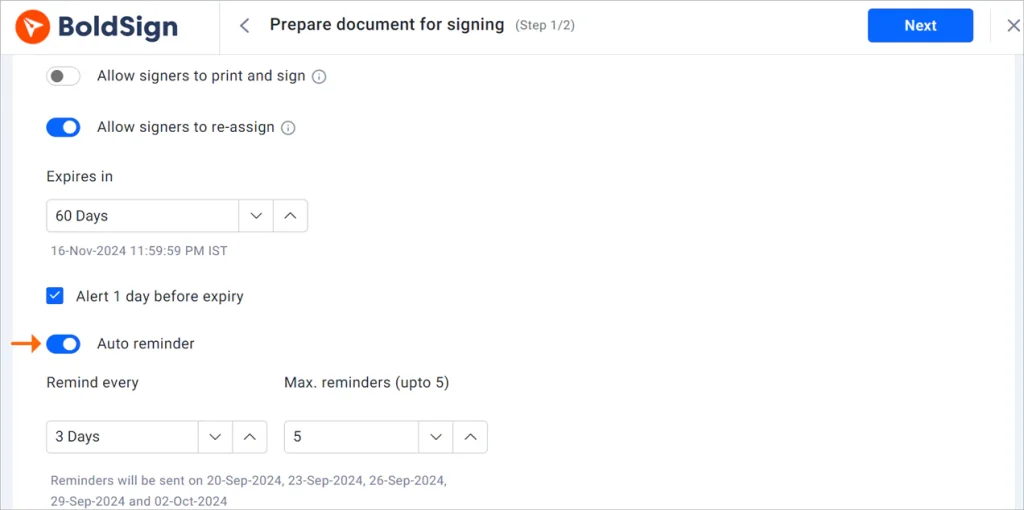
Auto reminder
Quick document preparation with templates
Template creation streamlines the preparation of frequently used documents. By creating reusable templates for common forms, institutions can quickly generate consistent and accurate documents for board meetings and governance activities. This not only saves time but also ensures that all documents adhere to the institution’s standards and legal requirements.
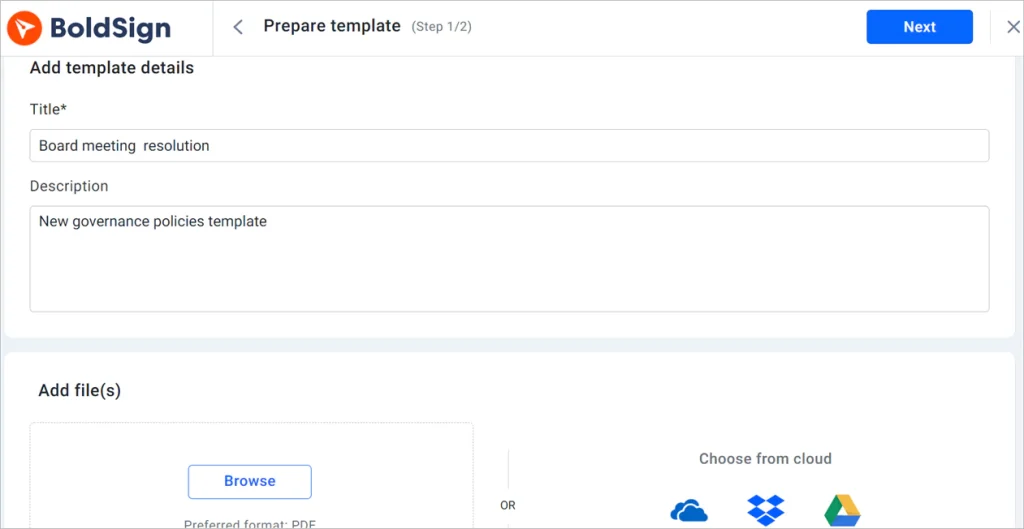
Prepare template page
Simplified document management
One of the key advantages of eSignatures is the streamlining of document management. Board meetings often require the handling of multiple documents, such as meeting agendas, minutes, resolutions, and governance policies. A centralized document management system makes it easier to manage these documents. By utilizing BoldSign’s tag feature, you can categorize documents and pin them to a dashboard, ensuring quick and easy access when needed.
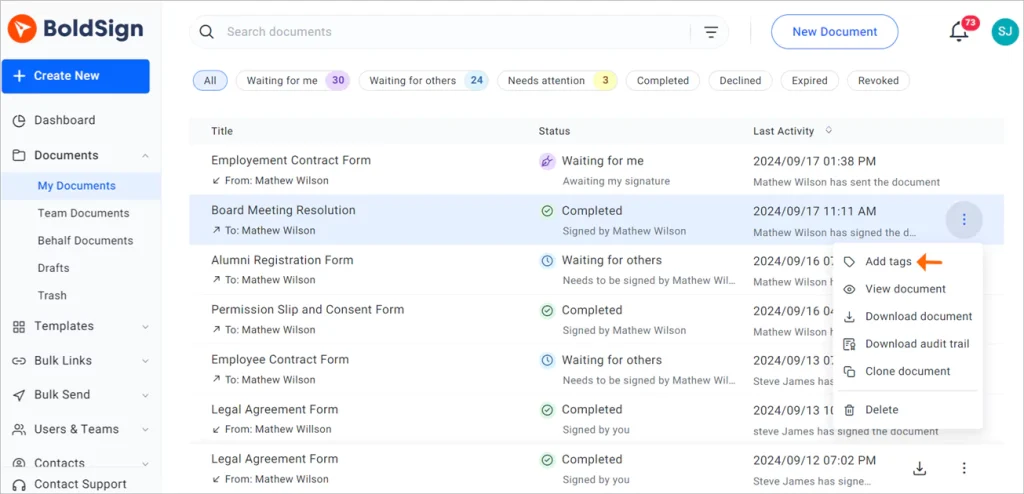
Add tags option
Send documents to multiple recipients at once
Bulk-sending capabilities enable educational institutions to distribute a single document to multiple recipients at once, with each signer receiving and signing their own unique copy of the document. This feature is especially beneficial for governance processes that require input or acknowledgment from a large number of stakeholders. Through bulk sending, institutions can save time and ensure that all necessary parties are promptly informed.
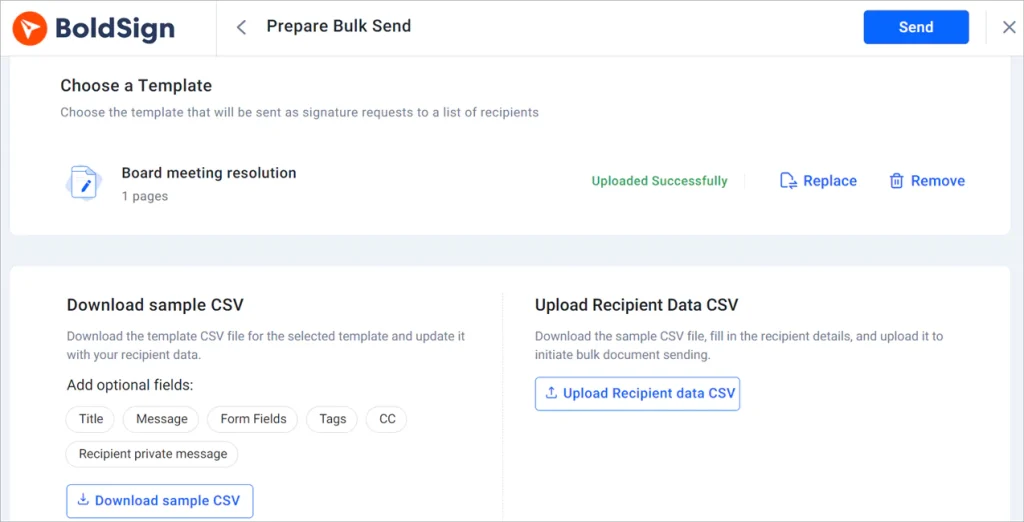
Prepare bulk send page
Enhanced security and compliance
BoldSign adheres to stringent regulatory standards, including SOC 2®, GDPR, and HIPAA. This compliance ensures that all documents processed through BoldSign meet the highest security and privacy standards, providing peace of mind for both the bank and its clients. For more details, refer to this link: Security Policy – BoldSign.
Audit trails provide a detailed record of the signing process for each document. These logs track who signed the document, when it was signed, and the IP address of the device used, ensuring complete transparency and accountability. This feature is invaluable for governance processes, as it allows institutions to demonstrate compliance and trace the history of decisions.
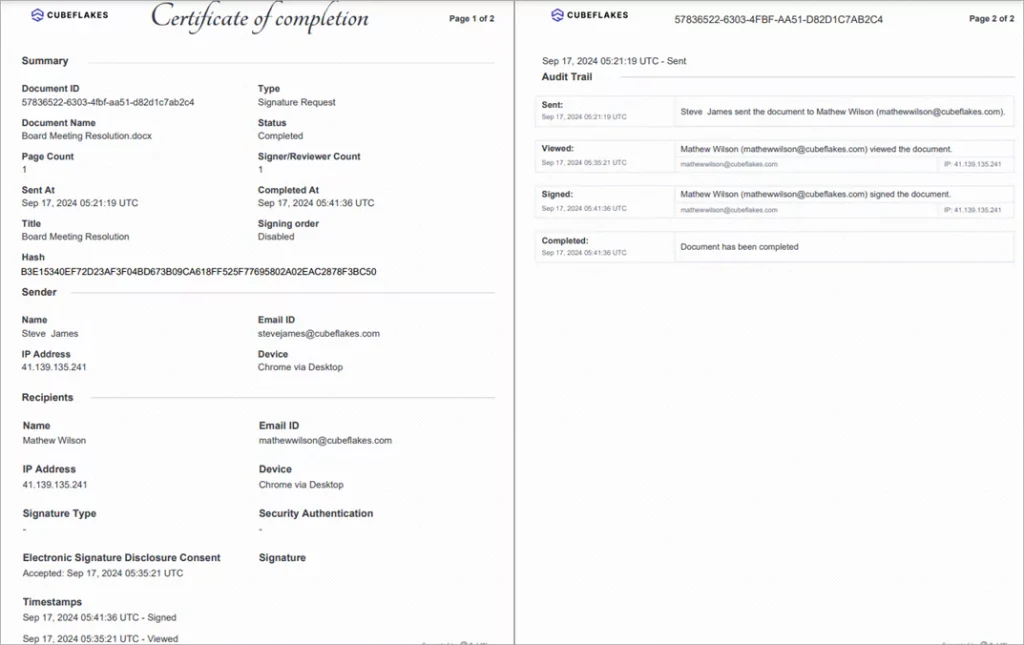
Audit trail
Enhanced accessibility and participation
Mobile compatibility ensures that board members and other stakeholders can sign documents from anywhere, using any device. It accommodates the busy schedules of board members and ensures that governance activities are not delayed due to accessibility issues. A mobile-friendly interface also improves the user experience, encouraging prompt document signing.
Variety of signature types
Supporting multiple signature types allows institutions to accommodate different user preferences and requirements. Whether board members prefer to select a predefined signature type, draw, or upload their signatures, BoldSign can facilitate their choice, ensuring a smooth and user-friendly signing experience.
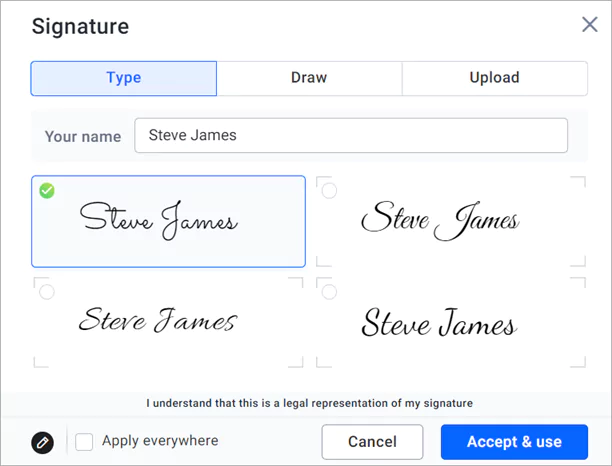
Signature types
Enhance the appearance of your emails with your branding
Branding enables educational institutions to maintain a professional and cohesive appearance in all their documents. By customizing signature request emails with their logos and colors, institutions can reinforce their identity and present a polished image to board members and other stakeholders. This consistency enhances the institution’s credibility and professionalism.
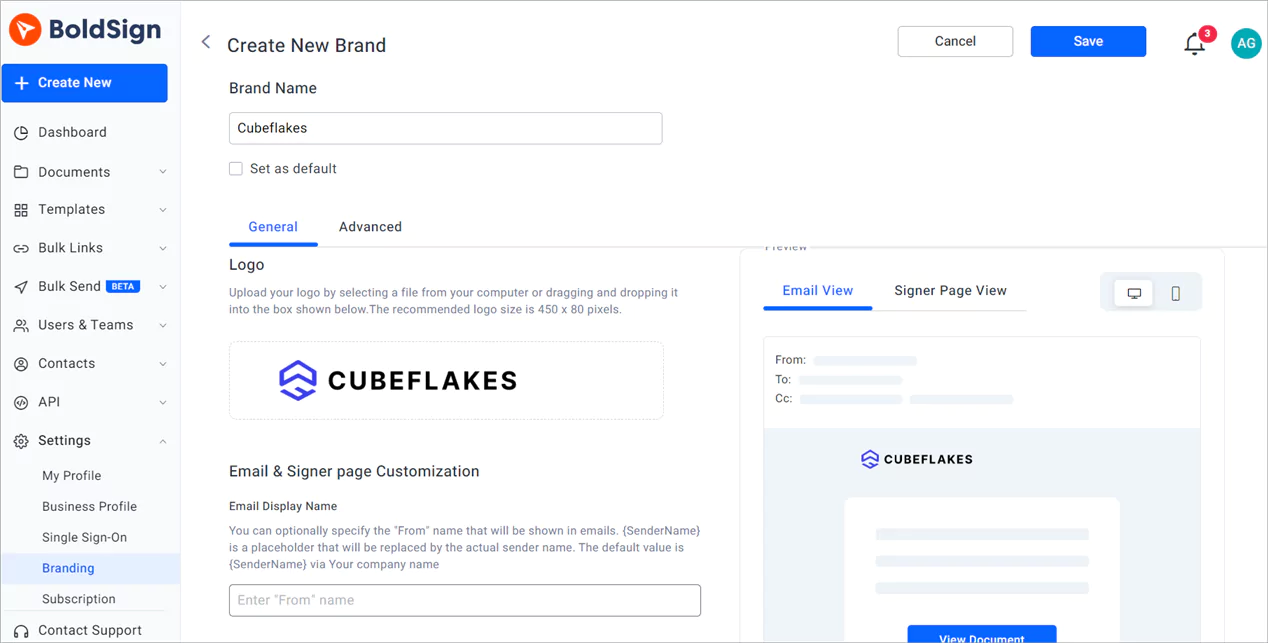
create-new-brand-pages
Seamless signing
Board members can review and sign documents electronically from any location, reducing the need for physical meetings. This can be done directly from their BoldSign account or by clicking the link received through email or SMS.
Here’s a step-by-step guide to the signing process:
- Click on the link received via email to open the document.
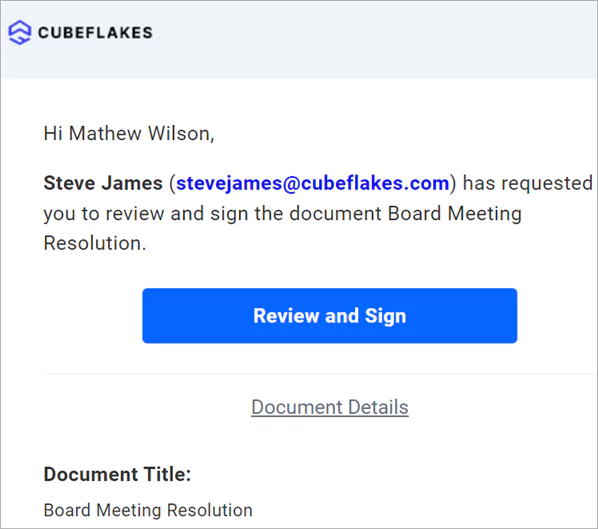
Review and Sign link
- Read and agree to the disclosure terms.
- Then click Continue to proceed to the signing page.
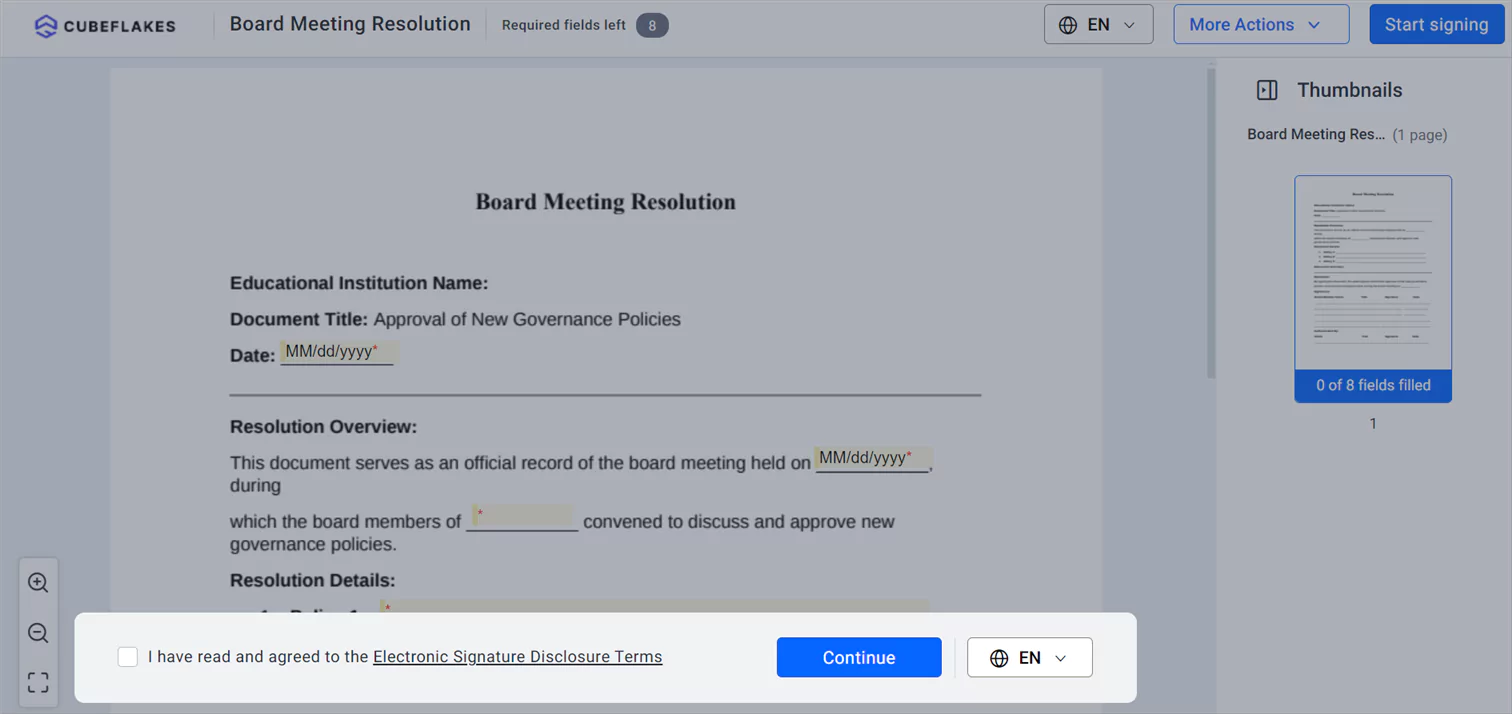
Disclosure terms
- On the signing page, click Start signing. When you fill in the first field, the Next field button will appear. You can click it to navigate to the next field.
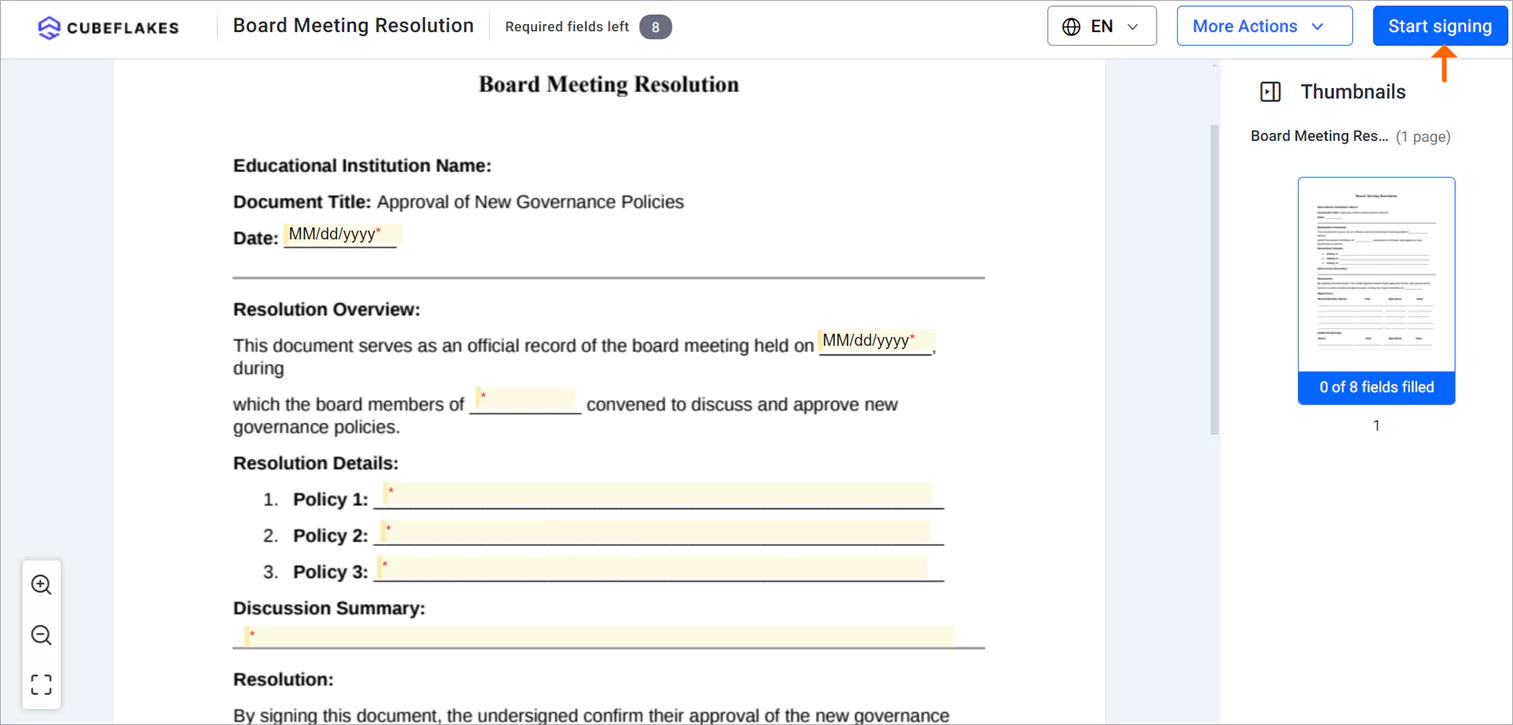
Start signing button
- After filling in all the required fields, click Finish button to finalize the signing process.
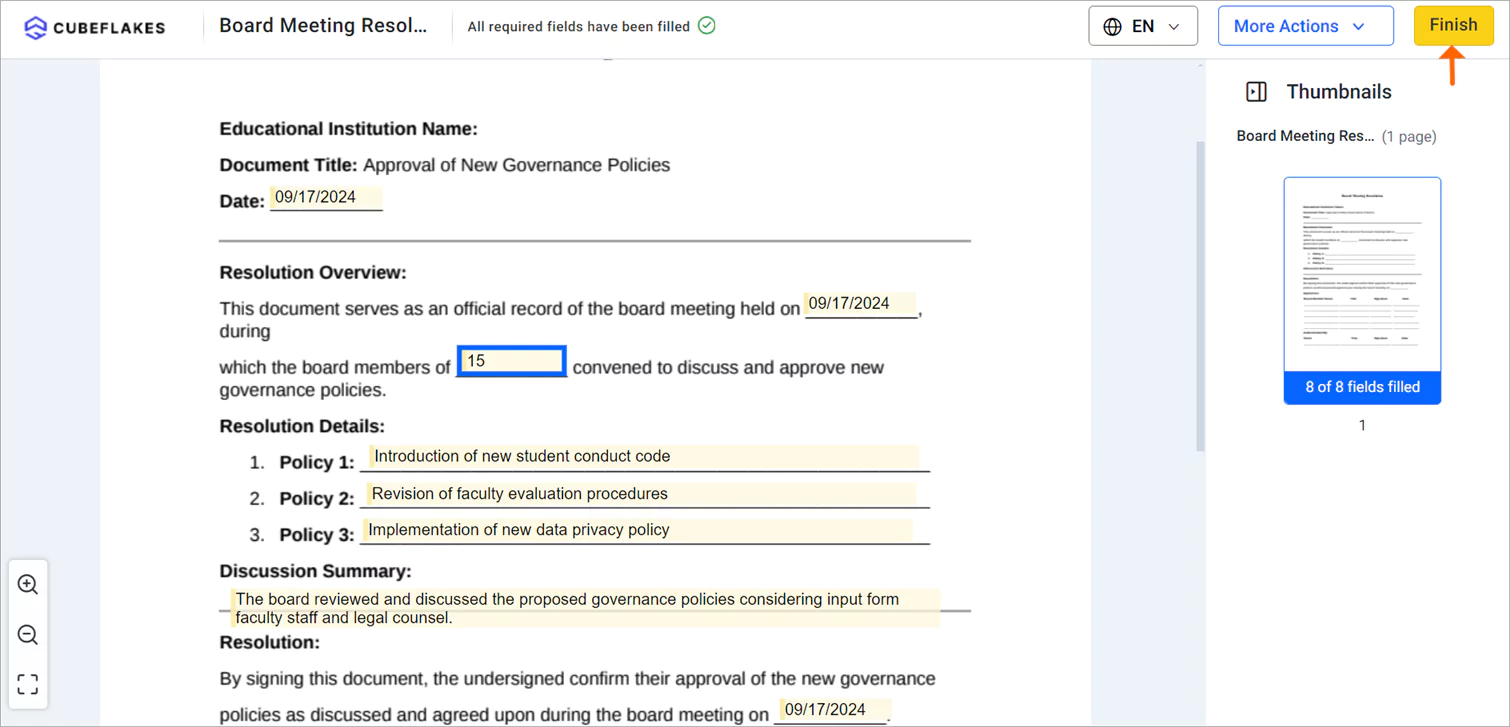
Finish button
Conclusion
BoldSign’s features streamline board meeting and governance documents in educational institutions by enhancing document management, ensuring compliance, improving accessibility, and expediting the signing process. By using these capabilities, educational institutions can achieve more efficient and effective governance, ultimately benefiting the entire academic community.
Sign up for a 30-day free trial today and experience the transformation in your institution’s board meetings and signature processes. Feel free to share your comments below. For more information about our features, please schedule a personalized demo or contact our support team via our support portal for assistance. If you have any topics you’d like us to explore in future blogs, please share your suggestions.

Evans Omondi Otieno
Evans Omondi Otieno is a customer support representative and writer at BoldSign, specializing in creating clear, insightful content to help users navigate eSignature solutions. As a blog author, Evans writes well-researched articles that simplify technical concepts, helping businesses and professionals understand how to use BoldSign effectively. With expertise in technical support and content creation, he ensures users have a seamless experience and gain valuable knowledge from his articles. Connect with him on LinkedIn.
More posts by Evans Omondi Otieno