The W-9 form is a document used to request taxpayer identification numbers (TIN) and other information from individuals and businesses for tax reporting purposes in the U.S. However, the traditional process of printing, signing, scanning, and mailing the form can be time-consuming and inefficient.
BoldSign streamlines the W-9 form signing process, making it easier and more convenient than ever before. By creating a BoldSign template, you can sign W9 form online in just a few clicks.
A few advantages of utilizing BoldSign include considerable time savings, faster document processing, heightened security, and reduced manual work.
Sign W-9 forms - The Traditional Process
In the past, signing a W-9 form involved several manual steps, which were not only time-consuming but also prone to errors. The traditional process included:
- Printing the W-9 form: The form would first need to be printed, which requires access to a printer and physical paper.
- Manually signing: After printing the form, the taxpayer would have to sign it manually.
- Scanning the signed form: Once signed, the form would need to be scanned to create a digital copy for online submission or just their records.
- Mailing the form: Finally, the taxpayer had to send the form back to the requesting party either by mail or through email.
Note: You can download a W-9 form in PDF format from the IRS website.
Automatic field detection
Creating a W-9 form can be a tedious task due to the numerous fields that need to be added manually. But BoldSign’s automatic form fields detection feature finds all the form fields in the document and automatically adds equivalent editable form fields in their place. So, you do create and place the form fields manually. This will save you a lot of time.
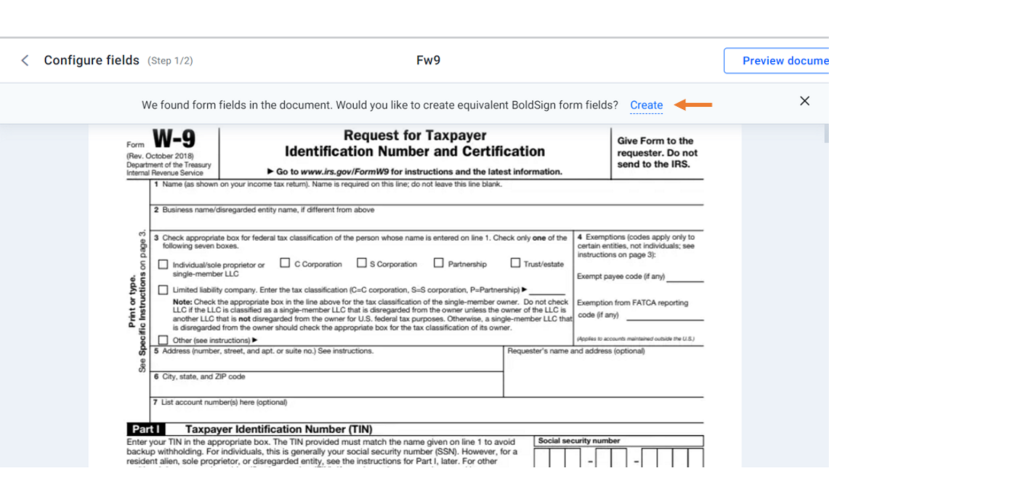
W-9 tax form uploaded to BoldSign
When you click the Create button, the form fields will be automatically added to the form, as you can see in the following image. Now, you can fill in the necessary details to make the form ready for signing.
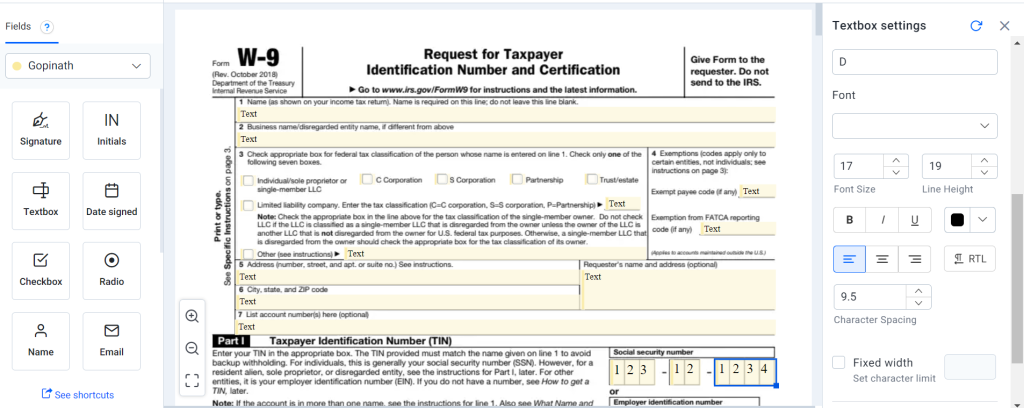
Form fields are automatically replaced with BoldSign Form fields
Send the W-9 Form for Signing
You can easily sign W9 form online by sending it to your clients with BoldSign. Follow these steps:
1. Click Create New in the top-left corner of the page. Select Create New Document.
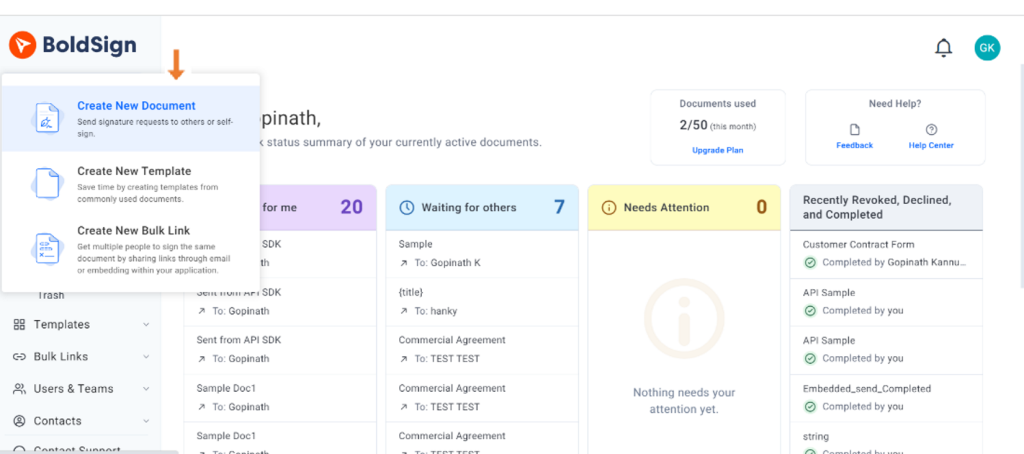
Create new document
2. Upload the document to be signed. Fill out the recipients and click Next to continue.
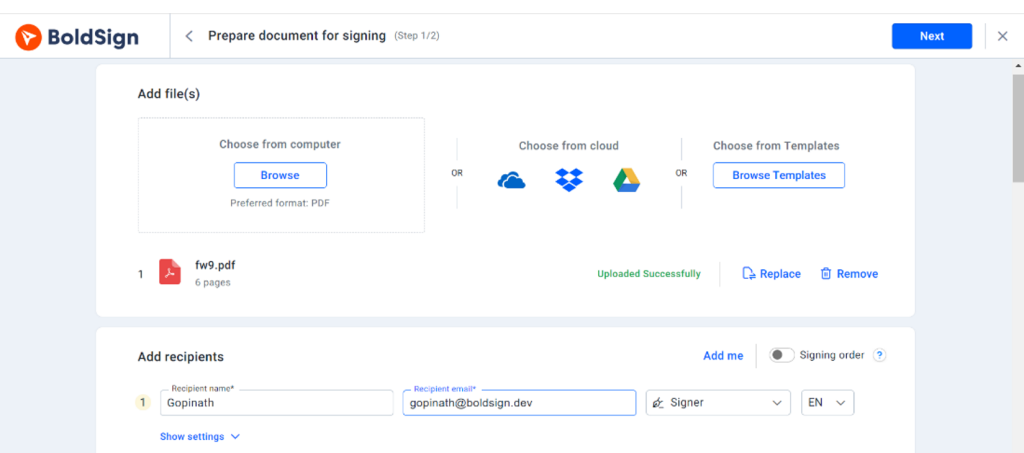
W-9 form with signers added
3. Use the fillable form option to create the form fields automatically.
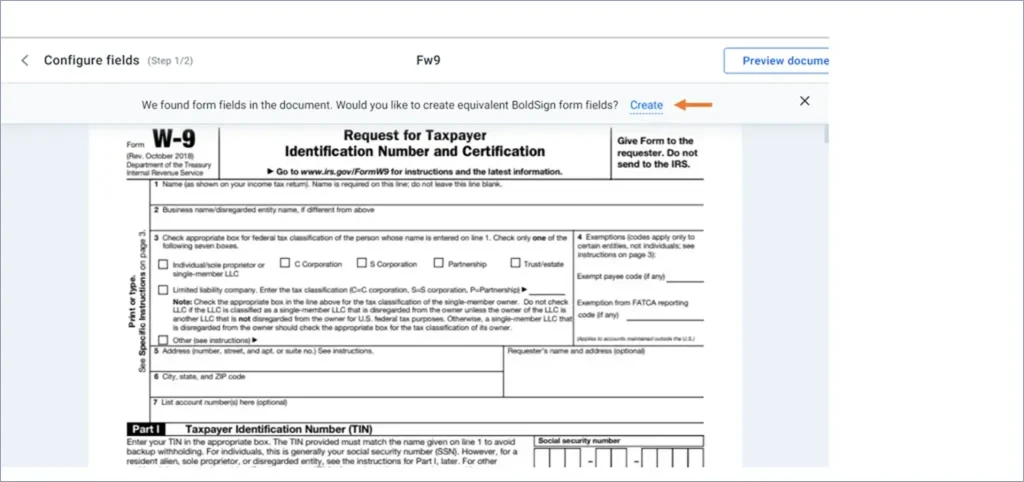
W-9 tax form uploaded to BoldSign
4. Just drag and drop the signature field to the desired page and click Send in the right corner.
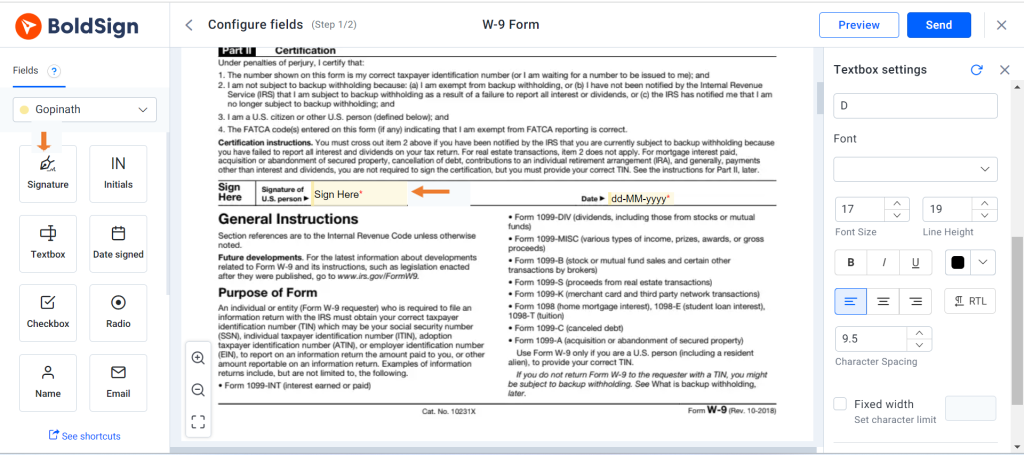
Signature field added
Note: When you repeatedly send the same contracts out for signatures, you can create a template and use that instead of completing these steps every time.
Conclusion
Gone are the days of dealing with cumbersome, paper-based processes to sign W9 form online. BoldSign’s innovative eSignature platform simplifies the entire process, making it faster, more secure, and hassle-free. Whether you’re a freelancer, independent contractor, or business owner, BoldSign transforms how you handle tax documentation, giving you more time to focus on what truly matters—your work.
So, why waste time and energy with traditional methods when you can embrace the convenience and efficiency of BoldSign to sign W-9 form? Start free trial for BoldSign today and experience the future of eSignatures!

Meikanda Nayanar
A veteran product manager at BoldSign, boasting a decade-long journey as a .NET developer. With a rich history of leading product development across diverse technologies like Windows Forms, WPF, UWP, Xamarin.Forms, Flutter, and MAUI, Meikandan brings a unique blend of technical expertise and strategic insight to the table. Connect with him on LinkedIn.
More posts by Meikanda Nayanar