How to Use the BoldSign eSignature Free Trial Effectively
 Tom Victor Okinyi
The BoldSign eSignature free trial gives individuals or businesses the opportunity to explore and experience the features and functionalities of our electronic signature software without financially committing first. During the 30-day free trial, users can access the features included in their selected trial plan. Available features and usage limits vary by trial type. This comprehensive online document signing solution allows you to test every aspect of the platform before deciding to upgrade. Once the trial period expires, users are required to subscribe to a paid plan if they wish to continue using the service.
In this guide, we’ll walk you through the BoldSign eSignature free trial, providing tips to make the most of this opportunity.
What you get with the BoldSign Trial plan
- Access to the features included in the selected trial plan.
- Trial limits vary by plan. Growth and Business trials support up to 10 users and 50 eSignature documents, while the Premium Trial supports unlimited users and 50 eSignature documents. Essential Trial limits depend on the email domain used during signup.
- Template availability and limits depend on the selected trial plan.
- Depending on the selected trial plan, users may be able to explore templates, branding, teams, custom permissions, and other advanced features.
This trial period is designed to help you experience how the digital signature platform can transform your business operations.
How to create a free trial account
Access the BoldSign application website. On the home page, click Free Trial in the top-right corner or just past the general description near the top. You will be redirected to the BoldSign Signup page.
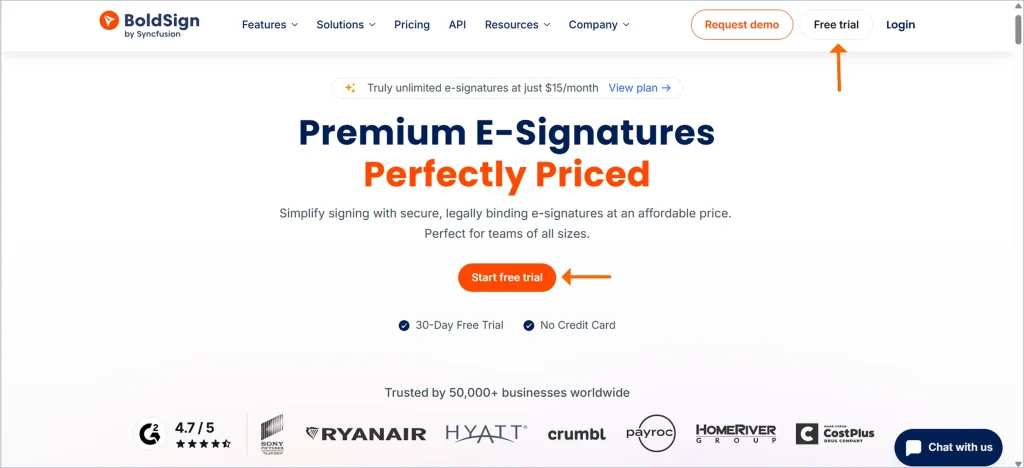
BoldSign dashboard with free trial option
You can sign up through your Google account, Microsoft account, Apple account, or using an email address. Choose your preferred method. If you sign up using your email address, you’ll need to provide a valid email address and create a password.
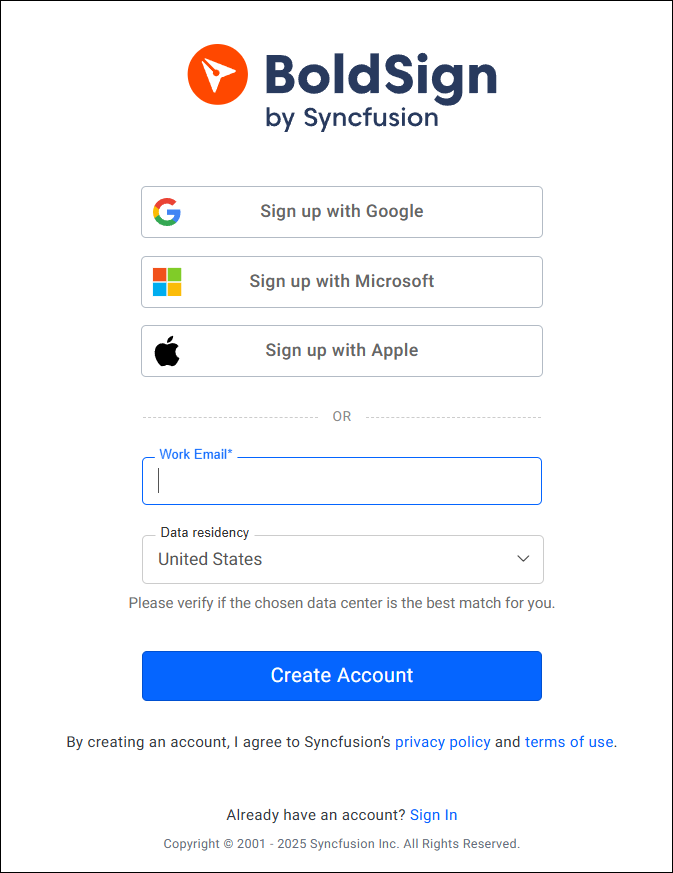
Create a new trial account for esignature
You will be redirected to the Dashboard page, where you can start exploring all the BoldSign features without any immediate financial commitment. The free trial can be obtained only once.
BoldSign offers four plans to meet different needs. Essential plan is free with limited features, while Growth, Business, and Premium are paid plans that give you access to all features during the trial. If you choose the Premium plan trial, you can even add unlimited users. Before subscribing, you can evaluate the features available under your selected trial plan.
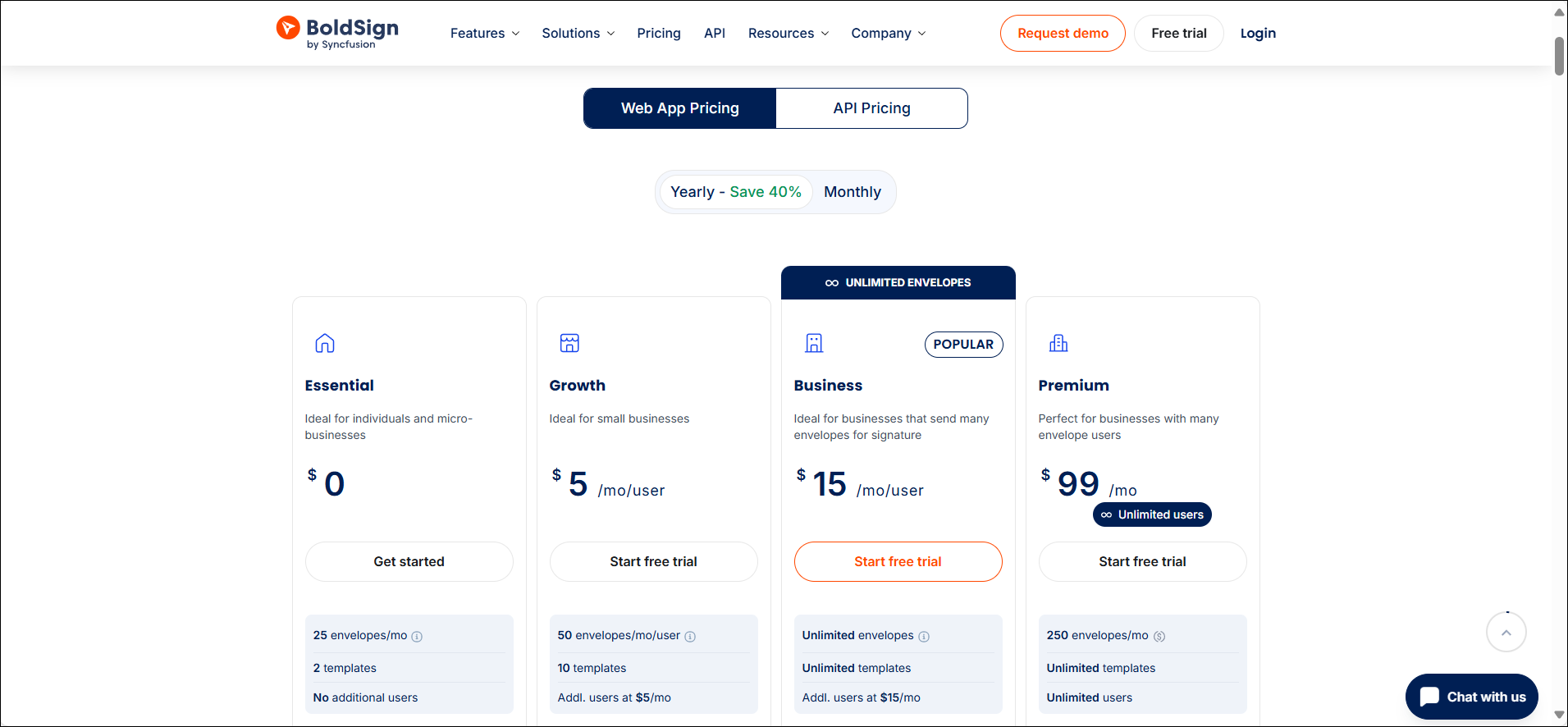
BoldSign free trial options
Getting Started with a BoldSign eSignature Trial Plan
Here’s how to get started and make the most of your online document signing experience.
Explore the Dashboard
Upon logging in, you will be greeted by the BoldSign dashboard. This is your command center. Take a moment to familiarize yourself with the intuitive layout. Here, you can quickly access your documents, monitor signing progress, and set up new templates.
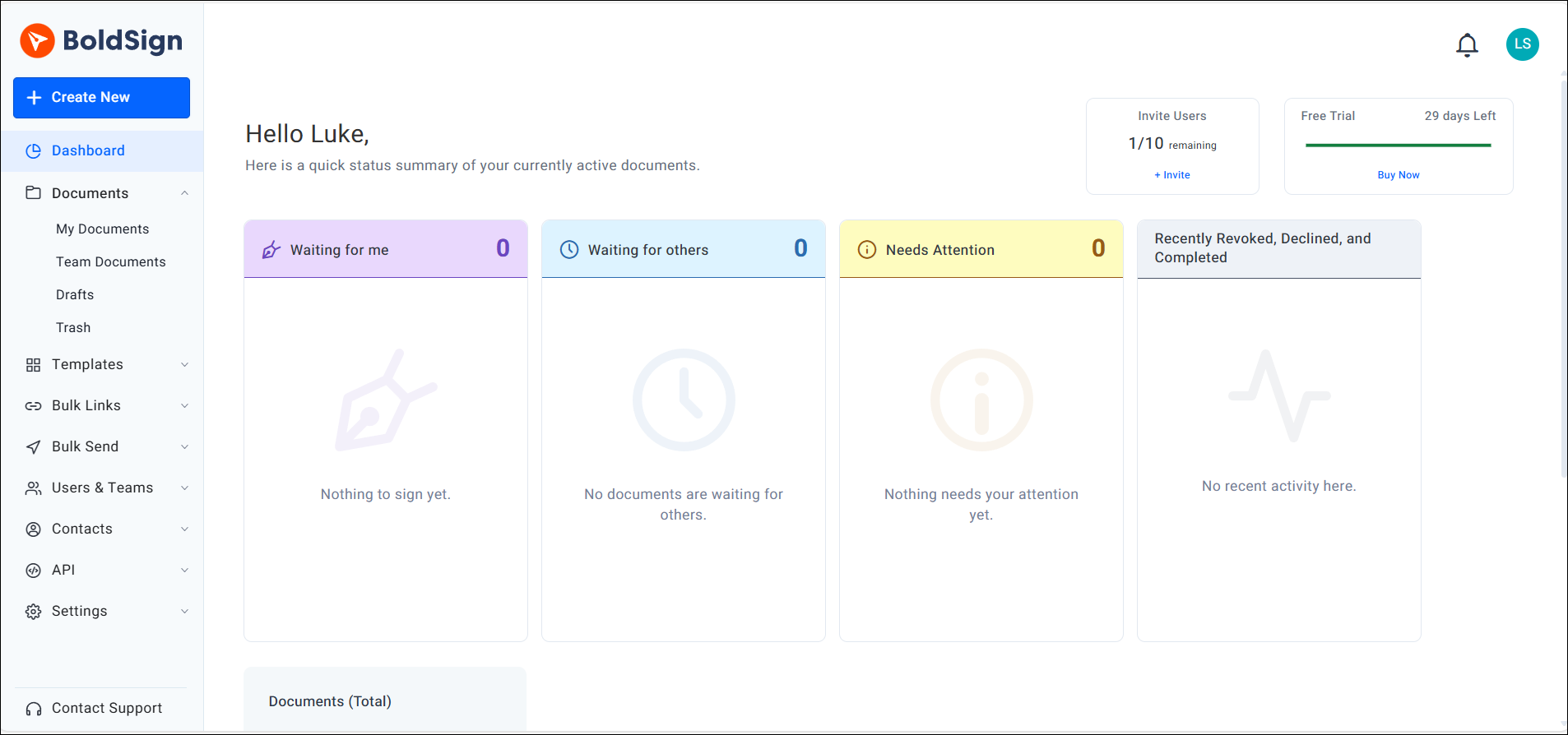
BoldSign Dashboard overview
Create a new document and send it out for signature!
The easiest way to send your first document for signature is first to upload an existing file. Then, you just configure the required signature fields, fill in the recipient, and send it. For more details, you can refer to the BoldSign help articles or video tutorials, which provide a more comprehensive guide.
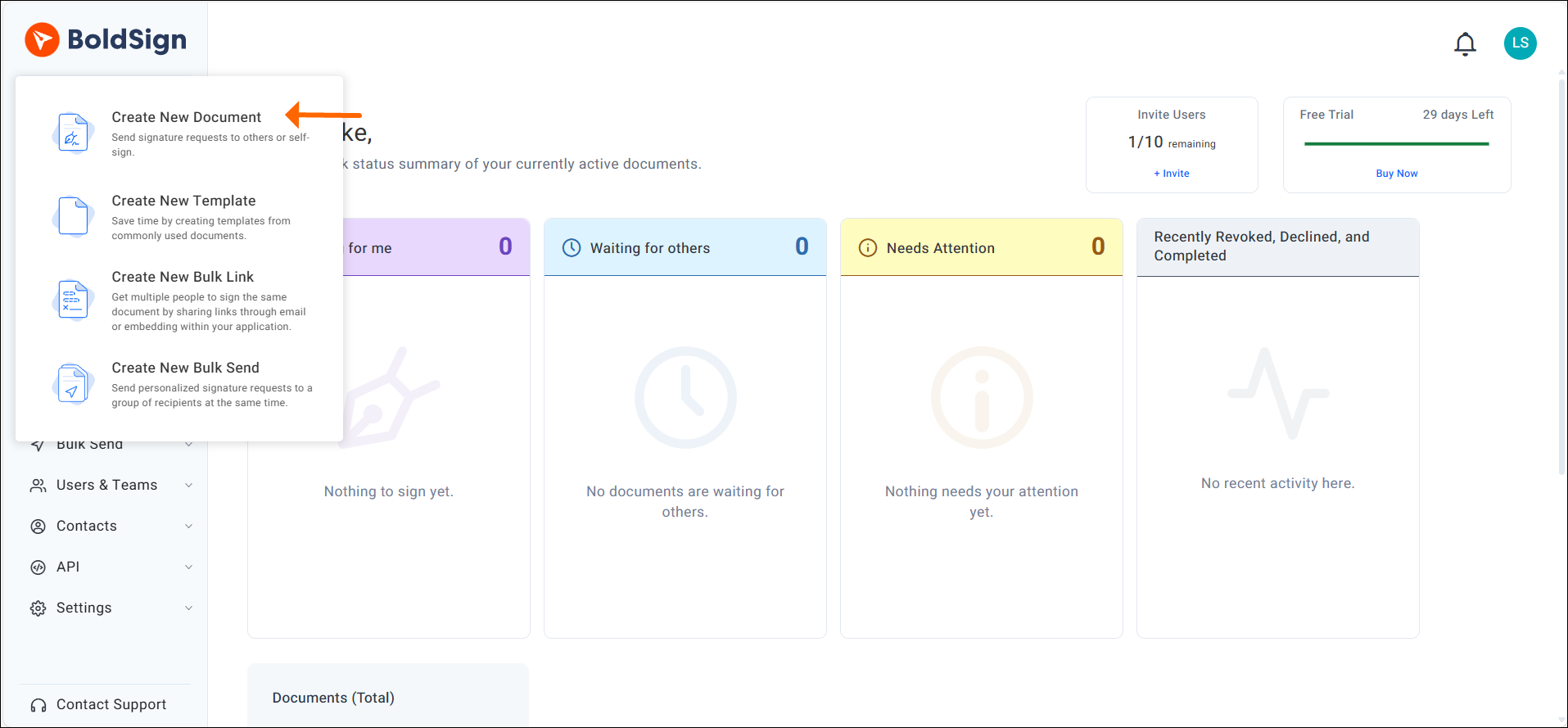
Send your first document out for eSignature
Create and use Templates
You can create templates for the documents which you often use repeatedly. The templates are created in the same way as regular documents, but instead of associating signature fields with people, we simply associate fields with roles. Using templates ensures that frequently used documents can be quickly prepared for signing, simplifying and expediting the signature process. You can refer to this blog for how to use the templates to save time and effort.
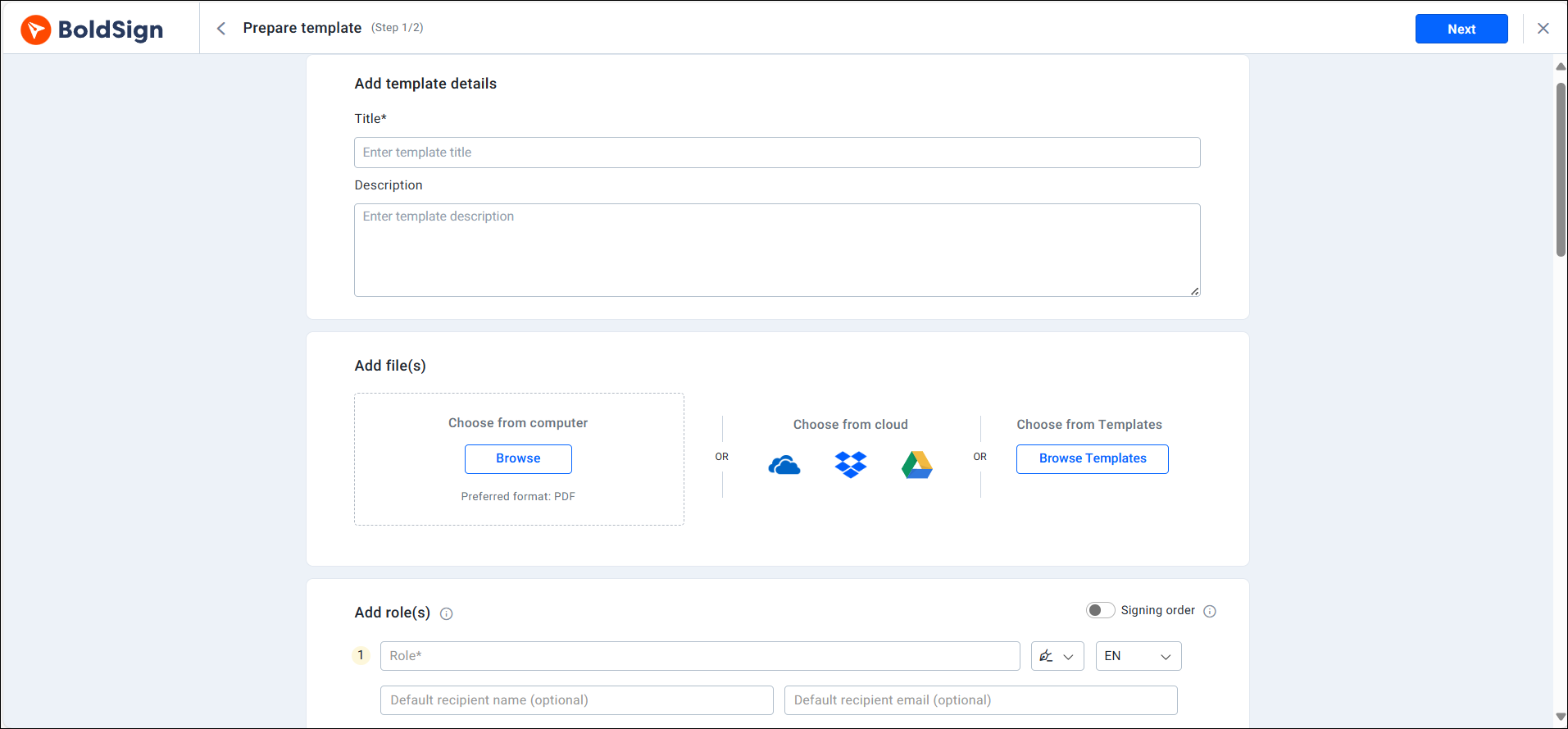
Use eSignature Templates
Explore All Features
The above mentioned features serves as a starting point for reference. For a comprehensive understanding of all our features, please refer to this page.
How to upgrade when the trial is over?
Once your trial period ends, you can upgrade to any paid plan: Growth, Business, or Premium.Simply click on the “Upgrade” button, enter your payment details, and click “Buy now”. Your payment will be processed, and your chosen plan will be activated immediately. For more details on upgrading to a paid plan after the trial, refer to our documentation on changing your current plan.
What happens when the trial period is over?
Once the trial period expires, you will no longer be able to send documents, and both the documents and account data will be automatically deleted after 6 months. To avoid this, you can subscribe to a paid plan or switch to the Essential plan.
Conclusion
Thanks for taking the time to explore the BoldSign eSignature free trial guide. Your interest and engagement are truly appreciated. The 30-day free trial provides a risk-free opportunity to test how electronic signature software can transform your document workflow automation and improve operational efficiency.
If you need any help or want to learn more about our services, feel free to schedule a demo or get in touch with our dedicated support team through our support portal.
Frequently asked questions
What is the duration of the BoldSign trial plan?
The BoldSign free trial plan lasts 30 days after which the user will be required to subscribe to a paid plan or switch to the Essential plan which is free.
Is there a limit to the number of documents I can send and sign during the trial period?
The document limit depends on the trial type. Growth and Business, Premium, and Enterprise API trials include up to 50 eSignature documents. Essential Trial includes 25 documents for eligible business-email signups or 5 documents for public-email signups.
Can I cancel my BoldSign trial plan at any time without charges?
Yes, users can cancel the BoldSign eSignature free Trial plan at any time without incurring any charges.
What happens to my documents and account data if I don't upgrade to a paid plan after the trial ends?
Documents and account data will be automatically deleted after 6 months if you don’t upgrade to a paid plan after the trial ends. To ensure the security of your account and prevent data deletion, you can subscribe to a free plan.
Can I collaborate with others and request signatures from multiple parties during the trial period?
Certainly, during the trial period, you can request signatures from multiple parties.
Is customer support available to assist me during my BoldSign Trial?
Yes, we provide extensive customer support regardless of whether you’re on a purchased plan, a trial, or using the free plan.
Can I use the BoldSign trial plan for personal use, or is it intended for business purposes only?
Yes, you can use the Trial plan for personal use. It is not intended exclusively for business purposes.
Are there any specific system requirements or compatibility issues I should be aware of before signing up for the trial?
There are no specific system requirements or compatibility issues. Any modern browser is sufficient to access the BoldSign eSignature platform effectively.
Can I upgrade from the BoldSign Trial plan to a paid subscription before the trial period ends, and if so, how?
Yes, you can upgrade to a paid subscription before the trial period ends. To upgrade, first log in to your BoldSign account. On the Dashboard page, expand the Settings menu and select Subscription. This will direct you to the subscription page.
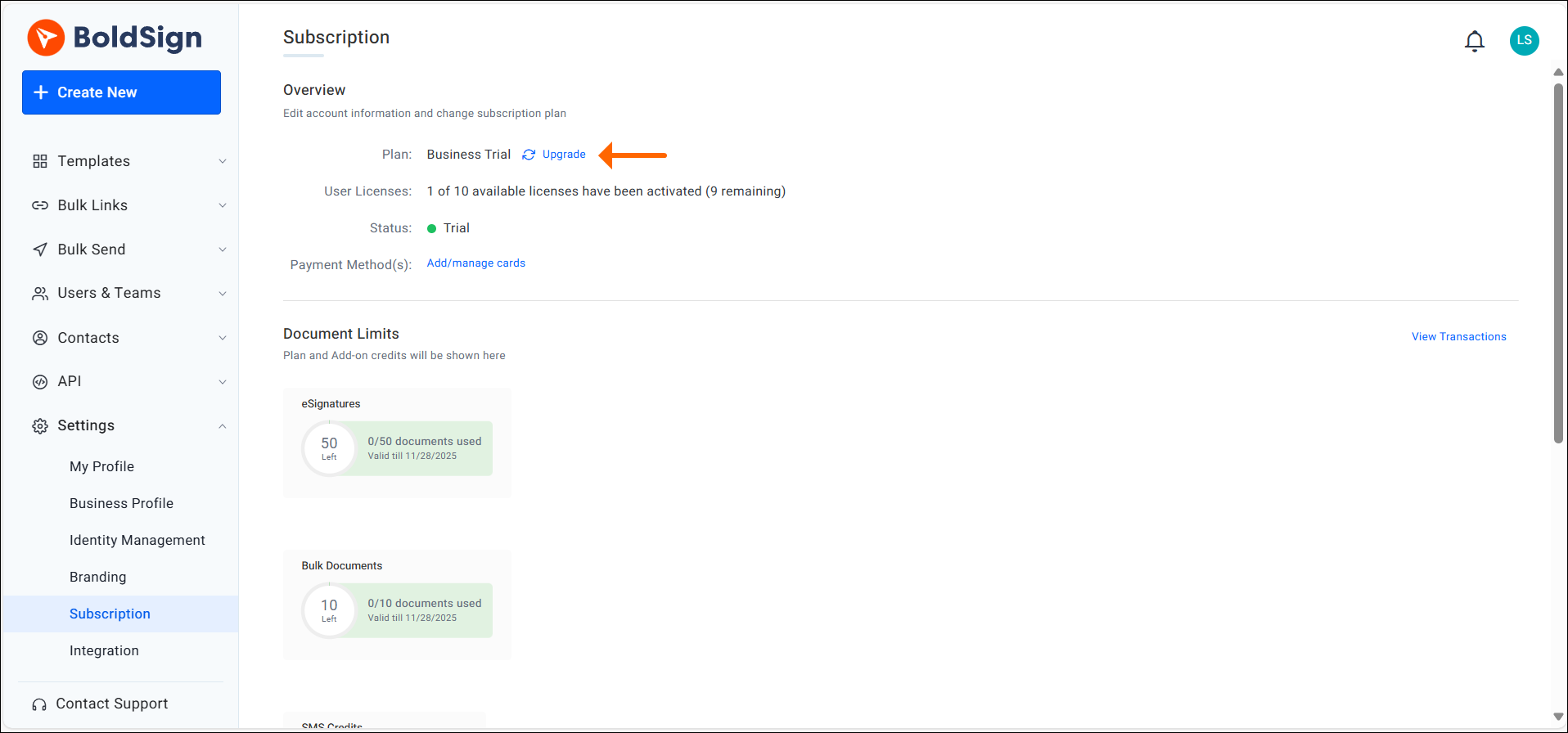
On the page, select the Upgrade option. You will be redirected to the Change plan page. On this page, you can upgrade to your desired plan.
Do I need a credit card to start the free trial?
No, you can start the trial without entering payment details. You only need them when upgrading to a paid plan.

Tom Victor Okinyi
Tom Victor Okinyi, a Technical Assistant at BoldSign, excels at creating user-friendly documentation. He has a strong commitment to quality, ensuring users have access to clear and informative resources that enhance their experience with BoldSign. Tom is skilled at simplifying complex concepts into comprehensive and easy-to-understand materials.
More posts by Tom Victor Okinyi