How BoldSign Simplifies Signing for Nonprofit Volunteer Onboarding Checklists
TL;DR: A volunteer onboarding checklist helps nonprofits collect documents, stay compliant, and onboard volunteers faster. Using BoldSign for digital forms and eSignatures eliminates paperwork, reduces delays, and keeps everything organized in one secure place.
Volunteer onboarding should help your nonprofit move faster, not create more paperwork.
A well-structured volunteer onboarding checklist makes it easier to collect documents, maintain compliance, and prepare volunteers for their roles with confidence. When paired with a secure eSignature platform like BoldSign, the process becomes even smoother by reducing manual follow-ups, eliminating paper forms, and keeping everything organized in one place.
Whether you are onboarding a few volunteers for a local initiative or managing large groups across locations, a digital workflow can save time and create a better experience for everyone involved.
Why volunteer onboarding matters for nonprofits
A thoughtful onboarding process does more than collect signatures. It helps nonprofits:
- Reduce volunteer drop-off by making onboarding fast and frustration-free
- Meet legal and policy requirements (conduct, privacy, consent, and risk management)
- Save administrative time by eliminating manual paperwork and chasing signatures
- Maintain audit-ready records for compliance, reporting, and continuity
- Build trust and long-term engagement with a professional, organized experience
Without a clear process, nonprofits often deal with delays, missing documents, inconsistent communication, and extra administrative work, especially when onboarding volunteers remotely or in large numbers.
Volunteer onboarding checklist for nonprofits
1. Volunteer Application & Registration
Start by collecting the basic information you need to understand volunteer interest and fit.
Checklist:
- Volunteer application form
- Contact information and emergency details
- Availability and preferred roles
- Skills and interests assessment
How BoldSign improves this step
- Send digital forms for quick completion
- Collect eSignatures without printing or scanning
- Store completed applications securely in one place
Why it matters: This helps volunteers complete the first step quickly and reduces paperwork delays.
2. Screening & Approval
Screening helps nonprofits assign volunteers responsibly and reduce risk.
Checklist:
- Background check authorization (if required)
- Reference verification (if required)
- Age verification or parental consent (if required)
How BoldSign improves this step
- Collect signed authorization and consent forms digitally
- Track completion status in real time
- Move approved volunteers forward without unnecessary follow-up
Why it matters: This creates a smoother review process and helps prevent bottlenecks.
3. Welcome & Orientation Documents
Orientation materials should help volunteers understand your mission, expectations, and next steps.
Checklist:
- Welcome letter
- Mission, vision, and values overview
- Volunteer handbook
- Orientation schedule
How BoldSign improves this step
- Send orientation documents in a single workflow
- Collect acknowledgments for important materials
- Maintain a record of completed onboarding steps
Why it matters: Volunteers begin with clearer expectations and a more structured experience.
4. Volunteer Agreements & Policies
This step helps protect both your organization and your volunteers.
Checklist:
- Volunteer agreement
- Code of conduct
- Confidentiality agreement (if applicable)
- Data protection and privacy policy
- Media or photo consent form
How BoldSign improves this step
- Collect legally binding eSignatures
- Maintain audit trails for signed documents
- Store agreements securely for future reference
Why it matters: Important policies are documented properly and easy to retrieve when needed.
5. Role-Specific Training Acknowledgement
Once volunteers are assigned, they should confirm they understand their responsibilities and any safety requirements.
Checklist:
- Role description
- Safety guidelines
- Training completion acknowledgment
How BoldSign helps
- Collect digital acknowledgment of completed training
- Standardize documentation across teams and locations
- Keep training records organized
Why it matters: This improves consistency and supports safer volunteer operations.
6. Access & Resource Setup
Before volunteers begin, make sure they have access to the tools, information, and communication channels they need.
Checklist:
- System or tool access confirmation (if applicable)
- ID badges or credentials (if applicable)
- Communication channels (groups, schedules, contact list)
How BoldSign improves this step
- Confirm required forms are signed before access is granted
- Create a standardized process for onboarding readiness
- Reduce risks caused by incomplete paperwork
Why it matters: Volunteers are better prepared to contribute from day one.
7. First-Week Confirmation
The first week is a good time to identify gaps, answer questions, and reinforce clarity.
Checklist:
- Role clarity confirmation
- Schedule acknowledgment
- Support contact details
How BoldSign improves this step
- Send follow-up confirmations and reminders automatically
- Keep first-week records organized
- Make it easier to spot incomplete steps early
Why it matters: This improves volunteer retention and helps teams address issues before they grow.
8. Ongoing Engagement & Record Management
Volunteer onboarding is not always a one-time event. Documents may need to be reviewed, renewed, or updated over time.
Checklist:
- Periodic policy updates
- Renewal of volunteer agreements
- Recognition or certification documents
How BoldSign improves this step
- Store volunteer documents securely in one place
- Reuse templates for recurring processes
- Simplify recordkeeping for future onboarding cycles
Why it matters: Your organization stays organized while reducing repeat administrative work.
Why nonprofits choose BoldSign for volunteer onboarding
BoldSign is designed to make nonprofit operations simple and secure.
Key Benefits:
- Templates: Reuse common onboarding forms like waivers, agreements, and policy acknowledgments.
- Bulk send: Send forms to large groups of volunteers at once before events or programs.
- Bulk links: Share one reusable signing link when many volunteers need to complete the same form.
- Real-time tracking: See who has completed documents and send reminders when needed.
- Multi-channel delivery: Reach volunteers through email, SMS, or WhatsApp for faster response rates.
- Identity verification: Apply additional signer-verification methods, including Knowledge-Based Authentication where available, for sensitive or higher-risk volunteer roles.
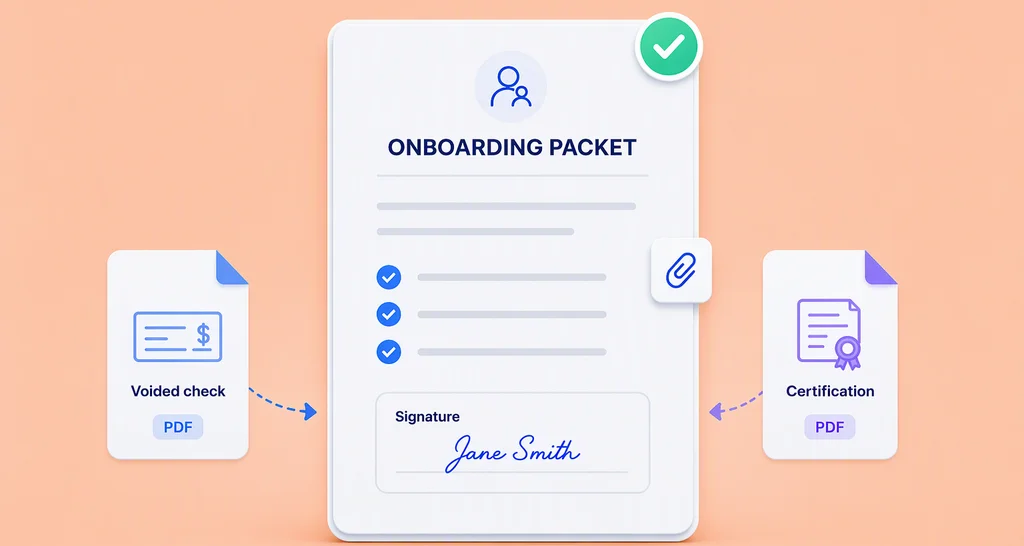
- Request attachments: Collect IDs, certificates, and other supporting files as part of the signing workflow.
- AI-powered tools: Save time by automatically detecting fields and finding documents faster, and connecting AI assistants to your eSignature workflows through MCP.
With BoldSign, nonprofits can onboard more volunteers, without increasing administrative workload.
Conclusion
A structured volunteer onboarding checklist helps nonprofits create a smooth, compliant, and welcoming experience. When combined with BoldSign’s digital signing and document management, nonprofits can eliminate paperwork, reduce delays, and focus on what matters most, their mission.
Ready to get started? Start your free trial, request a demo, or visit our support portal to learn more!

Preethi Loganathan
Preethi is a Digital Marketing Executive at BoldSign who develops precise, research-driven content on eSignatures, compliance, and digital signing workflows. She works closely with product and engineering teams to ensure every article is accurate, validated, and aligned with industry best practices. Connect with her on LinkedIn.
More posts by Preethi Loganathan