How eSignatures in Construction Simplifies Approvals with BoldSign
Real estate development requires many complex approvals. Each approval involves different sets of hierarchical signatures and sequences, making it challenging to track. BoldSign helps construction teams manage document approvals with structured signing workflows. In this blog, we explore how BoldSign electronic signatures simplify managing these approvals, especially in construction projects.
How BoldSign Facilitates Seamless Collaboration
BoldSign enhances project coordination by offering powerful tools designed to streamline document workflows and approvals. Features supporting real-time collaboration, automatic notifications, and easy document access allow teams to work more efficiently, thus speeding up decision-making and keeping projects on track.
Creating and Managing Project Teams
Here’s how project leads can create dedicated teams in BoldSign:
- Log into BoldSign, navigate to the Users & Teams menu, and select Teams.
- Click Add team, enter a team name such as Design Approval or Financial Review, and then click Add
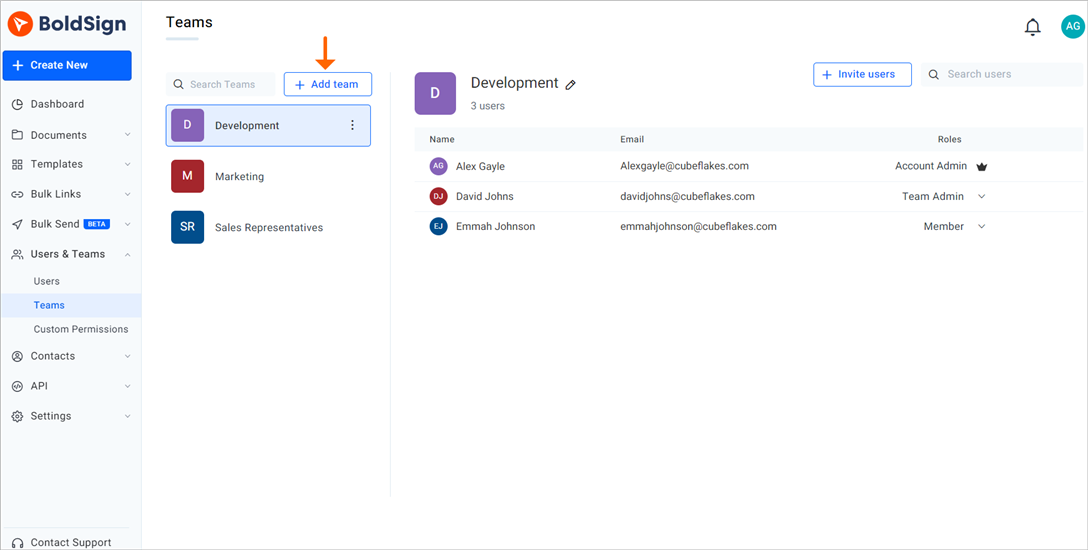
Add teams option
These teams collaborate internally and with external stakeholders through shared documents and templates, enhancing project cohesion. You can check out this article on how to create teams.
Document Sharing and Approvals
- Upload and Share: Team admins/members can upload and share documents for approval, like zoning permits or architectural drawings. Take a look at this article for guidance on uploading and sharing documents.
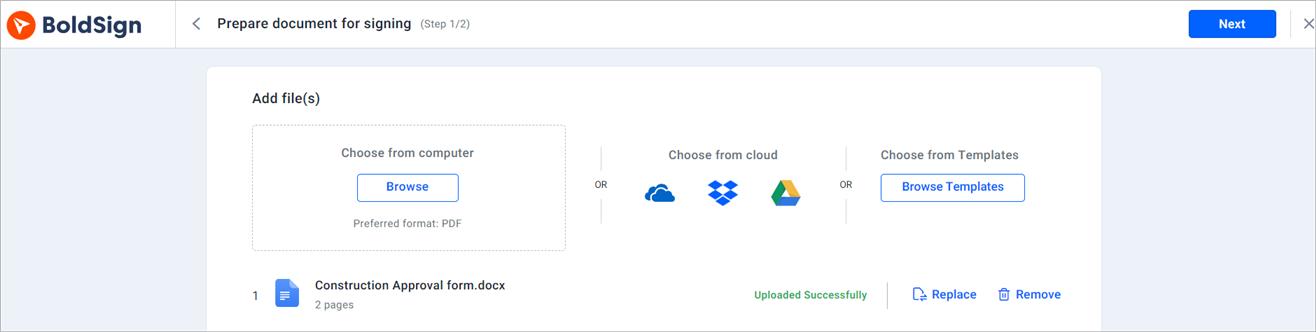
Upload document section
- Review and Sign:Stakeholders can review and complete their assigned actions, such as signing or approving the document, directly within the platform. You can refer to this article on how to sign a document in BoldSign.
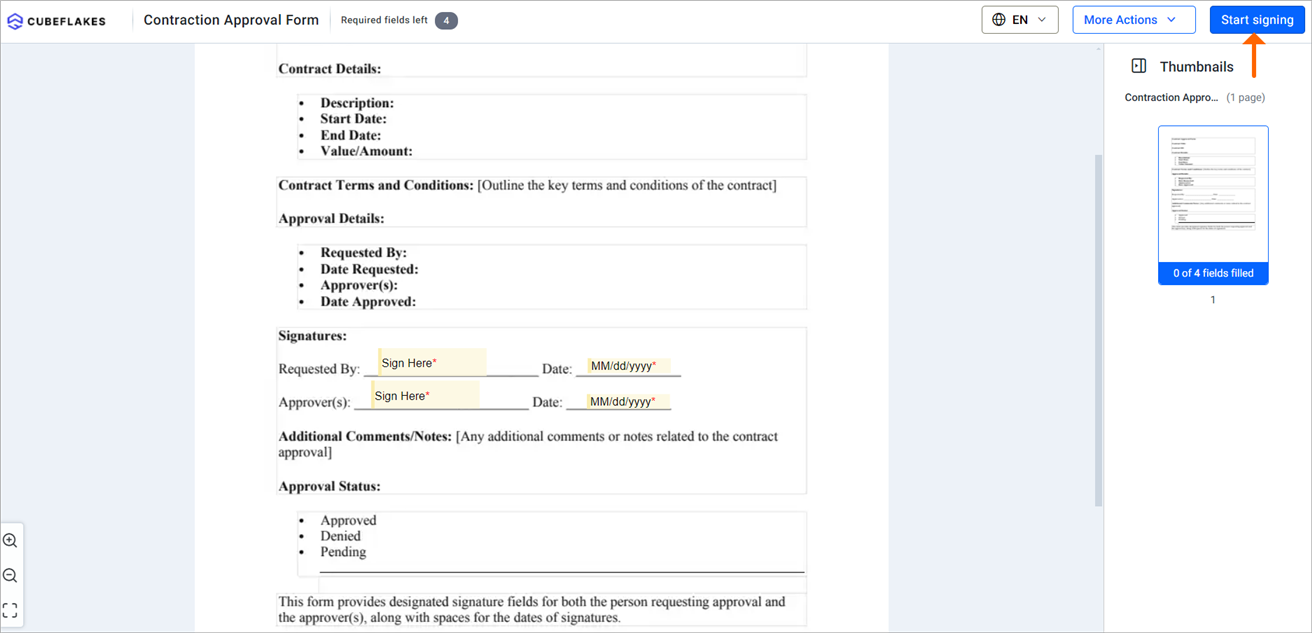
Signing page
- Stay Updated: Notifications and real-time updates keep everyone informed about document statuses, reducing delays. For further details on managing notifications, please refer to this article: how to manage email notifications.
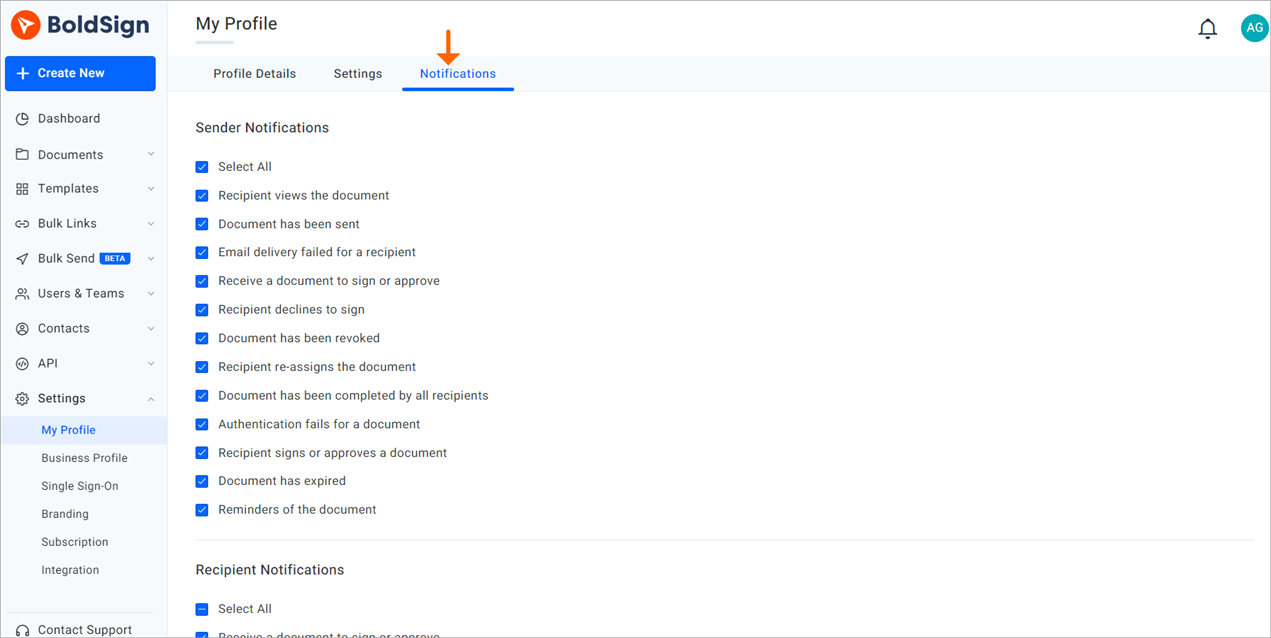
Notifications section
Custom Permissions for Sensitive Documents
To ensure security and compliance:
- Role-Based Permissions: BoldSign allows account administrators to create custom permissions that grant or deny specific users access to documents, templates, Bulk Links, and Bulk Sends.
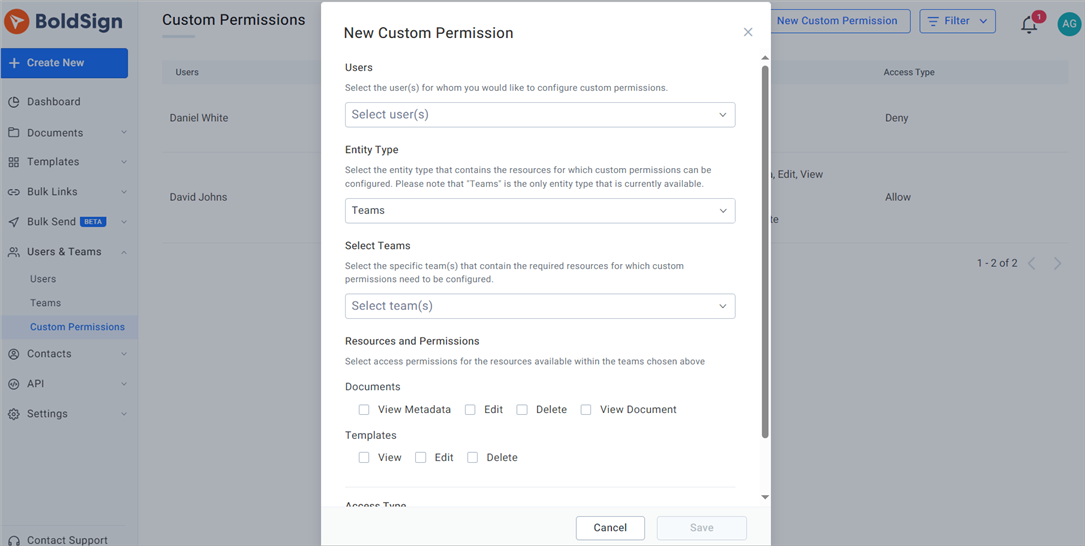
Create custom permissions
- Audit Trails: BoldSign provides a detailed audit trail that records actions associated with the signing workflow, supporting traceability and accountability.
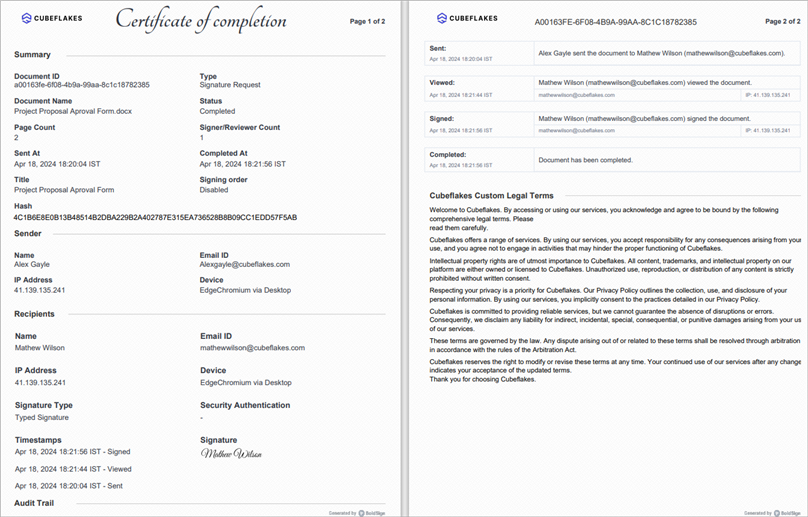
Audit trail document
Efficient Role Transitions and Document Handovers
When roles change or a stakeholder’s involvement ends:
- Transfer Document Ownership: When an administrator deletes or deactivates a user, the user’s documents can be transferred to another user. Team administrators can perform this action only for users in their team.
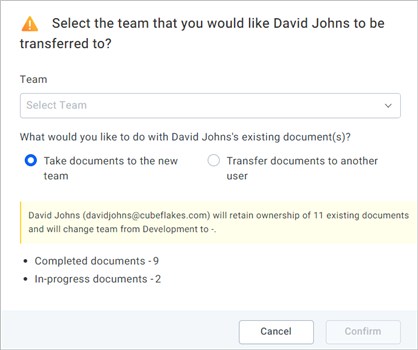
Transfer documents
- User Profile Management: Account administrators can change user roles and activate or deactivate users across the organization. Team administrators can activate or deactivate users only within their own team.
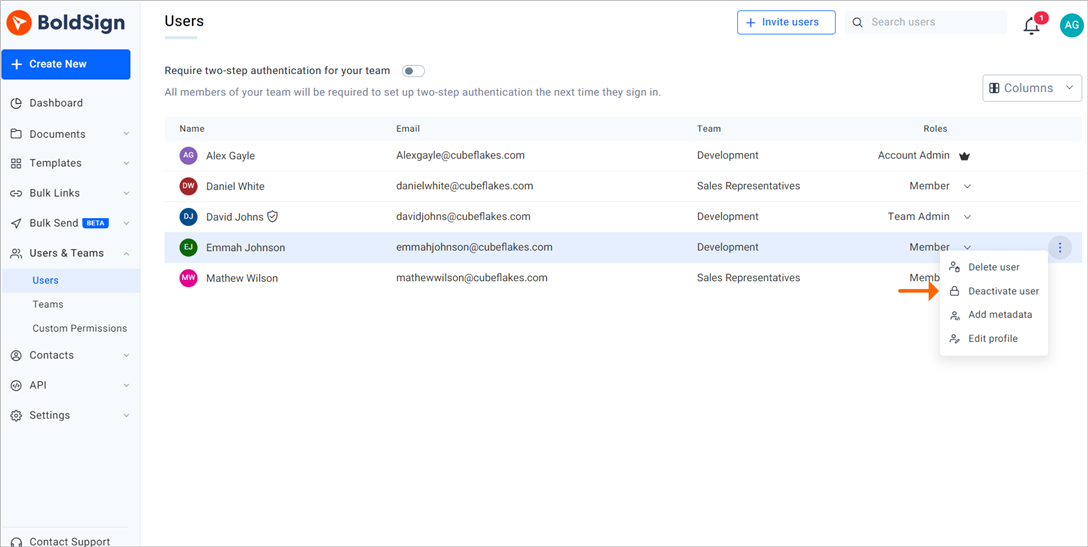
Deactivate user option
Template Sharing for Standardized Documents
BoldSign’s template-sharing feature ensures all teams use standardized forms for common documents like nondisclosure agreements or contractor terms, promoting consistency across the project. How to share templates with other teams.
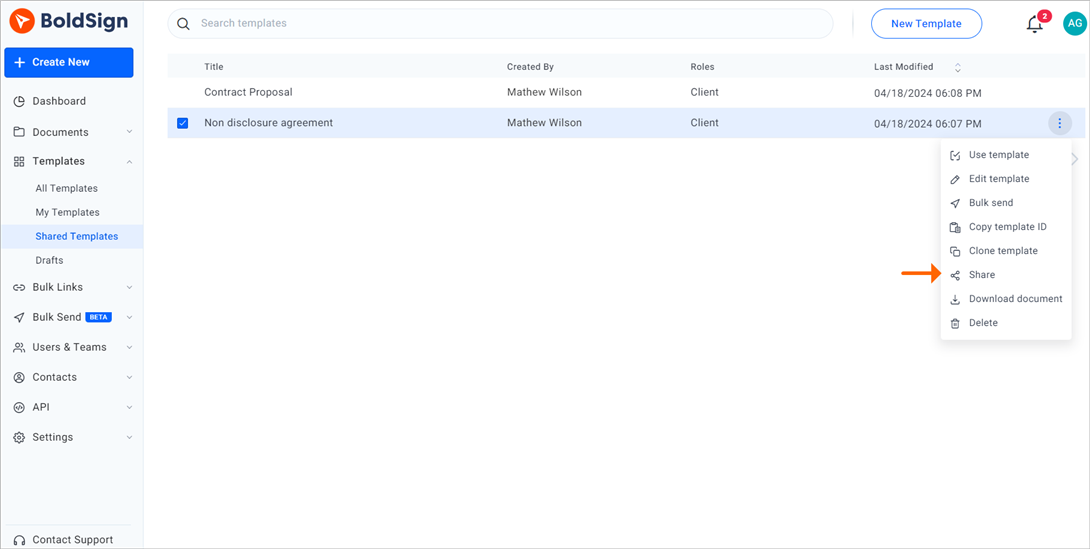
Share template option
Conclusion
BoldSign’s electronic signature and document management features are made to tackle the complexities of real estate development. It enables seamless collaboration across diverse teams and stakeholders. BoldSign helps organizations create efficient and secure document workflows, supported by encryption, detailed audit trails, and applicable compliance standards. Focus more on the strategic aspects of your projects, leaving the document complexities to BoldSign.
Experience BoldSign with a 30-day free trial. No credit card is required. You can also schedule a personalized demo to explore how BoldSign can support your real-estate development and construction document workflows
Need further information or have questions? Our dedicated support team is just a click away through our support portal. We are here to help you enhance your project management and collaboration efforts.

Meikanda Nayanar
A veteran product manager at BoldSign, boasting a decade-long journey as a .NET developer. With a rich history of leading product development across diverse technologies like Windows Forms, WPF, UWP, Xamarin.Forms, Flutter, and MAUI, Meikandan brings a unique blend of technical expertise and strategic insight to the table. Connect with him on LinkedIn.
More posts by Meikanda Nayanar