Streamline Loan Application Process for Banks Using BoldSign
In this blog post, we will explore how BoldSign improves loan processing, providing a seamless and hassle-free experience for all parties involved. BoldSign enables banks and credit firms to collect and verify signed documents digitally, significantly speeding up the loan application process. By using the following key features, BoldSign ensures a streamlined and efficient loan processing experience.
Multiple-signer support
BoldSign facilitates the involvement of multiple stakeholders throughout the loan approval process, ensuring all necessary parties can participate.
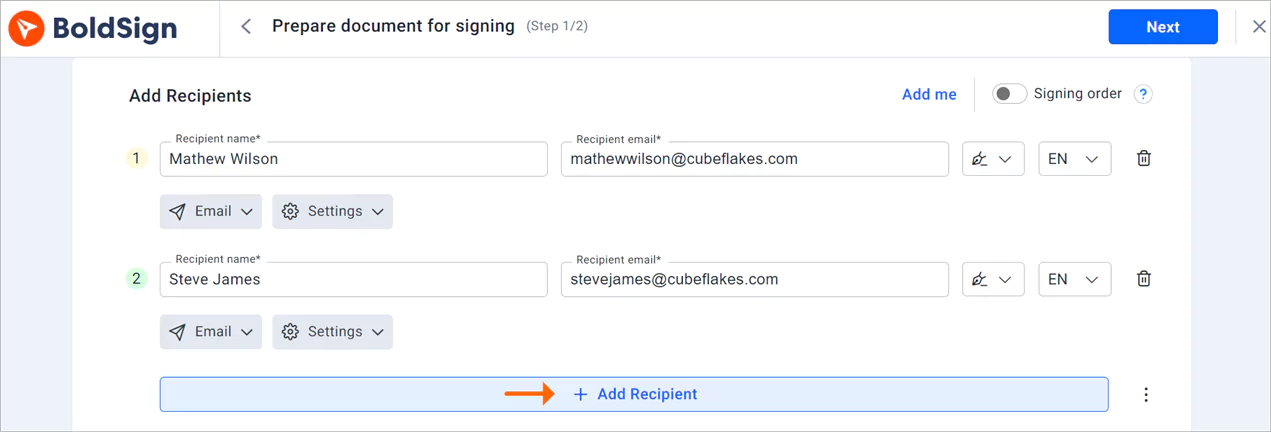
Add recipient section
Templates
Templates in BoldSign allow loan officers to create standardized document layouts for different types of loans. This ensures consistency across loan applications and reduces the time spent on manual document creation. With AI-powered field detection, relevant form fields are automatically identified. Loan officers can quickly generate necessary documents, including application forms, promissory notes, and loan agreements, streamlining the origination process.
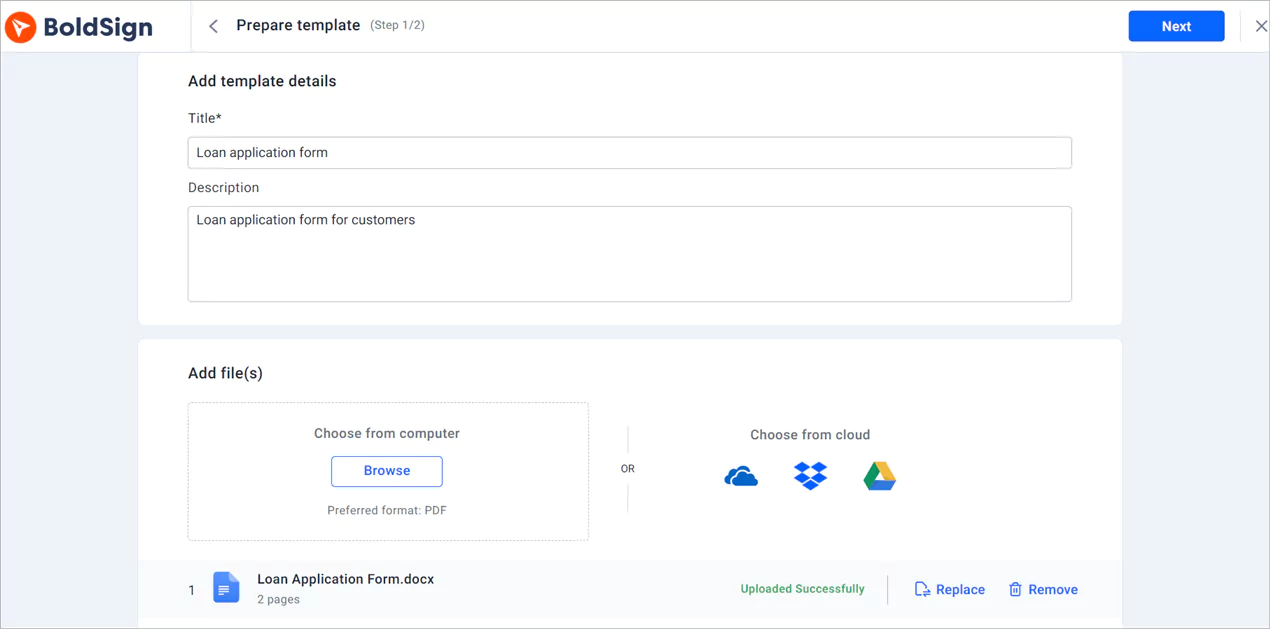
Prepare template page
Signer verification
BoldSign provides signer verification options such as email verification, SMS authentication, access codes, knowledge-based authentication (KBA), and ID verification to help confirm the identity of borrowers during the loan application process. These security measures ensure that loans are issued only to legitimate applicants, reducing the risk of identity theft, unauthorized access, and fraud.
By integrating identity verification into digital signing, lenders can enhance security and compliance while expediting the loan origination process.
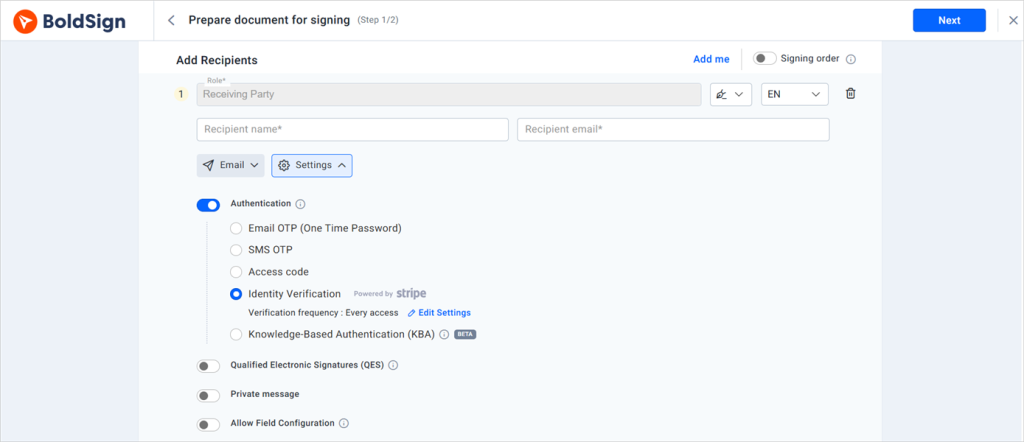
Authentication options
Form fields
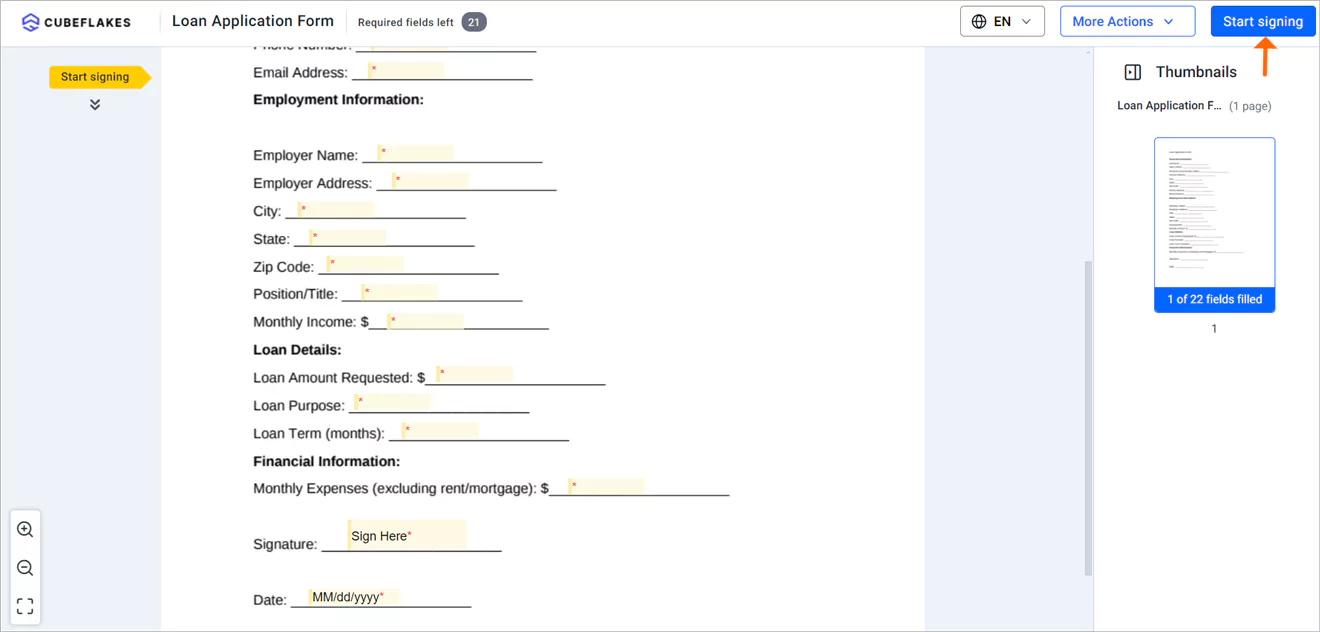
Loan officers can use form fields when creating loan application documents to collect specific information relevant to the loan application, such as personal details and financial information from borrowers. Upon receipt, borrowers can fill in the required information electronically. This eliminates the need for manual data entry and reduces errors associated with handwritten forms. By digitizing form completion, BoldSign accelerates the loan origination process and improves data accuracy.
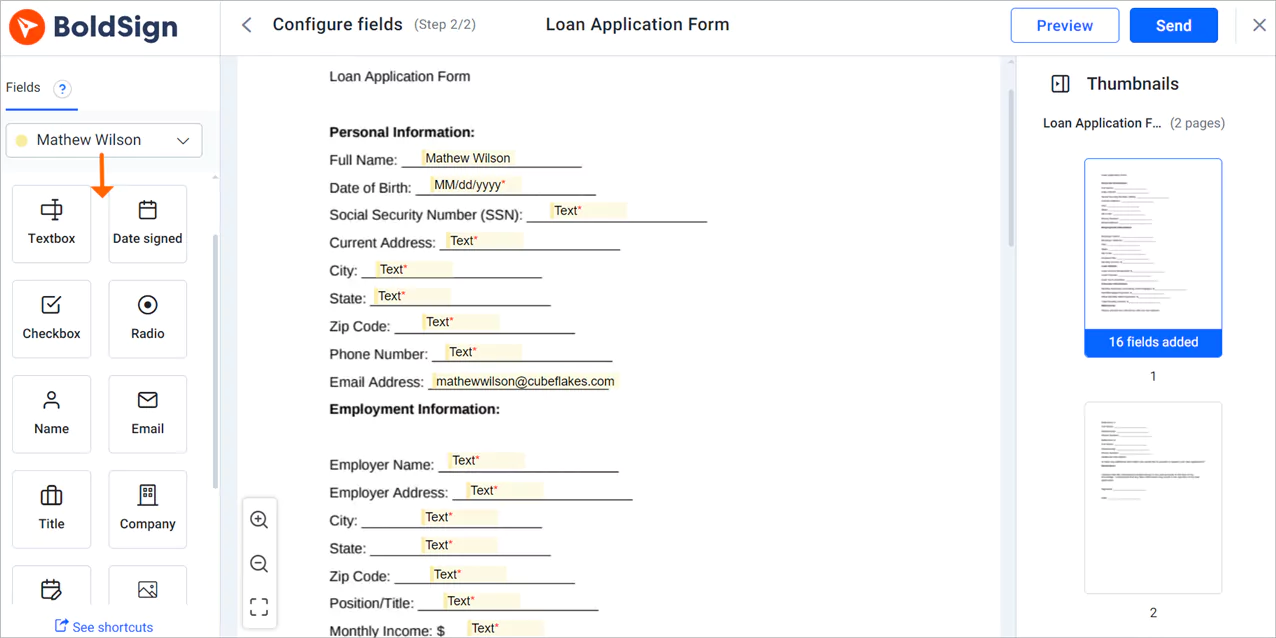
Configure fields page
Mobile accessibility
BoldSign is accessible via mobile devices, allowing borrowers to complete loan applications on smartphones or tablets. Mobile accessibility enhances convenience and flexibility, enabling borrowers to sign anytime, anywhere, and improving the overall customer experience.
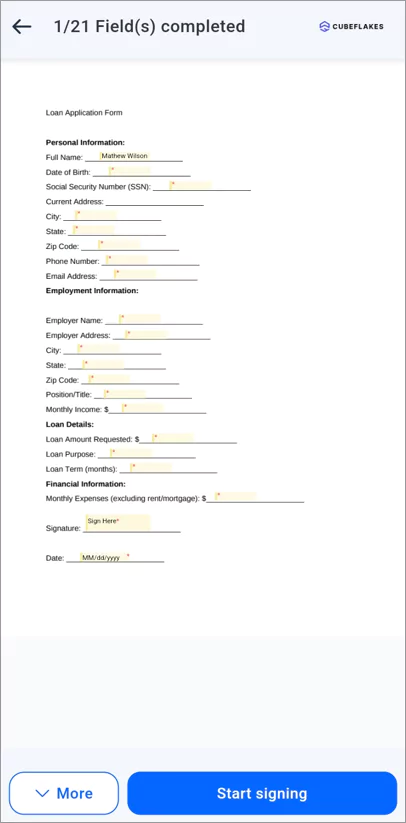
Sign document via mobile
No signer account needed
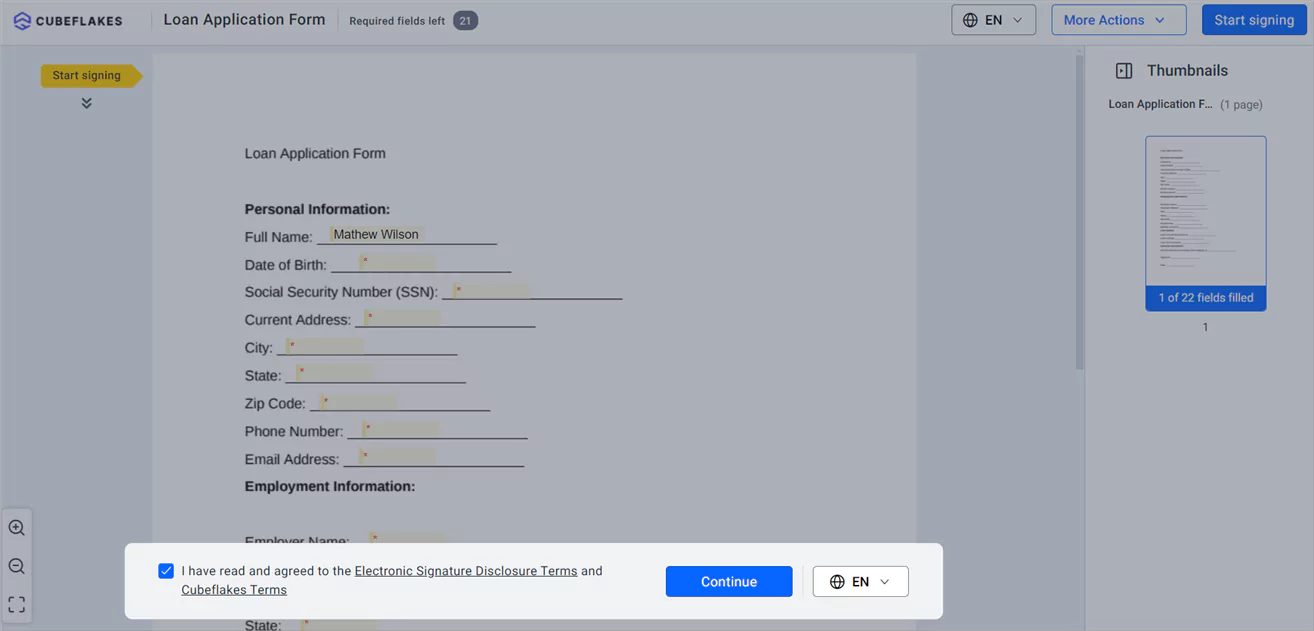
BoldSign simplifies the signing process for loan documents by not requiring signers to create an account. On receiving the email link, signers verify their identity and agree to disclosure terms before accessing the signing page. This streamlines the process, reducing friction for borrowers.
Document tracking
BoldSign enables document status tracking and sends real-time notifications to borrowers and lenders when documents are sent, viewed, or completed. This ensures timely action and reduces delays in the loan origination process, enhancing efficiency and customer satisfaction.
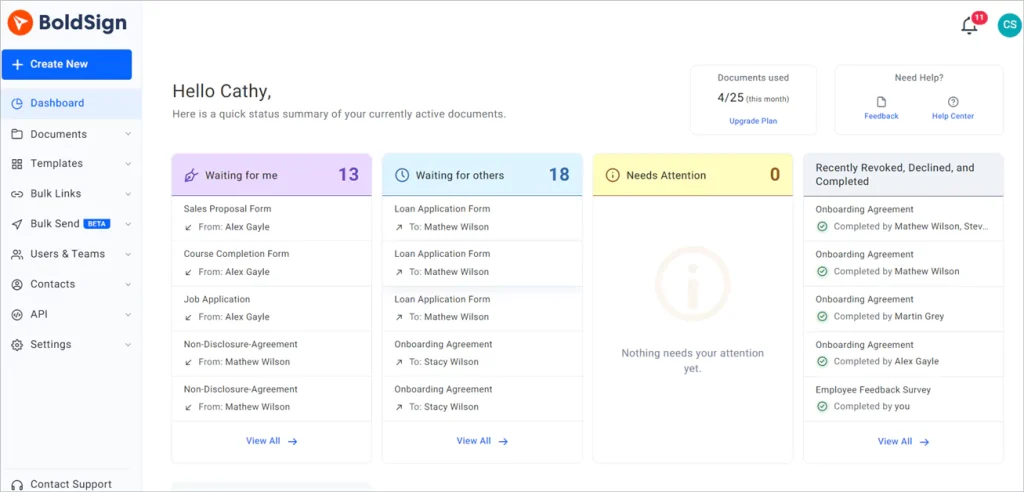
Track document status
Security and compliance
BoldSign prioritizes security and compliance by implementing stringent encryption, data protection measures, and adherence to industry regulations such as ESIGN, GDPR, SOC 2, PCI DSS, HIPAA and eIDAS. Lenders can trust that sensitive borrower information is secure and that the loan origination process complies with relevant legal and regulatory standards.
BoldSign also maintains a comprehensive audit trail of all document activities, including access, changes, and signatures. This ensures transparency, accountability, and compliance with regulatory requirements throughout the loan origination process.
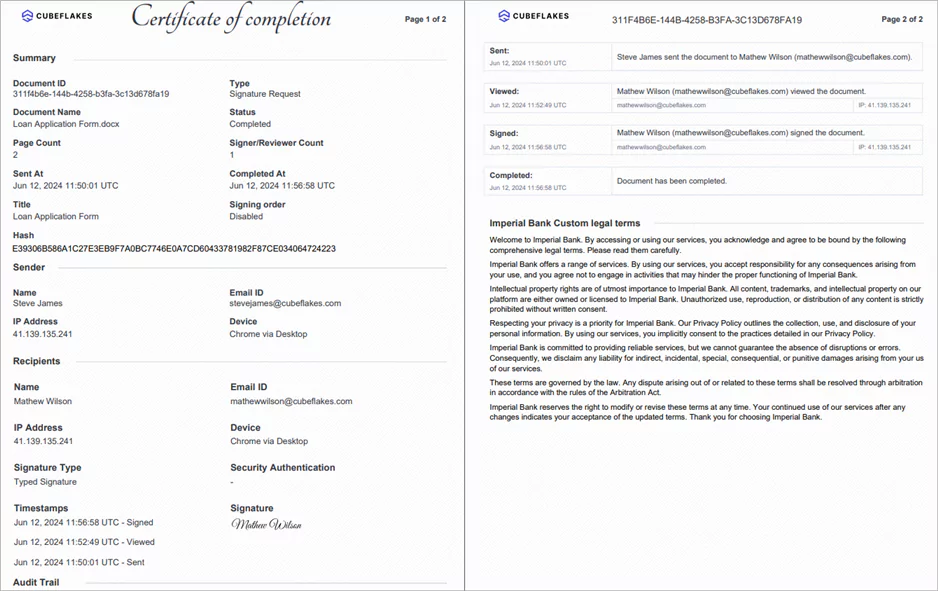
Audit trail
User-friendly interface
BoldSign features an intuitive and user-friendly interface that guides borrowers through the signature process step-by-step. Clear instructions, interactive elements, and easy navigation enhance the user experience, reducing confusion and increasing efficiency.
Disclosure terms
BoldSign’s custom legal terms option enables senders to customize disclosure terms for signers on the branding page, ensuring they consent to terms and conditions, including data collection and storage, before accessing documents. By providing clarity and obtaining consent upfront, lenders can streamline the origination process, enhance compliance, and establish trust with borrowers.
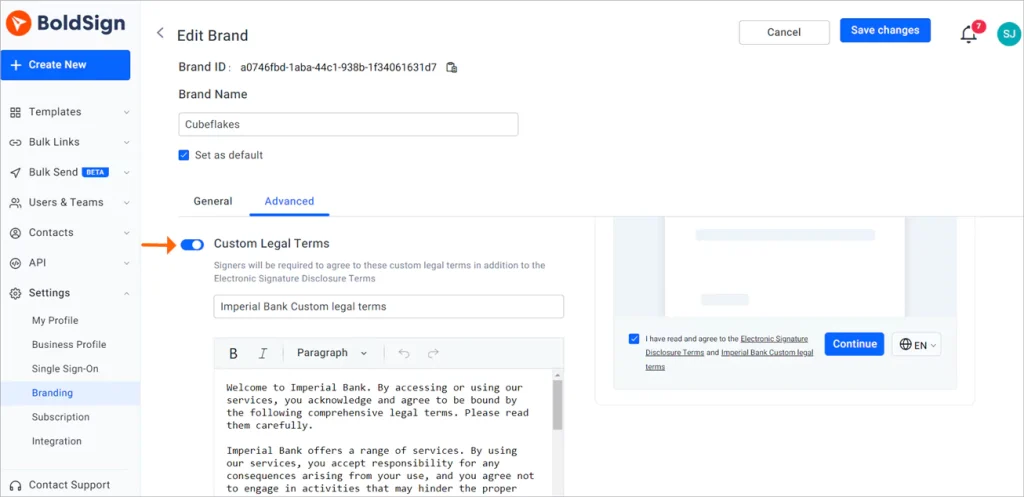
Custom legal terms option
Signing language
Setting language preferences for signers in BoldSign facilitates loan origination by ensuring clear communication. By accommodating signers’ preferred languages, lenders can enhance understanding and engagement, leading to smoother transactions. Additionally, BoldSign lets signers adjust language settings during signing themselves, so they can participate comfortably and reduce potential barriers. Overall, language customization in BoldSign contributes to improved borrower experiences and efficiency in loan origination.
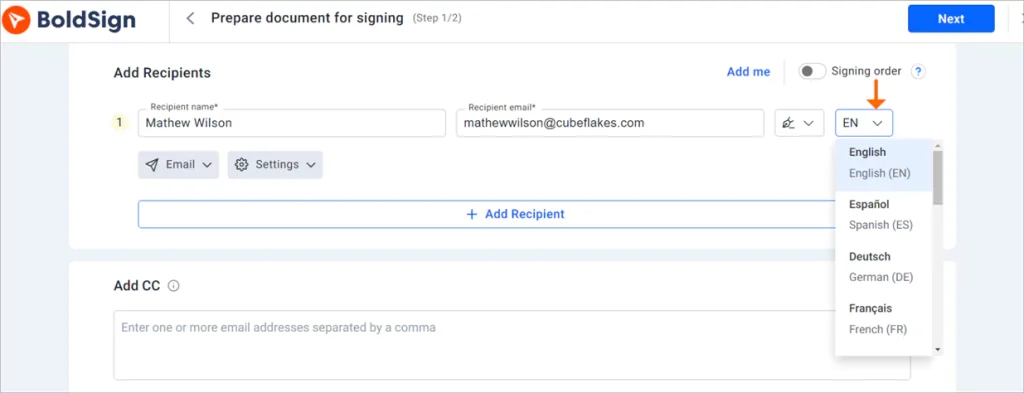
Language options
The signing procedure
Borrowers can easily access, review, and sign loan application documents.
- Access the document by clicking the link received via email.
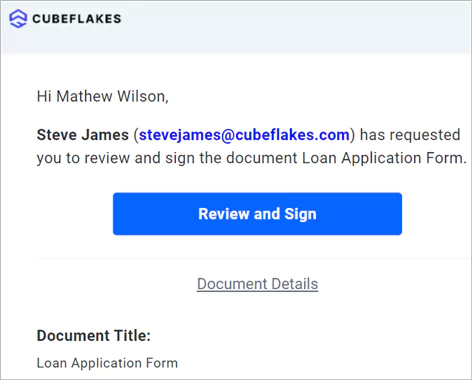
Review and sign link
- Accept the disclosure terms. Then click Continue. You will be directed to the signing page.
Disclosure terms
- On the signing page, click the Start signing button to begin signing the document. After filling in the form fields, click Complete Signing to finish the signing process.
Signing page
Conclusion
In conclusion, BoldSign streamlines the loan application process, minimizing paperwork and administrative tasks. Experience the benefits by signing up for a 30-day free trial. Modernize your loan origination workflows with BoldSign to enhance the lending process.
Your feedback is invaluable to us, so please share your thoughts and comments in the section below. For more information on BoldSign’s features or for personalized assistance, schedule a demo or reach out to our support team via our support portal.

Evans Omondi Otieno
Evans Omondi Otieno is a customer support representative and writer at BoldSign, specializing in creating clear, insightful content to help users navigate eSignature solutions. As a blog author, Evans writes well-researched articles that simplify technical concepts, helping businesses and professionals understand how to use BoldSign effectively. With expertise in technical support and content creation, he ensures users have a seamless experience and gain valuable knowledge from his articles. Connect with him on LinkedIn.
More posts by Evans Omondi Otieno