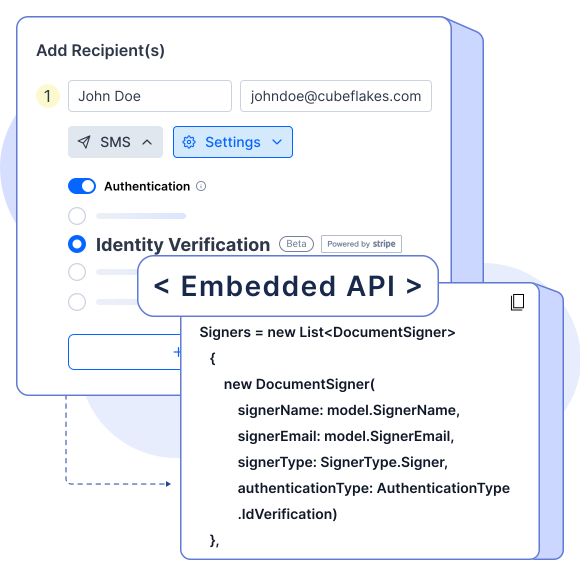
Signer Identity Verification
Ensure authenticity in every agreement. BoldSign’s ID verification feature uses government-issued IDs and biometric selfie checks to confirm signer identity, protecting your sensitive documents from fraud.

Why Signer Identity Verification Matters
Verify signer identities to block unauthorized access and reduce risks of fraud or financial loss.
Build Trust with Verified Signers
Authentication adds confidence for all parties—essential for high-stakes agreements that demand reliability.
Ensures Compliance
Meet industry regulations like KYC and AML by confirming customer identities in finance, healthcare, and beyond.
Enable Identity Verification for Signers

Senders have the option to activate identity verification, ensuring that only an authenticated signer can access and sign the document.
Flexible Identity Verification Options
Signers can verify their identity using a desktop, tablet, or mobile device.
Upload Photo ID for Verification
Signers must upload a government-approved photo ID and a selfie for biometric verification, ensuring the highest level of security and compliance.
Final Verification and Access
BoldSign will validate the signer’s information, including checking the name in the contract against the approved government ID. If the validation confirms the signer’s identity, they can proceed with signing.
How Signer Identity Verification Works
BoldSign’s signer identity verification protects your important agreements to enhance the customer experience.
Highlights
These features in BoldSign were designed to ensure the integrity of electronic signatures with ID verification.
-
Choose how often signers must verify—every view, once per document, or until signing is complete.
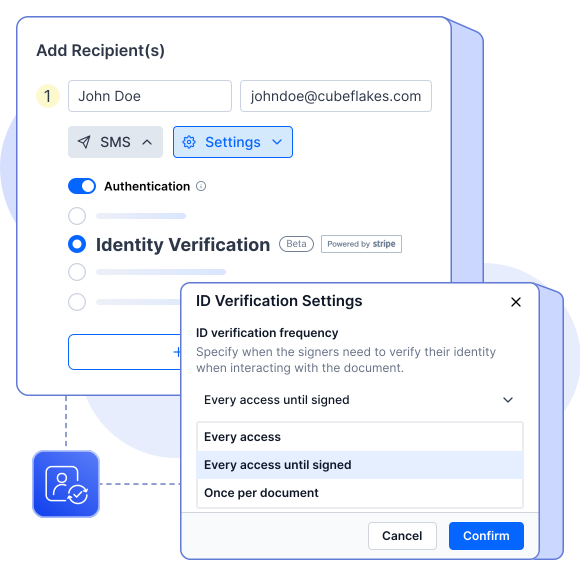
Verification Frequency -
Limit the number of verification tries to block unauthorized access after repeated failures.
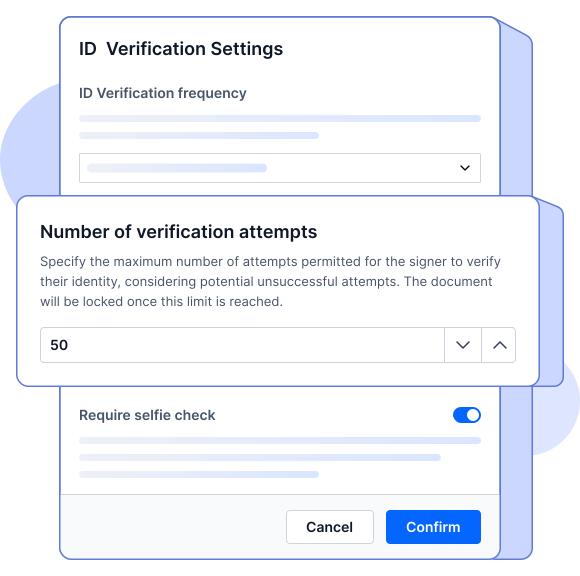
Verification Attempts -
Define strict, moderate, or lenient criteria for matching IDs to signer details.
Set Match Tolerance Level
Frequently asked questions
Any document that needs a signature can carry risk if signer identity isn’t verified. BoldSign prevents fraud by authenticating signers with government IDs and selfies before access.
BoldSign uses government-issued ID checks and biometric selfie verification to confirm the signer is who they claim to be.
Yes. You can require verification every time a signer views a document, once per document, or only until they sign.
BoldSign allows you to set verification attempt limits. If exceeded, access to the document is blocked.
Absolutely. Senders can specify which signers in a workflow must undergo identity authentication, based on their role.
Yes. BoldSign provides API integration so you can embed the full verification process into your applications.
Online identity verification is safe when carried out through trusted platforms like BoldSign. Data is encrypted and used only for identity verification with strict privacy controls.
Sign up for your free trial today!
- 30-day free trial
- No credit card required
- 30-day free trial
- No credit card required