Integrate Electronic Signature Capabilities into Your SaaS Applications
Electronic signatures have become the standard method for signing contracts online. Early eSignature adoption mainly involved importing documents from various sources into web‑based eSignature tools like BoldSign and sending signature requests from there.
However, manually importing documents becomes cumbersome as document volume increases. Ideally, users should be able to send signature requests directly from within their existing SaaS application without having to export documents into another application. BoldSign provides a comprehensive suite of APIs for eSignature integration. These APIs let you add electronic signature capabilities to your existing application and create a smoother signing workflow.
Challenges of integrating electronic signatures into multitenant SaaS applications
Many SaaS products benefit from embedding eSignature capabilities. But multitenant SaaS applications face additional technical and onboarding challenges.
A multitenant SaaS application has multiple customer layers. For example, consider a recruitment software SaaS company, Cubeflakes. Cubeflakes’s customer is Bytesplash, a recruitment company that needs to get contracts signed by their customers who are job seekers.
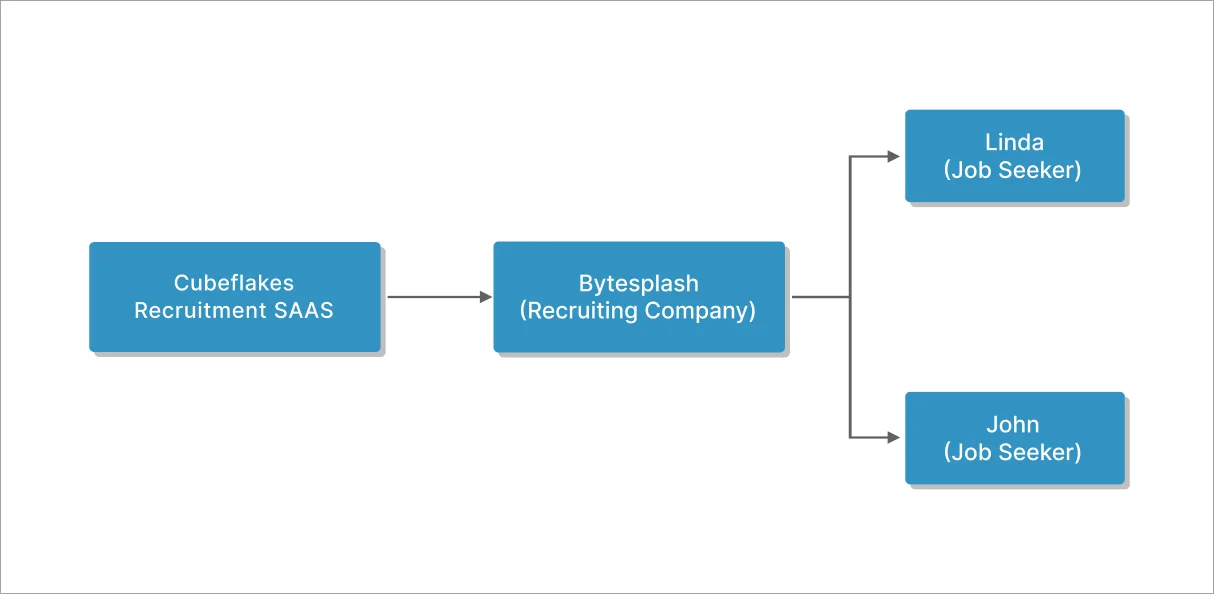
multitenant-flow-diagram
The challenge arises when Bytesplash needs to send contracts to job seekers under its own identity. Typically, this would require Bytesplash to sign up for an account with the eSignature software provider, which introduces issues:
- Cubeflakes must redirect their customers to the eSignature provider’s website to create an account. This adds friction to the onboarding experience.
- Cubeflakes must pay an additional licensing fee for each tenant who would need to send out contracts for signature.
These limitations make eSignature integration for multitenant SaaS systems difficult and expensive in most solutions.
BoldSign solves this using its Sender Identity feature, which allows tenants to send documents under their own identity—without separate licensing and without sending customers to another site. The cost difference between integrating BoldSign’s APIs versus any other solution in the market for a typical multitenant SaaS application can become expensive at scale.
Integrate eSignature capabilities into your SaaS applications
Below is a step‑by‑step example of integrating BoldSign into a fictional recruitment SaaS company, Cubeflakes.
Prerequisites
If you want to follow along, you’ll need a BoldSign account and an API key. The API key is located in the API Key—BoldSign page.
Create a brand identity through API
Let’s assume that Bytesplash is a new Cubeflakes customer who needs eSignature capabilities enabled for their new account. The first step would be to create a new brand identity for Bytesplash, since the contracts will be sent under their identity. A brand identity includes several customization elements including brand colors and logo. Cubeflakes, the company that licenses BoldSign, would use BoldSign’s API to add a brand identity for Bytesplash under their account.
curl -X 'POST'
 'https://api.boldsign.com/v1/brand/create'
-H 'X-API-KEY: ***API Token***
-F 'BrandName="Bytesplash"'
-F 'BrandLogo=@"/Users/Bytesplash.png"'
BoldSign API customers are allowed to create an unlimited number of brands so they can create a brand for each of their tenants. Your customers will be happy that their branding will be reflected when they send out any contracts.
In our example scenario, all documents will be sent under the Bytesplash branding and Bytesplash’s customers will not have any knowledge of Cubeflakes at all. This customization increases end‑user trust by clearly indicating the origin of the document.
The following is a screenshot of the branding that Bytesplash’s customers would see on the signing page.
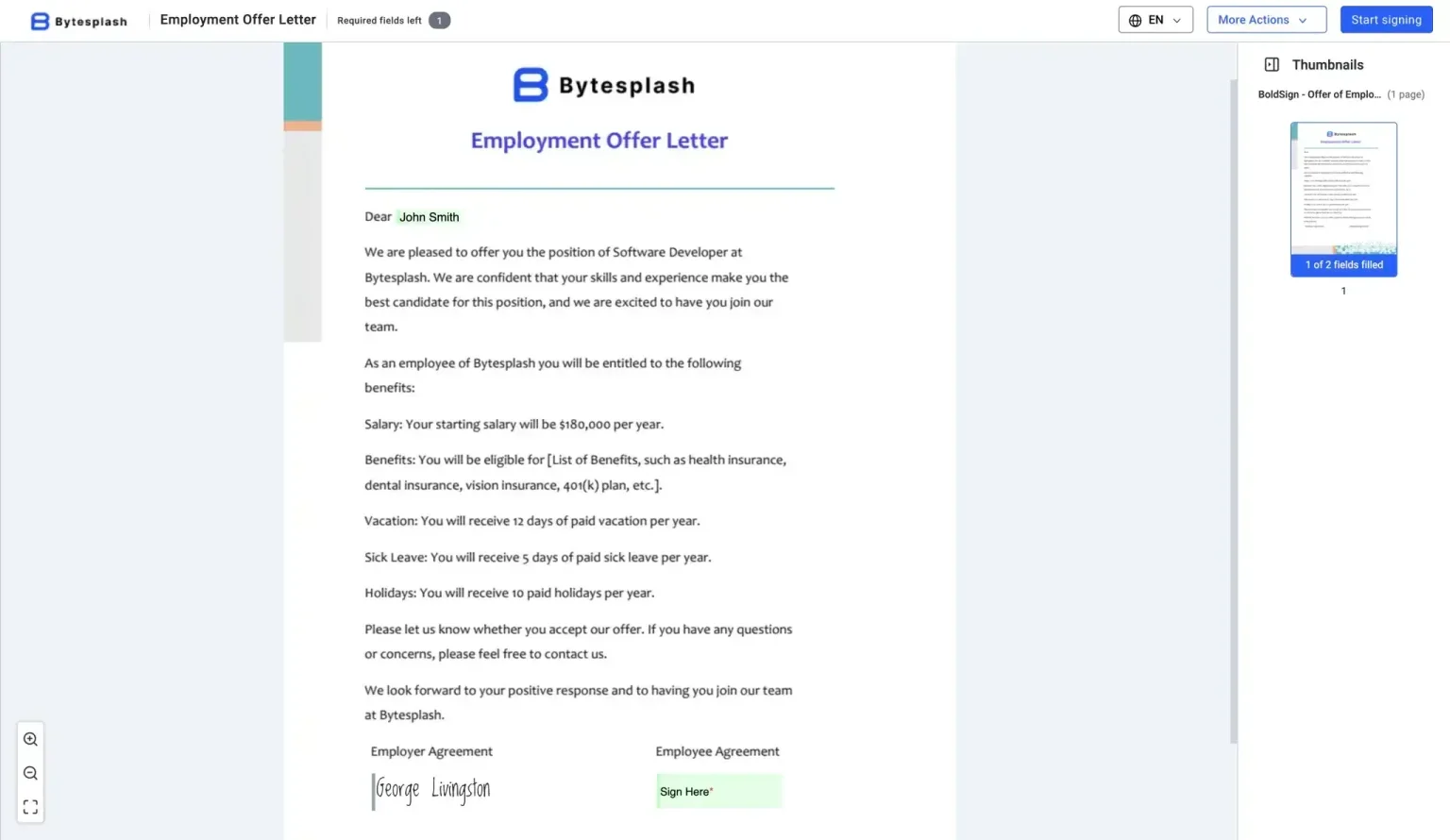
signing-page
API for creating templates
The next step would be to let Bytesplash customize its own document templates. Templates in BoldSign are useful for saving time and effort. We configure a document once with various form and signature fields and then reuse that document anytime we need to get the same contract signed by a different set of recipients. Most companies have a set of documents that will be signed repeatedly by many of their customers, so using templates will save a lot of time.
In a multitenant SaaS app scenario, each of the tenants would need to upload their own templates and place various form fields like text boxes, checkboxes, radio buttons, and signature fields. In our example scenario, we are going to let Bytesplash’s users create a template for an offer letter within the Cubeflakes application.
curl -X 'POST'
 'https://api.boldsign.com/v1/template/createEmbeddedTemplateUrl'
 -H 'X-API-KEY: *** API Token ***
 -F 'ShowToolbar="true"'
 -F 'Title="Embedded Offer Letter"'
  -F 'Roles[0][Name]="HR"'
  -F 'Roles[0][Index]="1"'
  -F 'Roles[0][SignerOrder]="1"'
  -F 'Roles[1][Name]="Employee"'
  -F 'Roles[1][Index]="2"'
  -F 'DocumentInfo[0][Title]="Embedded Offer Letter"'
  -F 'DocumentInfo[0][Language]="1"'
  -F 'Files=@"/Users/Employment-Offer-Letter.pdf"'
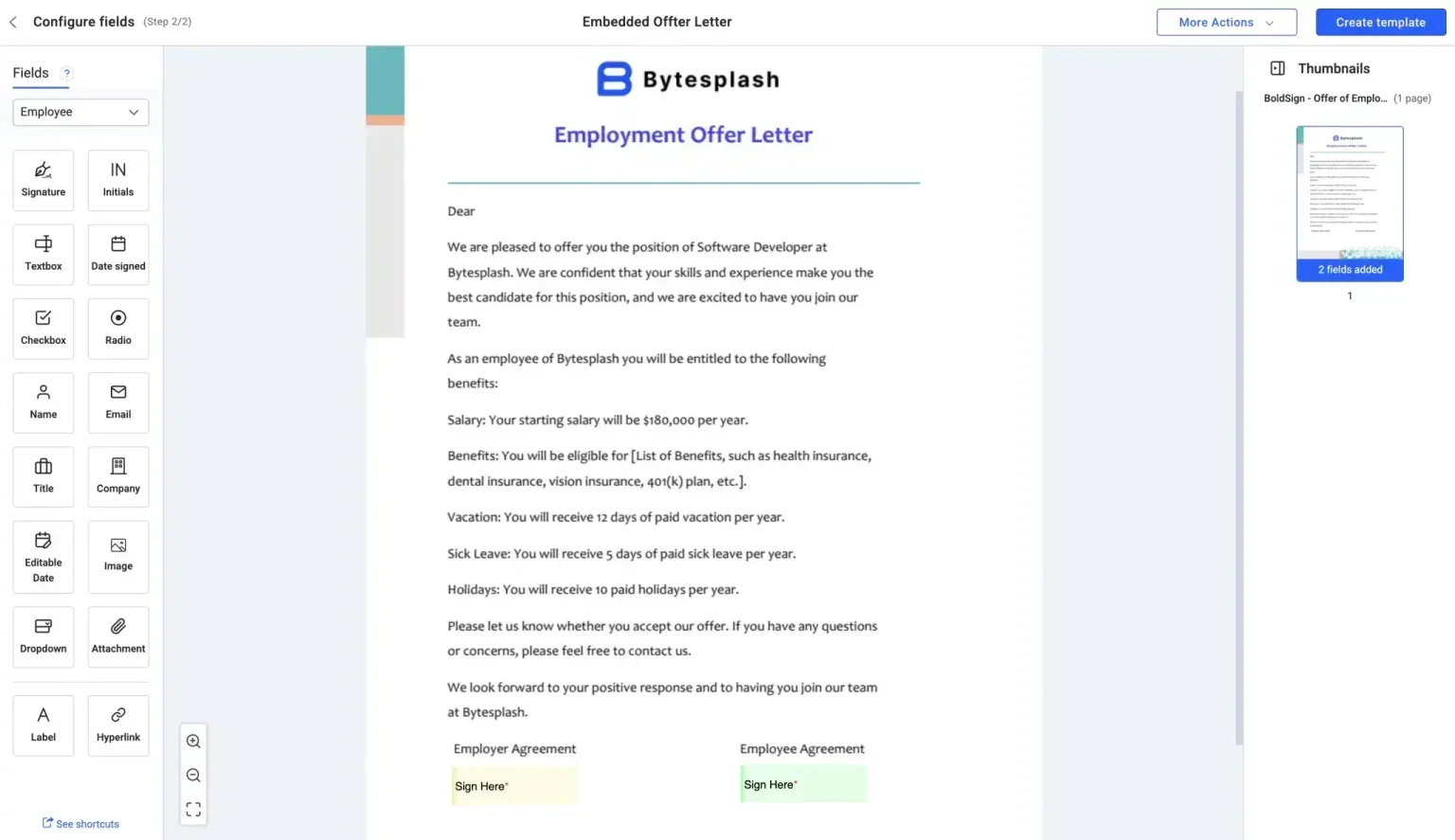
create-template
Get consent to send documents on behalf of tenants
For legal compliance reasons, BoldSign only permits sending signature requests from verified identities. So, in our example scenario, Bytesplash’s identity needs to be verified by BoldSign before contracts can be sent out under its name. This verification is completed through a simple email-based approval process. Use the following code snippet to send an approval request.
curl -X 'POST'
  'https://api.boldsign.com/v1/senderIdentities/create'
  -H 'accept: */*'
  -H 'X-API-KEY: Your API Key'
  -H 'Content-Type: application/json;odata.metadata=minimal;odata.streaming=true'
  -d '{
  "name": "George Livingston",
  "email": "georgelivingston@bytesplash.com"
}'
In our example scenario, Bytesplash will receive an email like the following one.
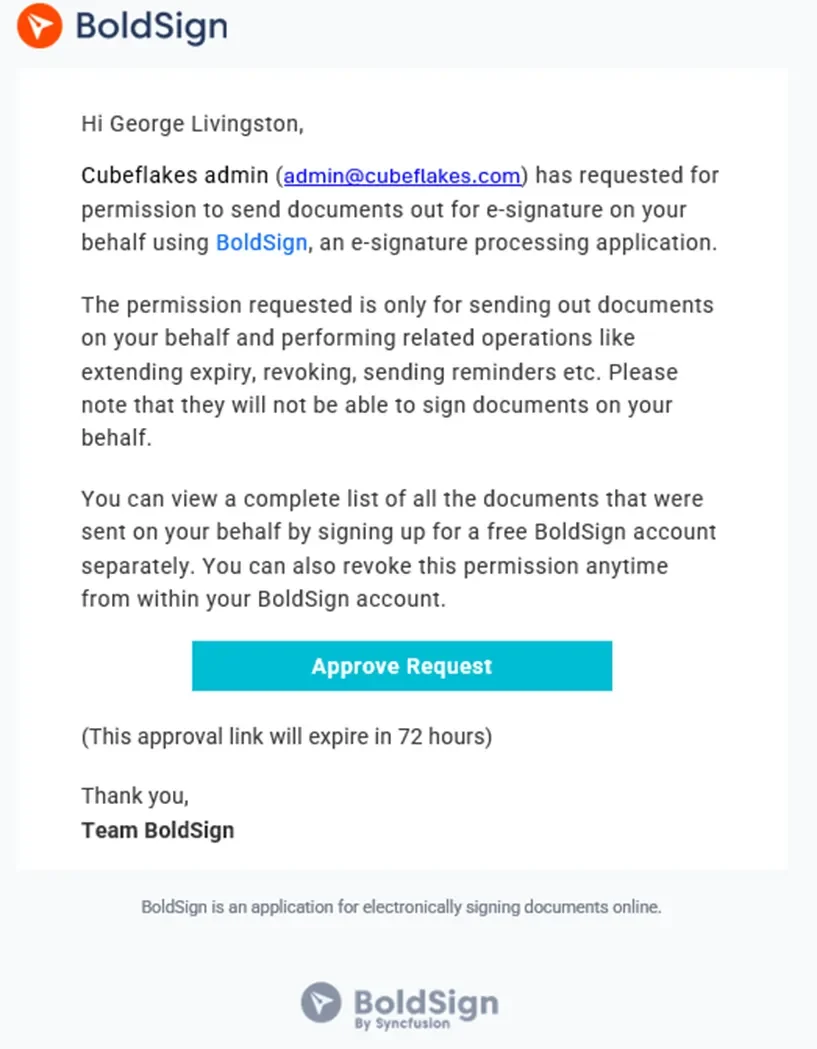
approve request
When the Bytesplash’s user clicks on the approve request link in the email, a confirmation pop-up will be displayed.
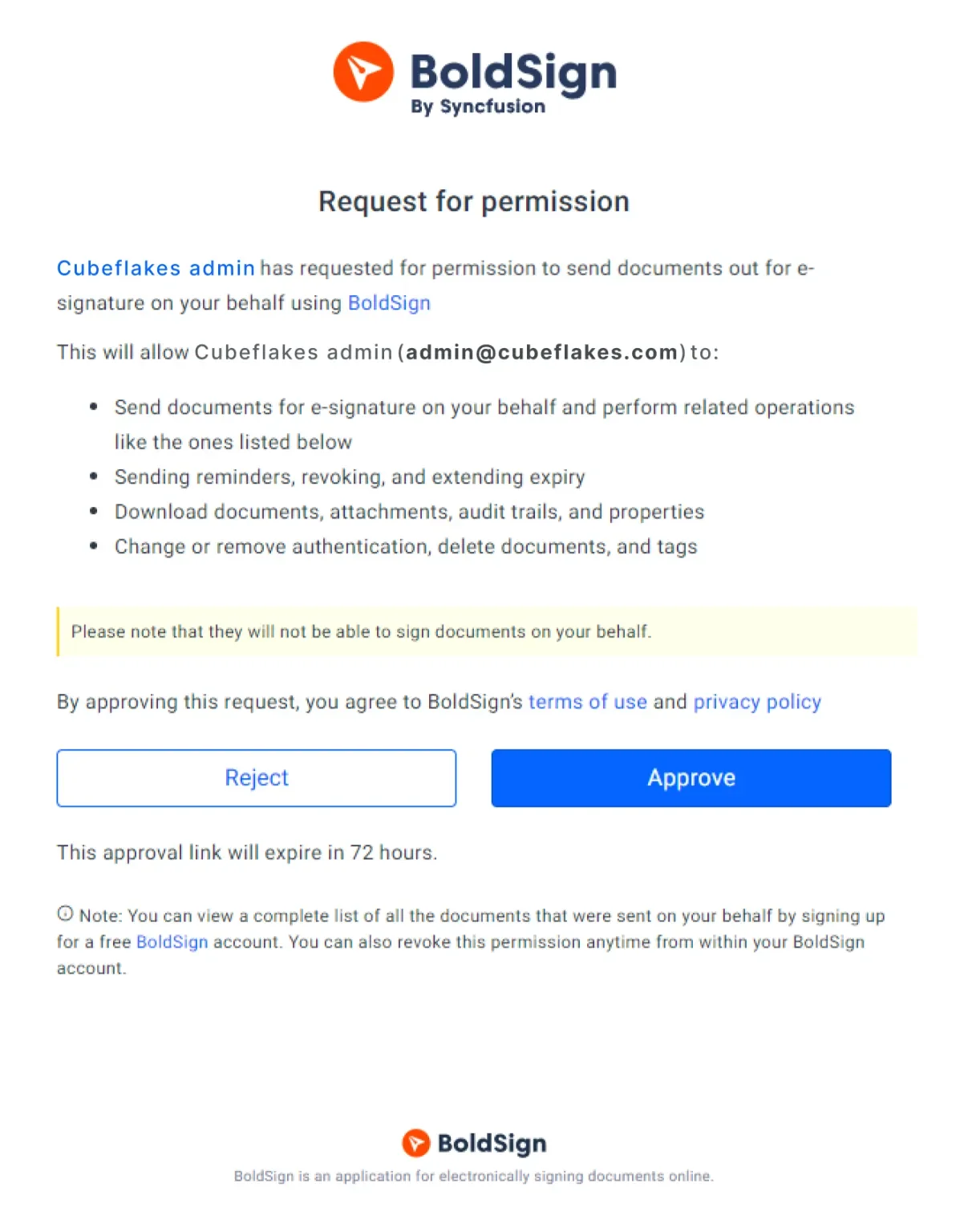
verify identity
Once the tenant approves the request, Cubeflakes can send documents on behalf of its tenants.
Send document for signing on behalf of tenant
At this point, everything is set up. Cubeflakes can send the document for signing on behalf of Bytesplash. Cubeflakes will use the created brand ID and template ID. Refer to the following code.
curl -X 'POST'
  'https://api.boldsign.com/v1/template/send?templateId=27d2e3ad-e93e-4033-8b78-559d8a019264'
  -H 'accept: application/json'
  -H 'X-API-KEY: Your API Key'
  -H 'Content-Type: application/json;odata.metadata=minimal;odata.streaming=true'
  -d '{
  "title": "Employment Offer Letter",
  "roles": [
    {
      "roleIndex": 1,
      "signerName": "George Livingston",
      "signerEmail": " georgelivingston@bytesplash.com"
    },
    {
      "roleIndex": 2,
      "signerName": "John Smith",
      "signerEmail": "johnsmith@boldsign.dev"
    }
  ],
  "brandId": "9b374346-8d95-48a7-a1fe-f7ba7522b0e8",
  "hideDocumentId": true,
  "onBehalfOf": " georgelivingston@bytesplash.com",
}'
Once the document is sent, your tenant’s user will receive an email like the following one, requesting them to sign the document. Now, the user will be confident about the origin of the document and the identity of the signature requester, and they can sign the document with confidence.
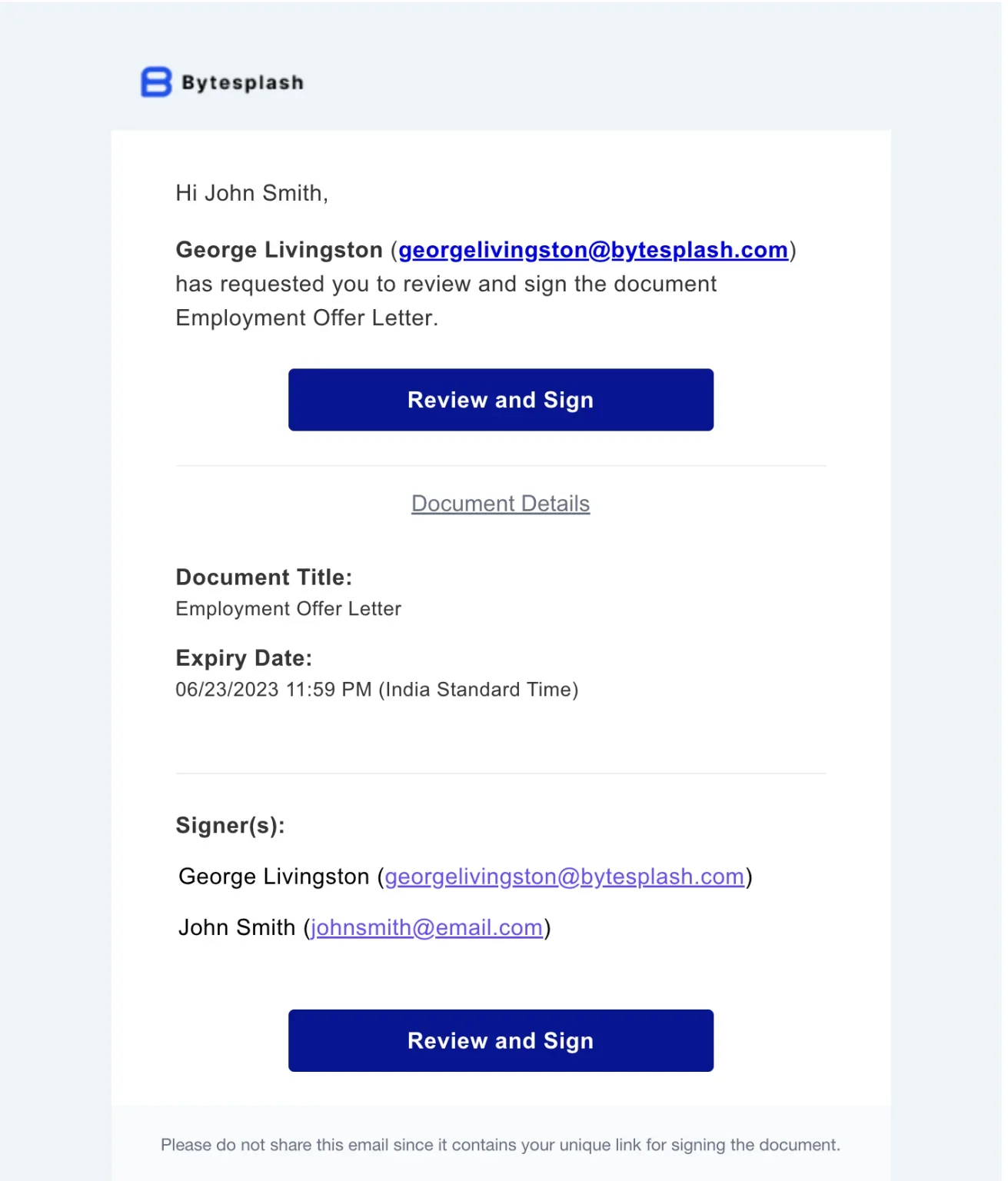
review-and-sign
That’s it, we have successfully integrated electronic signature capabilities into a multitenant SaaS application. The code samples that we have seen so far only showcase the signature request process. However, BoldSign also provides several other APIs to track the status of signature requests and even download the final signed document.
You can get started today and complete eSignature integration for your application using BoldSign. The complete integration can be done using the 30-day free trial.
To learn more about BoldSign APIs, visit our API documentation. Live API demos are also available for testing. Sample code in popular programming languages is available in the GitHub repo.
If you have questions, you can contact us through our support portal. We are always happy to assist you!
Frequently asked questions
How do I integrate an eSignature API into my SaaS application?
You can integrate an eSignature API into your SaaS application by using BoldSign’s developer‑friendly APIs to add tenant-specific branding, create reusable templates, verify Sender Identities, and send signature requests directly from within your application.
What is the best eSignature API for multitenant SaaS apps?
BoldSign is ideal for multitenant SaaS platforms because it supports tenant‑specific branding and allows sending documents on behalf of each tenant using its Sender Identity feature. This removes extra licensing and onboarding complexity.
What are the benefits of integrating eSignatures into SaaS applications?
Integrating eSignatures improves efficiency, reduces manual document handling, supports tenant-specific branding, and provides a seamless in‑app signing experience using BoldSign’s API‑based workflow.
Can I embed the signing experience directly inside my SaaS application?
Yes. BoldSign allows you to embed the signing experience inside your SaaS application using embedded signing URLs. This ensures a seamless, fully native signing workflow with tenant‑specific branding and controlled navigation throughout the process.
How does BoldSign simplify eSignature integration for multitenant SaaS applications?
BoldSign simplifies multitenant eSignature integration by providing APIs for tenant‑specific branding, embedded template creation, Sender Identity approval flows, and automated document routing. This enables a scalable multitenant SaaS eSignature workflow while allowing every tenant to function independently under a single BoldSign account.

George Livingston
George Livingston is a Senior Product Manager at BoldSign, where he leads product strategy and manages the product roadmap. With over a decade of experience in the technology industry. George has a passion for developing productive software tools and exploring his love of photography. Connect with him on LinkedIn.
More posts by George Livingston