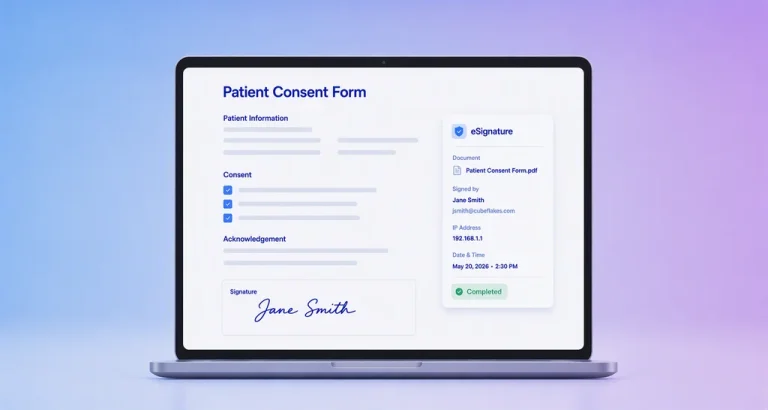




Still relying on paper for patient consent? You’re putting your organization at risk.
Healthcare is ripe for digital transformation, yet many providers continue to depend on outdated paper forms, slowing workflows, creating storage headaches, and risking compliance issues.
BoldSign is the smarter, safer alternative. Our HIPAA-compliant eSignature solution is purpose-built for healthcare workflows. It’s fast, secure, and audit-ready. With BoldSign, you can eliminate paperwork bottlenecks, protect patient data, and modernize documentation with confidence using healthcare eSignature solutions designed specifically for patient consent forms.
Understanding HIPAA Compliance in e‑signatures
HIPAA protects patient health information and outlines strict rules for how PHI must be handled. According to the U.S. Department of Health & Human services (HHS), HIPAA establishes national standards for protecting medical records and personal health information
- Secure PHI with robust encryption
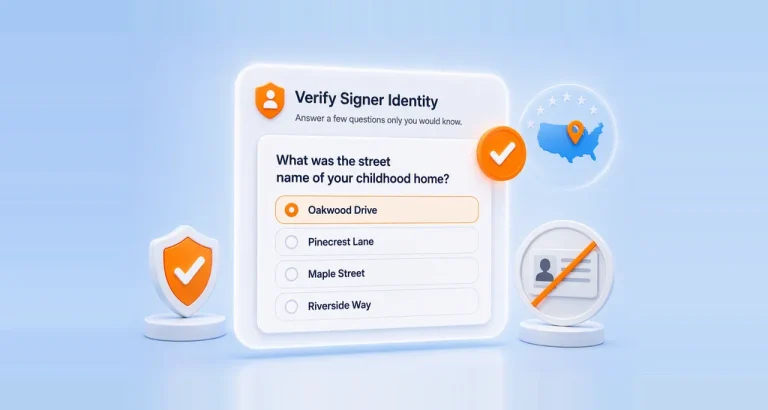
- Authenticate signer identity
- Track every action through audit trails
- Maintain document integrity
- Meet ESIGN and UETA legal standards
A HIPAA-compliant eSignature platform ensures that digital consent forms follow the same—or stronger—privacy protocols as paper records. For a practical overview of these safeguards, healthcare teams can refer to a HIPAA requirements checklist to ensure every consent workflow meets compliance expectations.
Why e‑signatures matter for patient consent
Digitizing patient consent isn’t just a convenience—it’s now essential for efficient, high-quality care.
The Office of the National Coordinator for Health Information Technology (ONC) highlights the importance of secure digital processes in protecting patient data across all healthcare environments.
Benefits include:
| Benefit | Description |
|---|---|
| Faster Patient Onboarding | Reduce wait times and streamline registration processes. |
| Improved Accuracy | Eliminate manual errors with digital forms and automated workflows. |
| Enhanced Security | HIPAA-compliant eSignatures protect sensitive patient data. |
| Convenient Access | Patients can sign anytime, anywhere, on any device. |
| Better Compliance | Maintain audit trails for legal and regulatory requirements. |
| Cost Savings | Cut down on paper, printing, and storage expenses. |
Common patient consent forms
Healthcare providers collect patient consent at several stages of care. Using HIPAA-compliant eSignatures helps ensure these forms are completed accurately, securely, and on time.
Common patient consent forms include:
- General treatment consent to authorize routine medical care
- Informed consent for procedures to confirm understanding of risks and benefits
- HIPAA privacy acknowledgment to document receipt of privacy practices
- Telehealth consent for virtual consultations and remote care
- Medical records release authorization to share PHI with third parties
- Insurance and billing consent for claims and payment processing
Digitizing these forms with HIPAA-compliant eSignatures ensures every consent is securely signed, time-stamped, tracked, and stored for audits and regulatory review.
Clinic workflow
A digital consent workflow simplifies operations while maintaining HIPAA compliance.
- Front desk initiates consent
Staff selects the required consent form template and sends it to the patient using a secure signing link. - Patient reviews and signs
The patient opens the form on a phone, tablet, or computer and signs electronically without needing an app. - Automatic verification and audit trail
Signer identity, timestamps, and document activity are captured automatically. - Secure storage and access
The signed consent form is encrypted and stored securely, with access limited to authorized clinical and records teams.
This workflow reduces delays, improves accuracy, and ensures consent documentation is always available when needed.
Challenges in traditional consent forms
Even though healthcare is rapidly modernizing, many organizations still rely on paper consent forms, Missing or incomplete consent forms can delay treatment and expose providers to legal risk. Here are the key challenges:
- Compliance gaps: Paper trails are hard to track. Missing forms, unclear handwriting, and outdated versions create audit risks.
- Frequent documentation errors: Manual forms often include mistakes or omissions, leading to invalid consent and possible delays in care.
- Risk of misplacement or damage: Paper can be misplaced, damaged, or stored insecurely, putting PHI at risk and increasing liability.
- Limited accessibility: Remote providers, specialists, and telehealth teams can’t instantly access the consent they need.
- Time-consuming processes: Chasing signatures, printing, scanning, and filing drain staff productivity and interrupt patient flow.
- Lack of real-time updates: Policy or form changes require reprinting and redistributing, causing delays and confusion.
- Storage and maintenance costs: Physical storage demands space and resources, increasing operational overhead.
How BoldSign eSignatures solve these challenges
BoldSign is built with the needs of healthcare organizations in mind. It provides a seamless, secure, HIPAA-ready workflow for capturing and managing patient consent.
- Ensures compliance and audit readiness: BoldSign generates a complete audit trail for every action so you always have proof of signer identity, access history, and document integrity.
- Eliminates documentation errors: Smart fields and required inputs eliminate missing signatures or incomplete forms.
- Prevents record damage or loss: Encrypted cloud storage ensures consent forms are always accessible—no physical damage, no misplaced files.
- Enhances accessibility for remote care: Patients can sign forms instantly from their phone, tablet, or computer, supporting telehealth and multilocation workflows.
- Accelerates staff efficiency: Automated workflows and templates reduce manual effort, improving staff efficiency and patient experience.
- Supports real-time updates and version control: Instantly update and share digital forms without printing, avoiding delays and version confusion.
- Reduces storage and maintenance costs: Digitization removes the need for physical filing cabinets, paper supplies, or manual archiving.
For more details refer BoldSign documentation.
Top features for HIPAA‑compliant eSignatures
Choosing the right eSignature solution for healthcare requires careful consideration. Here’s a checklist of essential features that a HIPAA‑compliant eSignature platform should offer:
Security and Compliance
- End-to-end encryption that protects PHI during transfer and storage.
- Multifactor authentication that adds a secure identity verification layer.
- Comprehensive audit trails for legal and compliance transparency.
- Encrypted, access-controlled storage for signed documents.
- Signed business associate agreement to meet HIPAA obligations.
BoldSign provides all of these from the moment a document is created to final storage. Organizations reviewing multiple solutions may want to compare vendors to understand how different HIPAA-compliant platforms approach security, consent workflows, and healthcare integrations.
Document handling and workflows
- Consent capture to confirm agreements with electronic signatures.
- Signer authentication via email, SMS, and passcodes.
- Reusable templates for frequently used medical forms.
- Role-based access control to limit who can access PHI.
- Customizable workflows suited for clinics, hospitals, labs, and telehealth teams.
Mistakes to avoid in patient consent eSignatures
Avoid sending PHI through email attachments or SMS files. Do not use tools with weak access controls or no audit trail. Skipping signer authentication or using platforms without a signed Business Associate Agreement can lead to compliance risks and failed audits.
Why healthcare teams choose BoldSign
- HIPAA compliance for all: Secure patient data, even for small facilities and clinics.
- Affordable pricing: Designed for healthcare budgets, not just enterprises.
- Multiregional data centers: Global security and compliance you can trust.
- Lower document costs at scale: Save more as your volume grows.
- Healthcare-ready workflows: Built for consent forms, onboarding, and compliance.
- Simple implementation: Quick setup for clinics and small teams.
Conclusion
Digitizing patient consent forms with a HIPAA‑compliant e signature software like BoldSign is a smart move for modern healthcare providers. It enhances security, reduces administrative overhead, and improves patient satisfaction.
Ready to transform your consent workflows? Sign up for a free 30-day trial on the BoldSign website or See BoldSign in action by requesting a healthcare demo.
FAQs
What authentication methods does BoldSign use for HIPAA‑compliant esignatures?
BoldSign uses email, SMS, and access codes to verify signer identity for HIPAA‑compliant esignatures.
Is BoldSign suitable for small clinics needing HIPAA‑compliant e signature software?
Yes, BoldSign is perfect for small clinics. It offers a free plan and affordable paid options that include HIPAA compliance.
Are BoldSign’s electronic signature for healthcare solutions easy for patients to use?
Yes, BoldSign is easy for patients to use on any device, even without technical knowledge.
Is it difficult to transition from paper forms to eSignatures?
Transitioning from paper forms to eSignatures is easy and requires minimal training or technical skills.
Is electronic signature valid for medical consent forms?
Yes, eSignature for patient consent forms is legally valid when compliant with HIPAA, ESIGN, and UETA. BoldSign ensures secure, encrypted, and auditable consent, making the process faster and safer than paper.
What are the benefits of digitizing patient consent forms?
Digitizing patient consent forms with eSignature solutions like BoldSign makes healthcare process faster, safer, and more reliable—reducing paperwork, preventing errors, ensuring HIPAA compliance, and giving patients a seamless, secure experience.