BoldSign 2024 Updates: Enhanced eSignature Workflows and Greater Efficiency
BoldSign led the way in the eSignature industry with its 2024 updates, boosting security, simplifying workflows, and ensuring compliance. These updates aimed to improve the user experience and increase productivity across industries. In this post, we’ll review these new features and show how they help businesses streamline eSignature processes.
Identity Verification
With the introduction of identity verification authentication, signers can now be required to confirm their identity using government-issued documents before accessing documents to sign them. This added layer of security ensures that only authorized individuals can view and sign the documents you send. Supported identification documents include passports, driver’s licenses, and national ID cards. Senders can easily enable ID verification and specify which signers require this authentication.
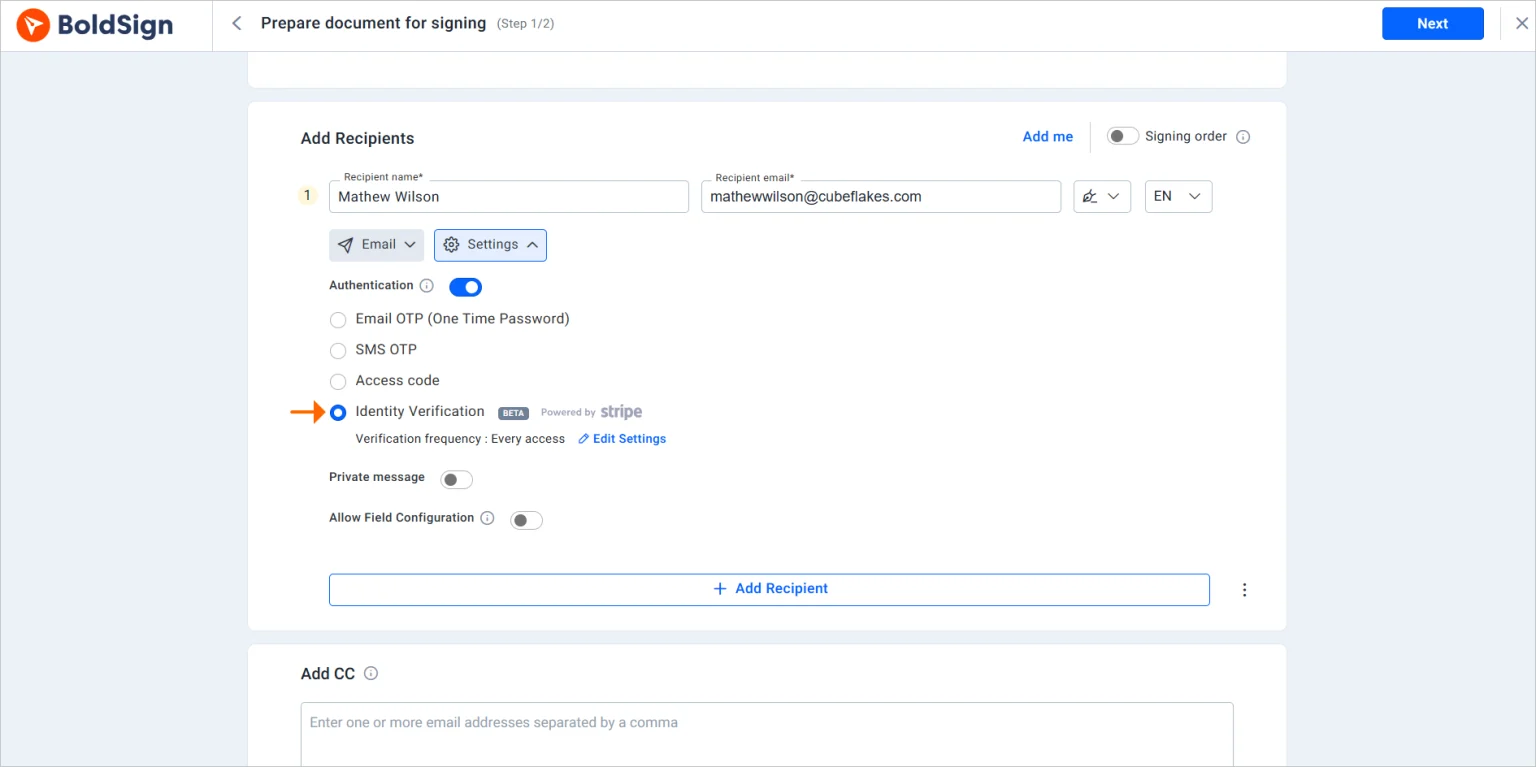
Explore our identity verification articles and blog to learn more about this feature.
HIPAA Compliance
BoldSign is now fully HIPAA-compliant, allowing healthcare providers to manage sensitive patient information securely. Electronic signatures are processed safely and legally for the healthcare industry using BoldSign.
Learn more about HIPAA compliance.
BoldSign Android App
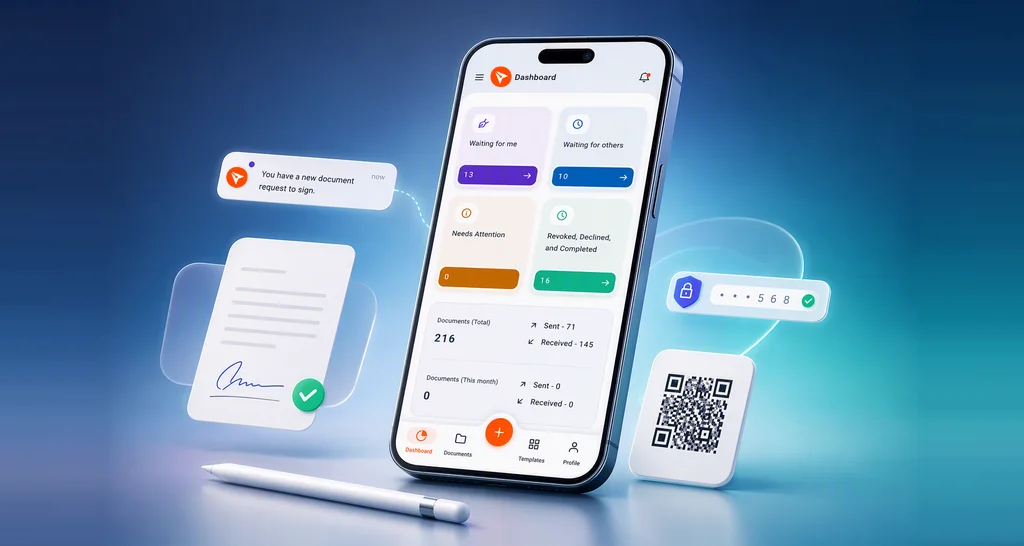
The BoldSign Android app enables users to manage eSignature workflows while on the move. Compatible with Android 10 and newer versions, users can send, sign, and track documents from their devices.
Learn more about the BoldSign mobile app, now available on Android.
Edit Existing Documents
With the new document editing feature, senders can now make changes to in-progress documents by adding or replacing attachments, form fields, and signers.
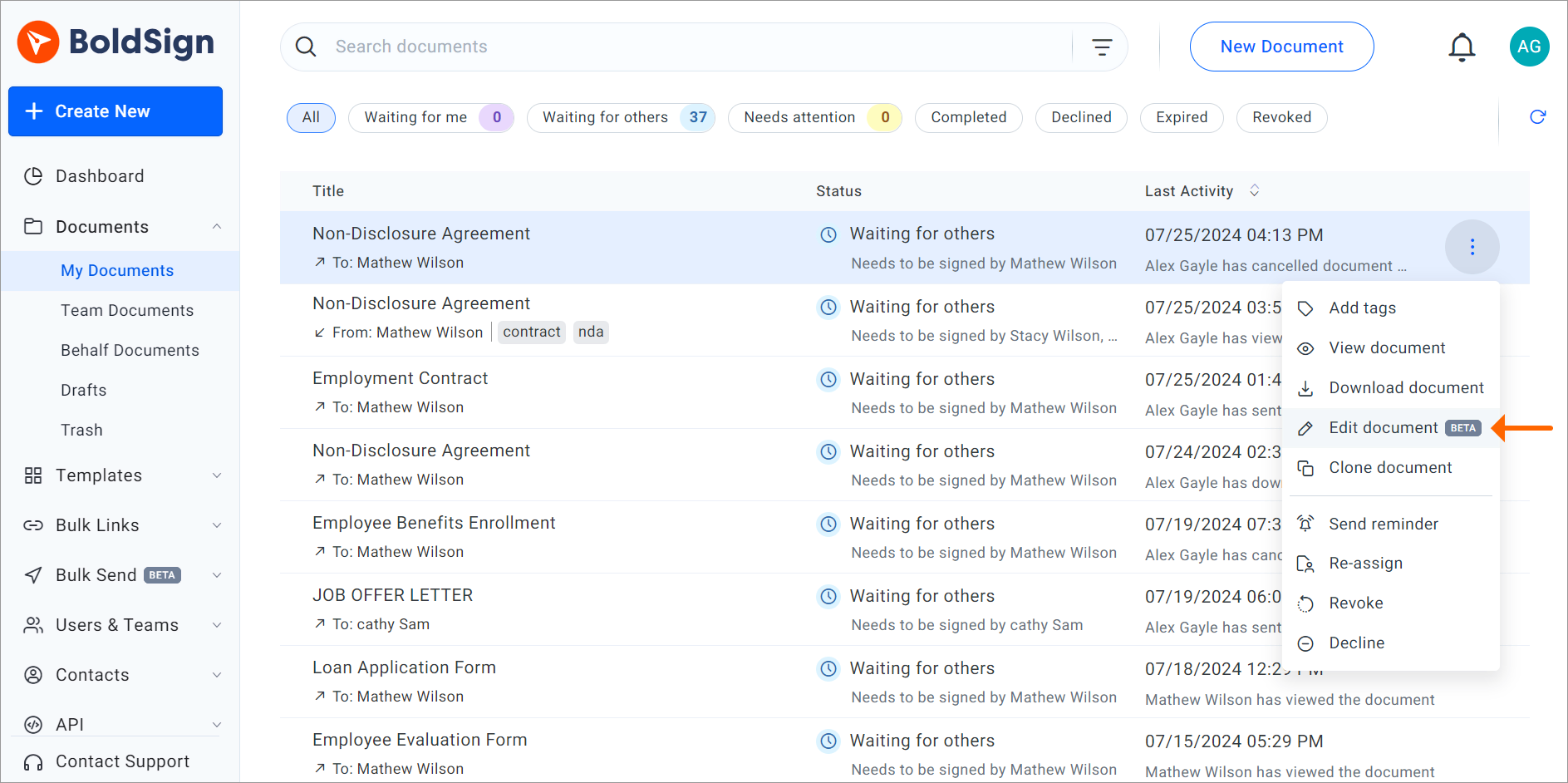
Restrictions for In-Progress Edits:
- The document title and brand cannot be changed.
- Documents with completed, declined, revoked, or expired statuses cannot be edited.
- Changes will apply only for signers who have not yet signed.
- Label and hyperlink form fields cannot be changed if any recipients have completed signing.
Learn more about editing in-progress documents.
Automatic Cloud Backup
Users can now connect their BoldSign account with OneDrive, Google Drive, and Dropbox for automatic backup of completed documents. This integration ensures seamless storage and easy access to documents.
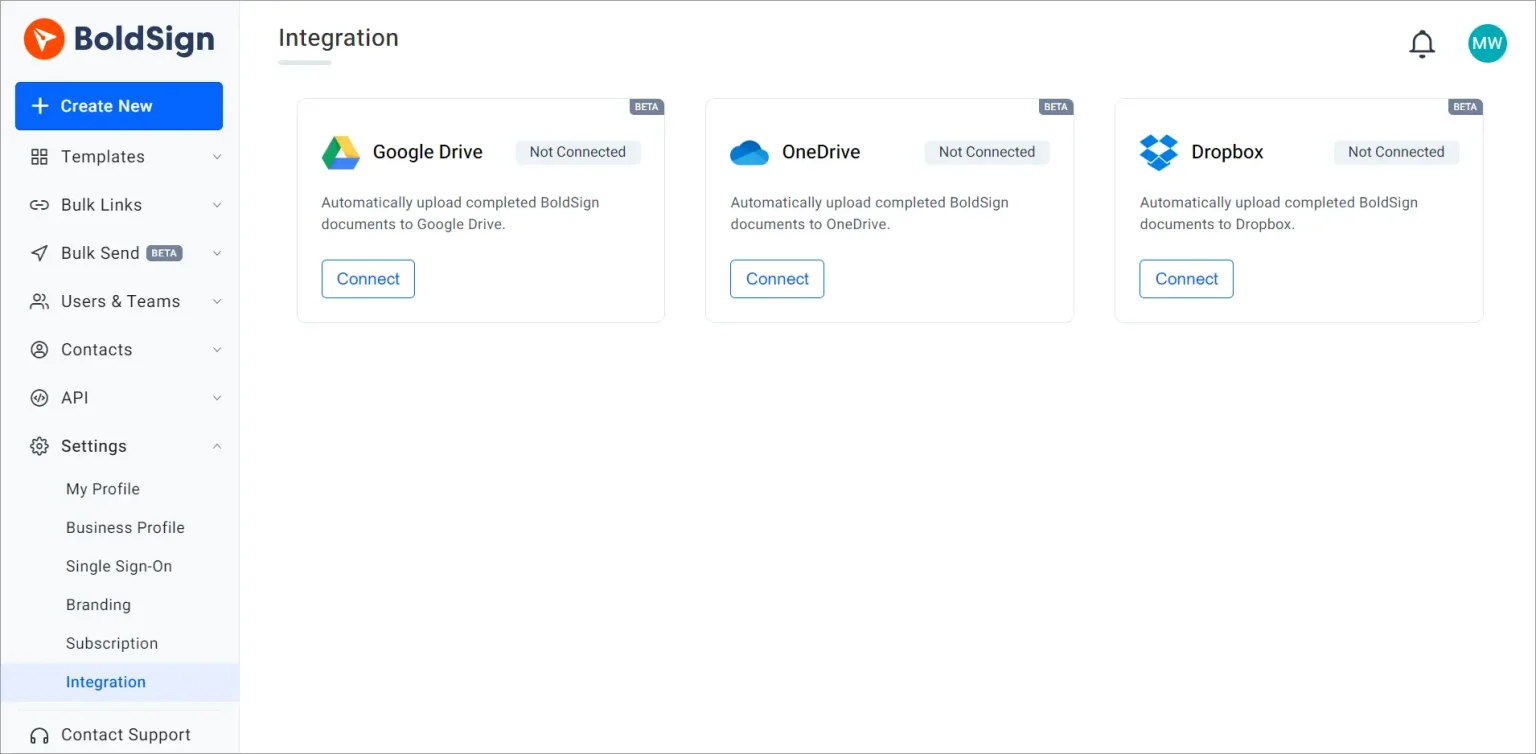
Learn more about integrating BoldSign with Google Drive, OneDrive, and Dropbox for cloud backup.
Automatic Document Deletion
The automatic document-deletion feature allows users to set documents for permanent deletion after they are completed, declined, revoked, or expired, after a specified retention period. This feature helps maintain a clean document repository and comply with data retention policies.
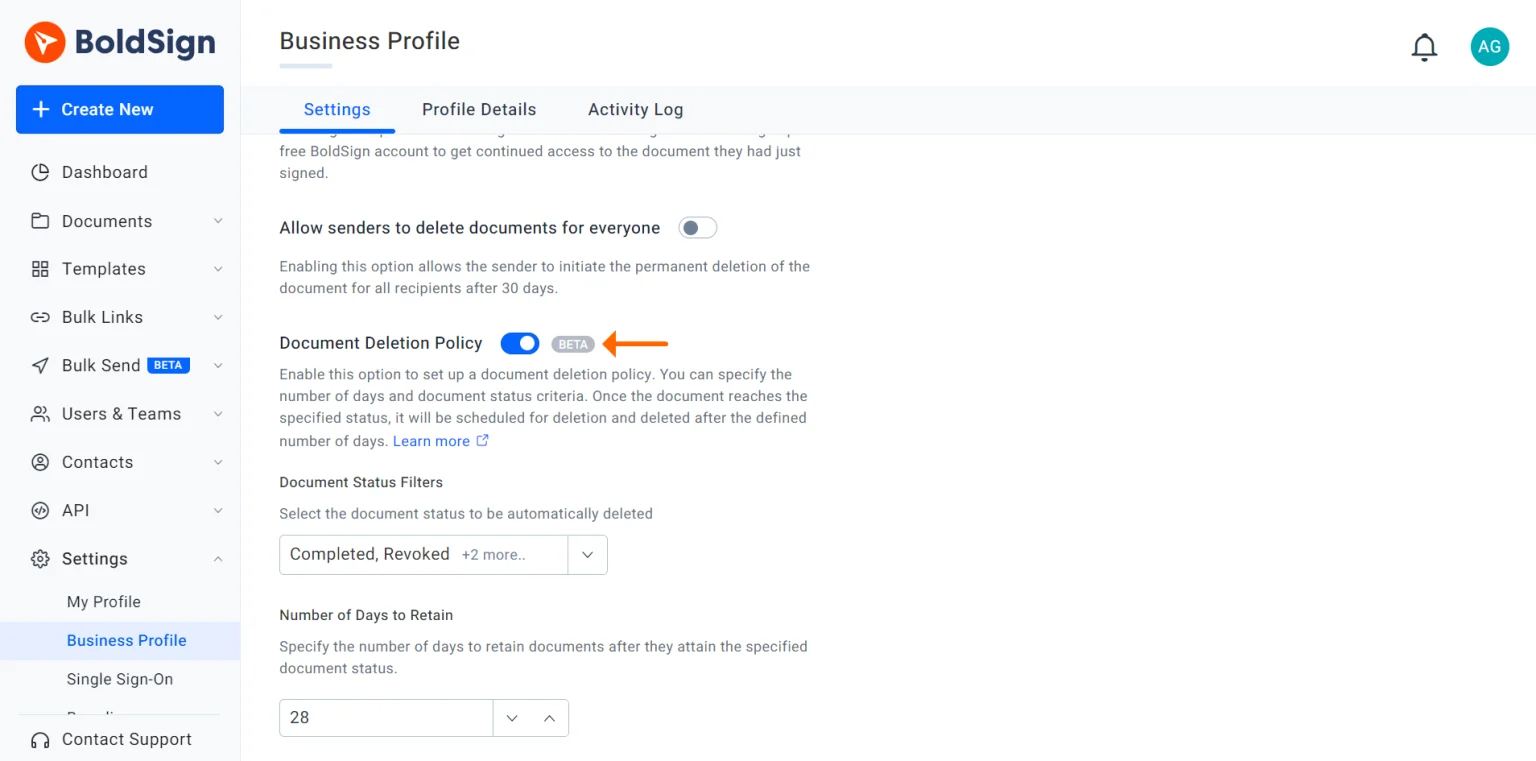
Learn more about the automatic document-deletion feature.
Enhancements to Document Downloads
Users can now download documents either individually or combined. Account administrators can choose to download signed documents as a single PDF or as separate files within a zip folder, offering greater flexibility in document management.
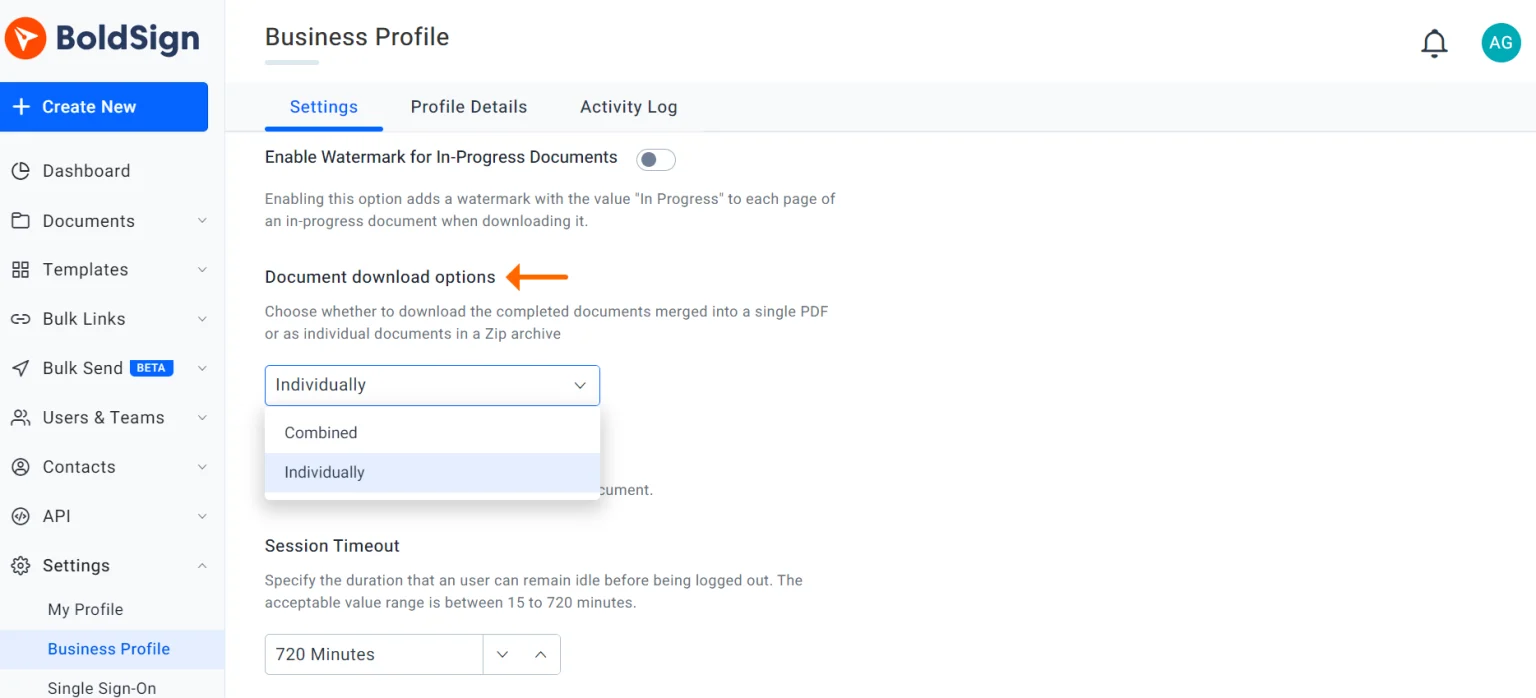
Read more about the options for downloading your documents.
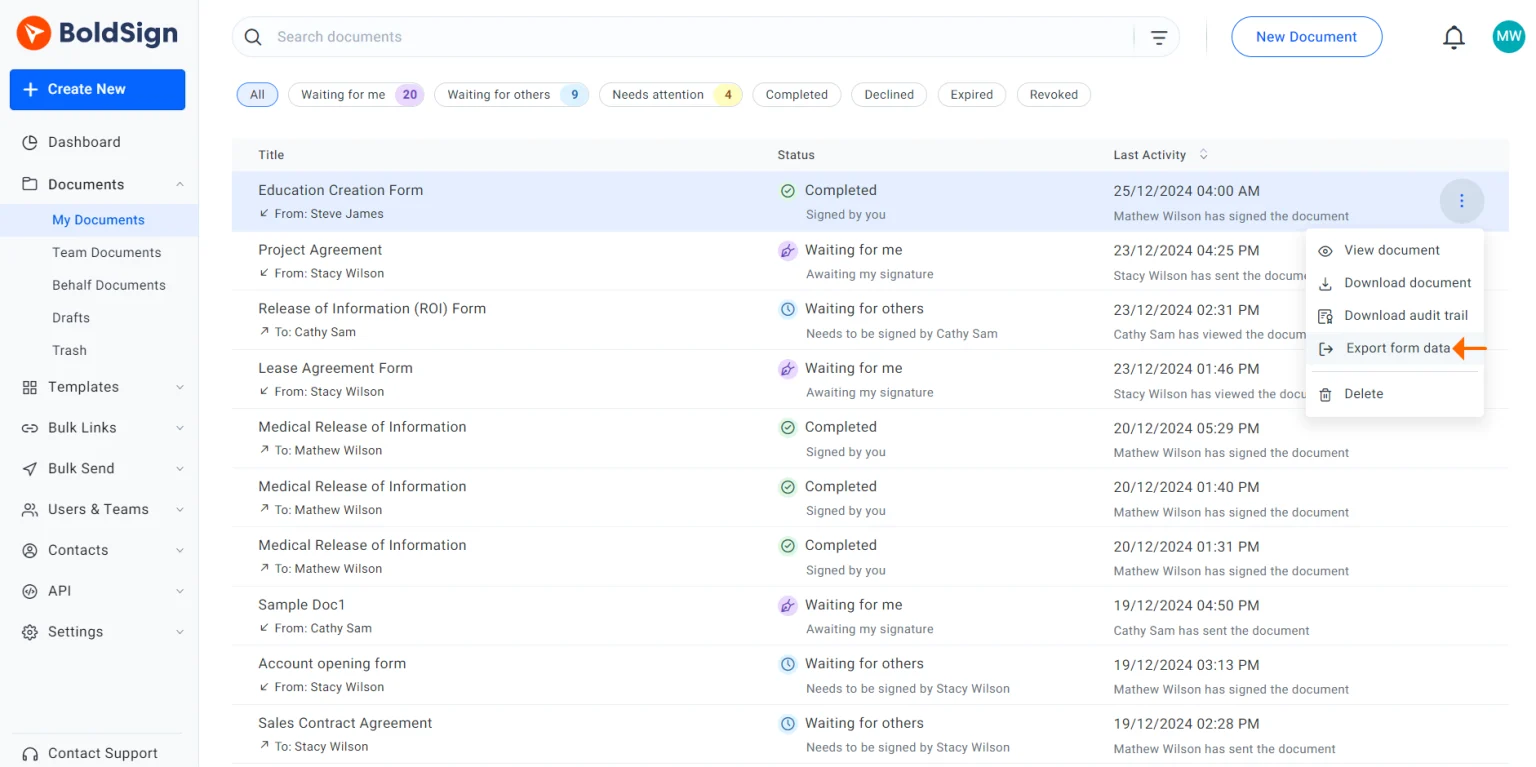
Export Form Data to CSV
BoldSign users can now download document details, including signer names, form field values, and document status, in CSV format. This feature simplifies the management of document data.
Learn more on exporting form data to CSV.
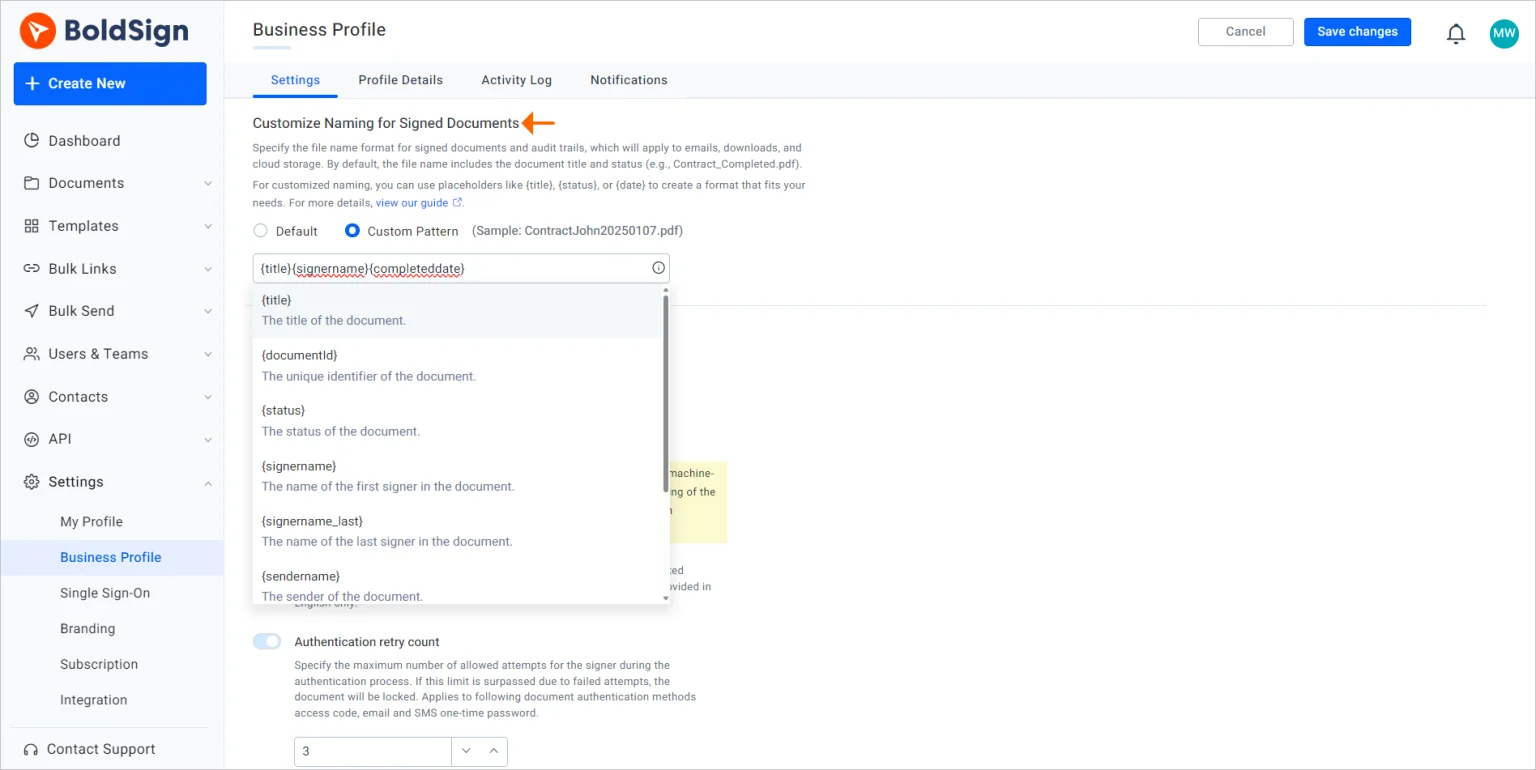
Customize Signed Document Names
This new naming feature allows you to customize file names for signed documents, improving document organization. By default, file names include the document title and status, but administrators can adjust the format in the Business Profile settings by combining predefined patterns with custom text.
Predefined file name patterns:
- {title}: Document title
- {status}: Document status
- {documentId}: Unique document ID
- {signername}: First signer’s name
- {signername_last}: Last signer’s name
- {signername_order#1}: Signer’s name by order (e.g., signername_#2)
- {sendername}: Document sender’s name
- {completeddate}: Document’s completion time stamp
You can select up to three patterns for your naming format, ensuring consistency across the organization. Note that this setting applies only to new documents, not those already filed.
Learn more about customizing signed document names.
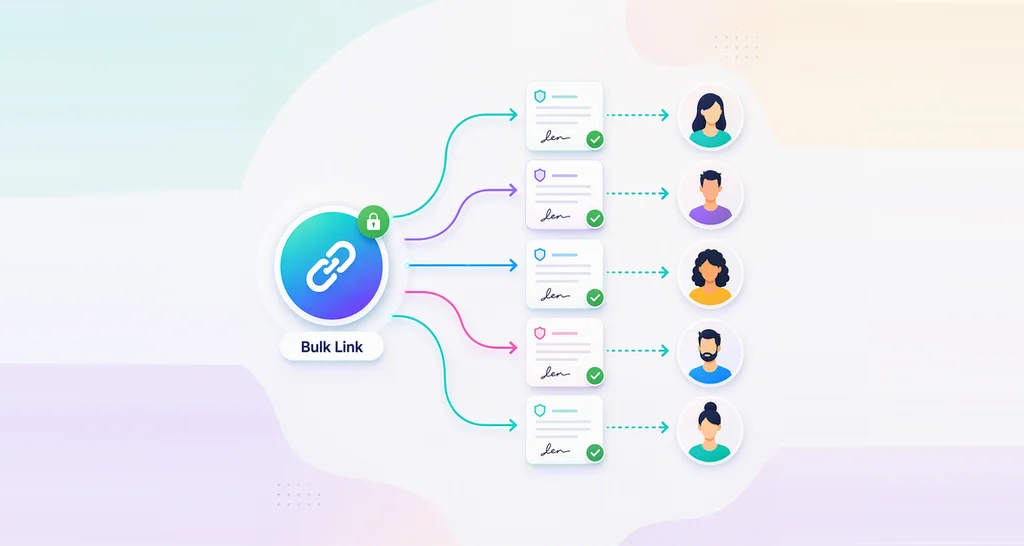
Team Bulk Link and Bulk Send
The bulk send and bulk link menus now include team bulk send and team bulk link features, accessible to both account admins and team admins. Account admins can manage all bulk sends and links, while team admins can only manage those created by their own teams.
Learn more about the team bulk link and team bulk send features.
Custom Permissions for Bulk Links and Bulk Sending
BoldSign now provides advanced, custom permissions for bulk links and bulk sending, giving account administrators greater control over user access and task management. This ensures only authorized users can perform bulk actions, securing sensitive documents.
Permissions overview:
- Create: Allows users to create and clone bulk links and bulk sends.
- Edit: Grants users the ability to modify bulk links and bulk sends.
- Delete: Enables deletion of bulk links and bulk sends.
- View Metadata: Allows viewing metadata for bulk links and bulk sends.
- View Document: Permits viewing, downloading, and exporting documents tied to bulk links and bulk sends.
Learn more about custom permissions.
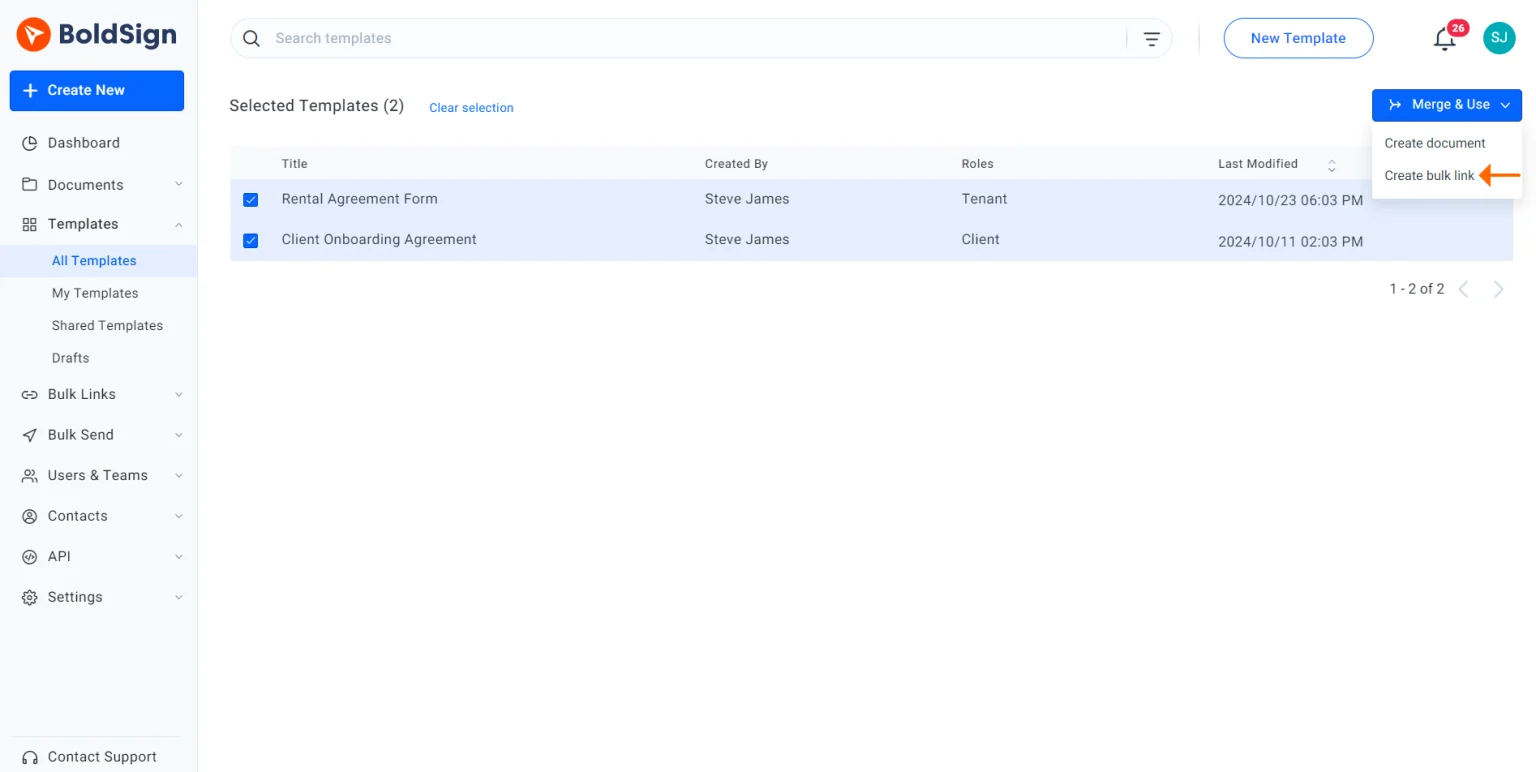
Create Bulk Links Using Templates
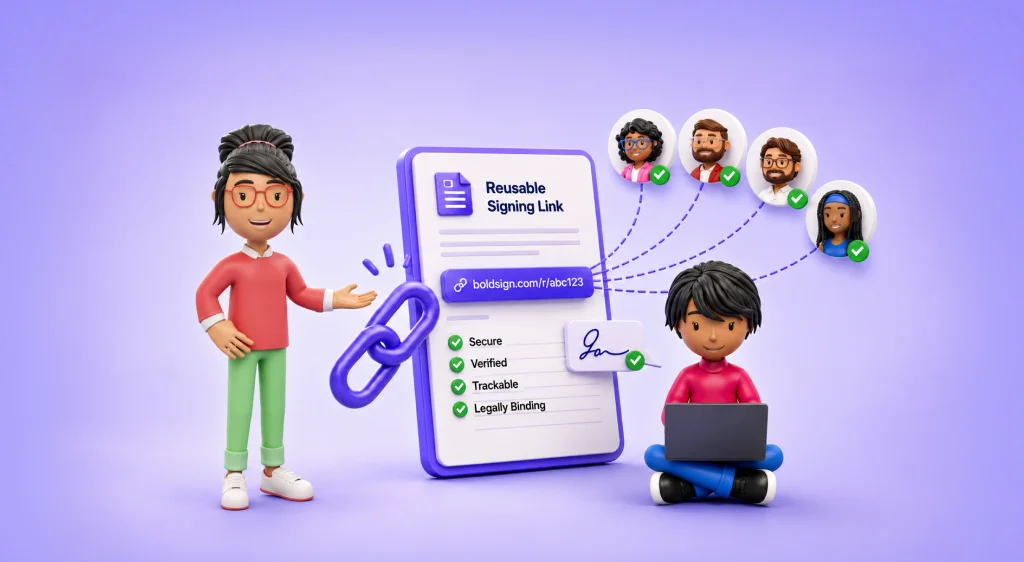
BoldSign now offers an improved method for creating bulk links. This feature simplifies the document distribution process by allowing users to select a template directly during bulk link creation, saving time and boosting productivity. Users can also choose to merge several templates into one.
Learn more about creating bulk links using templates.
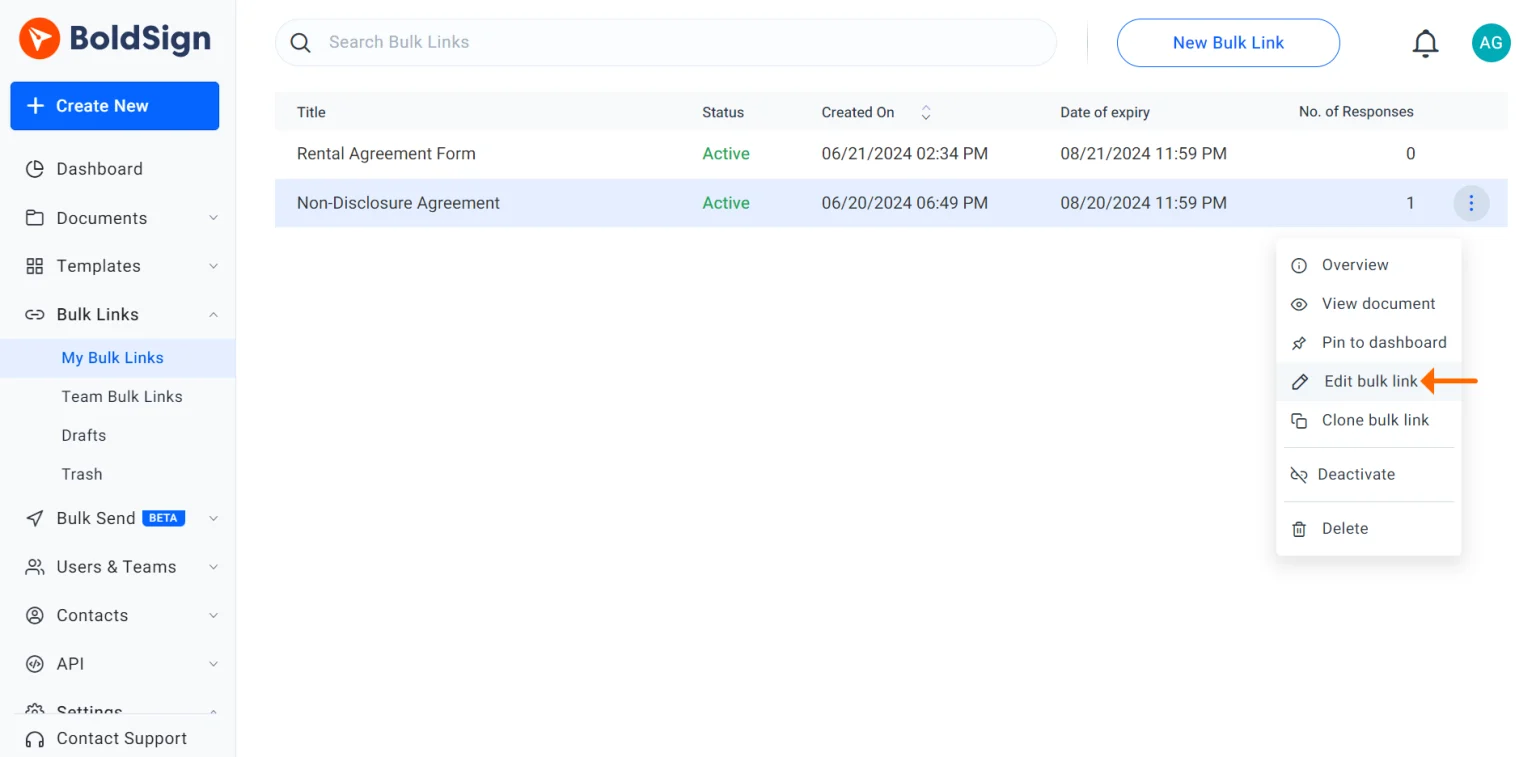
Edit Bulk Links
Users can now update existing bulk links without recreating them. This feature enables quick updates, so that signers always have access to the latest document.
Learn more about the edit bulk link feature.
Grouped Checkboxes
The new grouped checkboxes feature provides enhanced control by allowing users to add multiple checkboxes within a single field. This makes it easier for signers to select one or more options. Validation rules can be set for the entire group, ensuring the right number of checkboxes are selected.
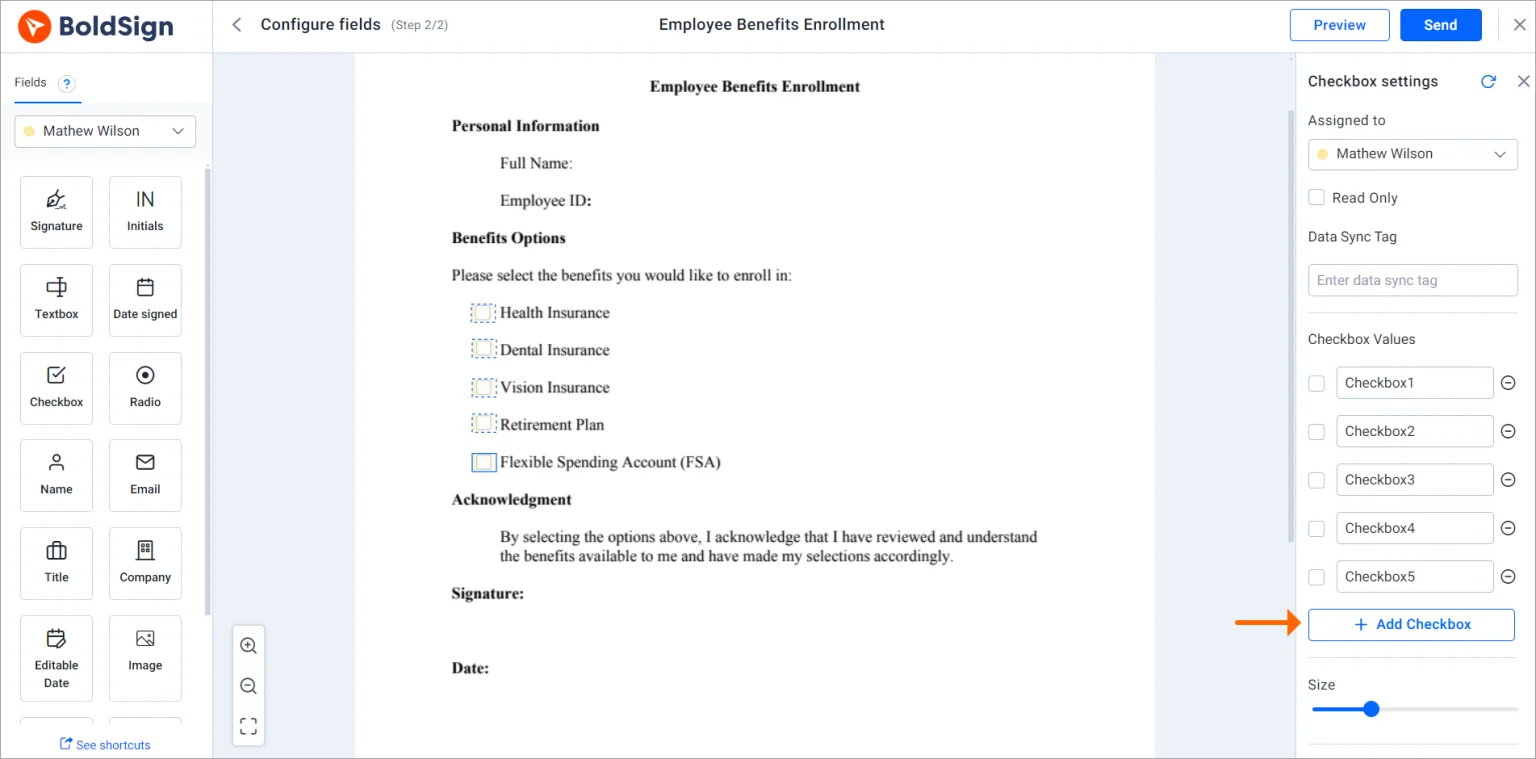
To learn more about adding a group of checkboxes to a document, refer to these links:
- Adding grouped checkboxes to a document using the BoldSign API.
- Adding grouped checkboxes to a document using the BoldSign web app.
Email notification settings for signers
Managing email notifications has been simplified with new configuration settings. Account admins can control which notifications are sent, ensuring that only relevant emails reach signers and CC recipients. The settings apply to signers, CC recipients, and account holders, with disabled notifications taking precedence if conflicting settings are enabled.
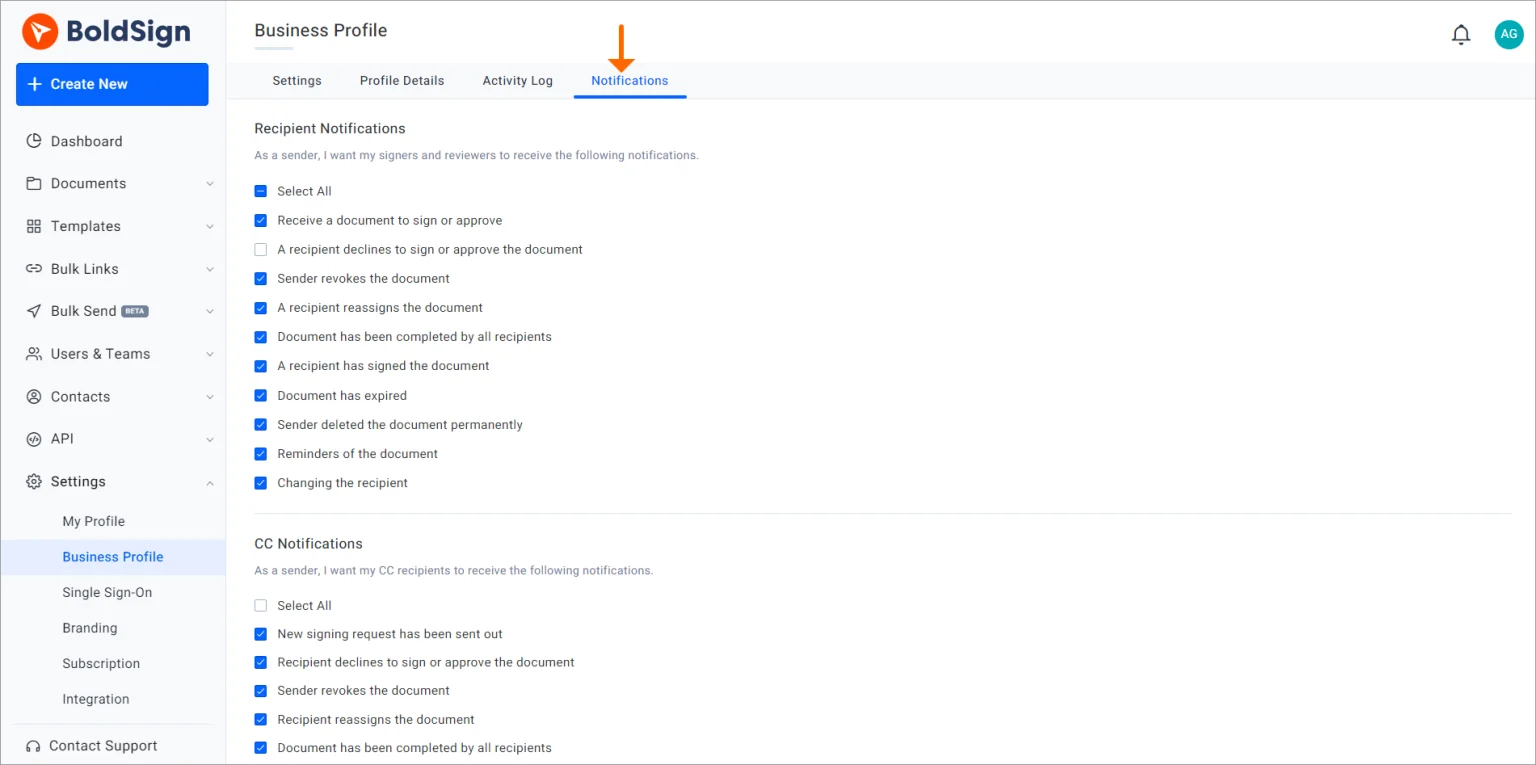
To learn more about customizing recipient email notifications, refer to these links:
- Configure email notification settings for signers using BoldSign API requests.
- Configure email notification settings for signers in the BoldSign web app.
Timely Signatures with Signing Links
BoldSign now enables senders to generate unique signing links for documents in progress. These links can be shared via messaging apps, encouraging timely signatures and improving tracking.
To use this feature, BoldSign account administrators must turn on the Enable Document Signing Link Generation option in the Business Profile settings.
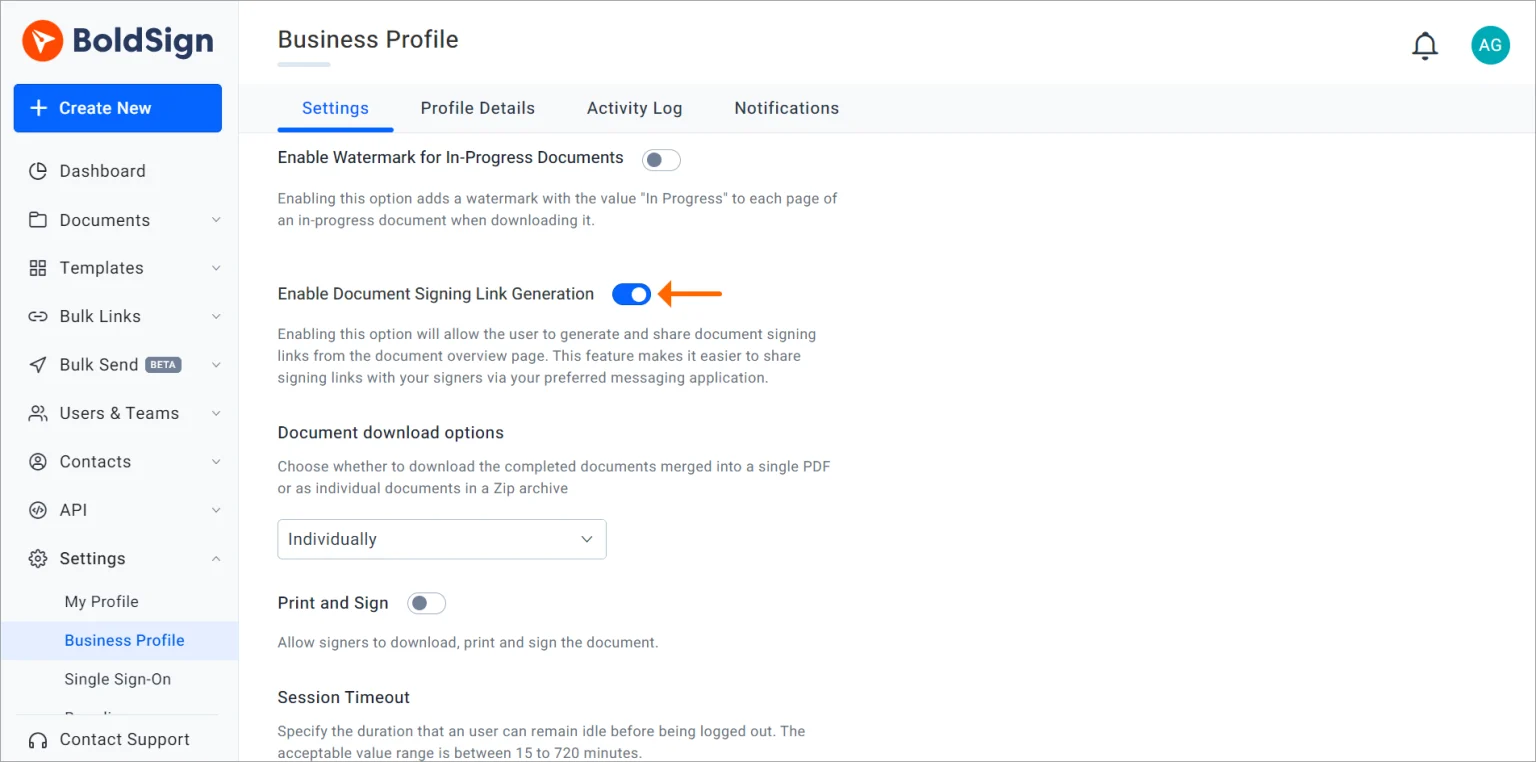
Once the option is enabled, senders can easily generate a document signing link for each recipient from the Document Overview page.
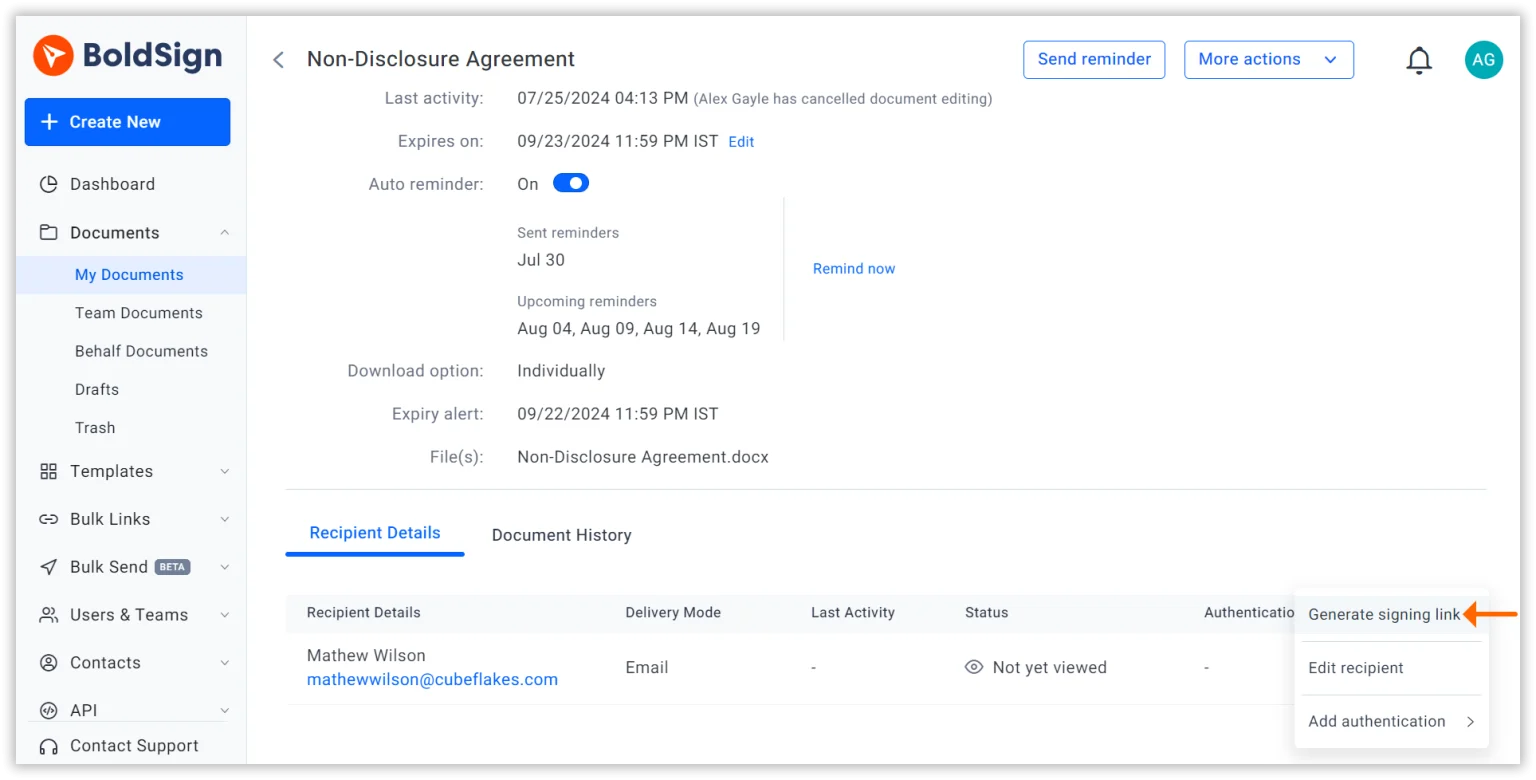
Learn more about generating and sharing signing links.
Localization Support in Audit Trails
Audit trails now support multiple languages, allowing account admins to generate audit trails in English and 14 other languages. This feature enables automatic translation of audit trail documents into the signer’s preferred language while retaining the original English version.
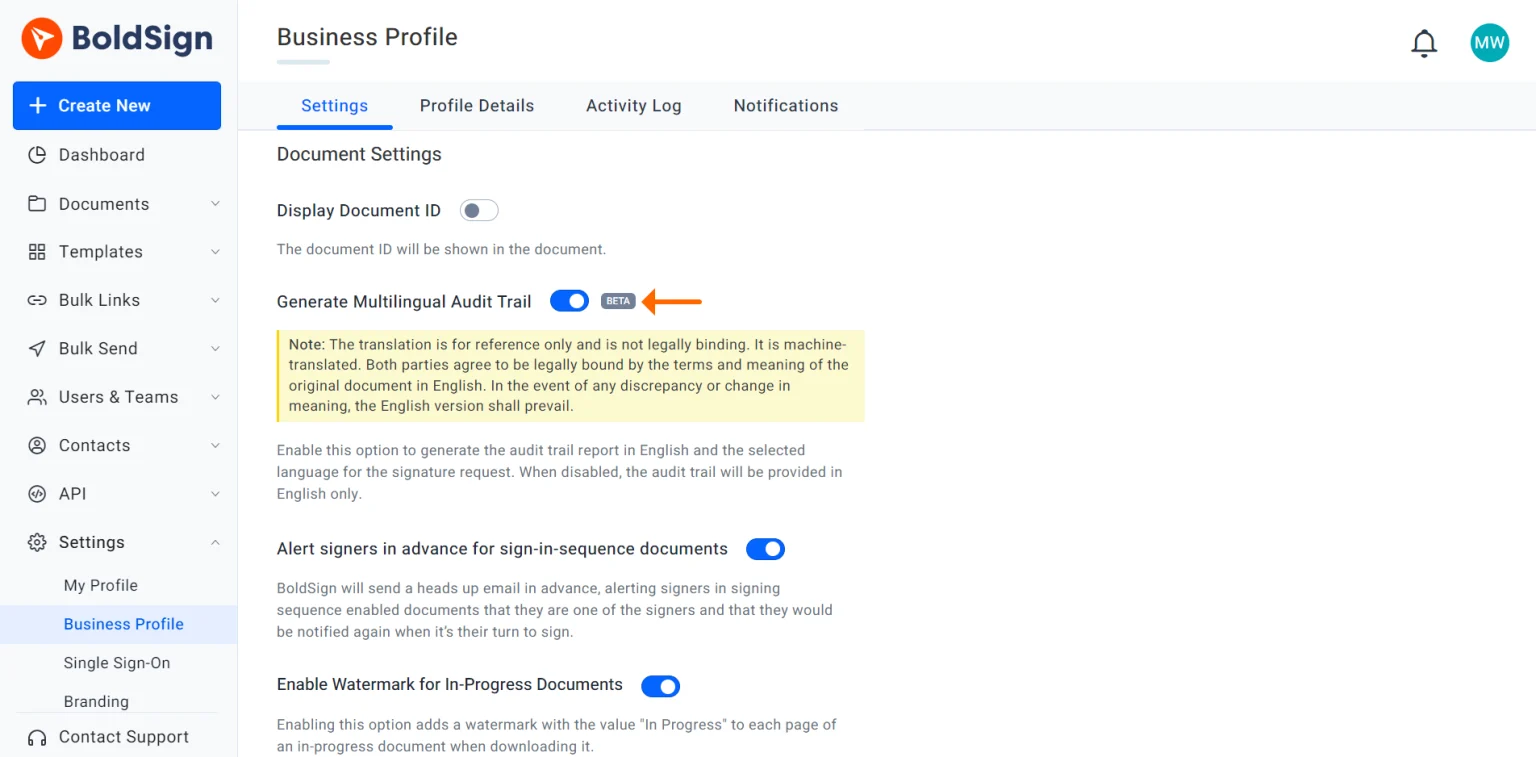
Learn more about localization support for audit trails.
User Activity Logs
BoldSign user activity logs allow account admins to monitor all actions related to documents. This feature helps track user activities with detailed information, ensuring transparency and accountability within an organization.
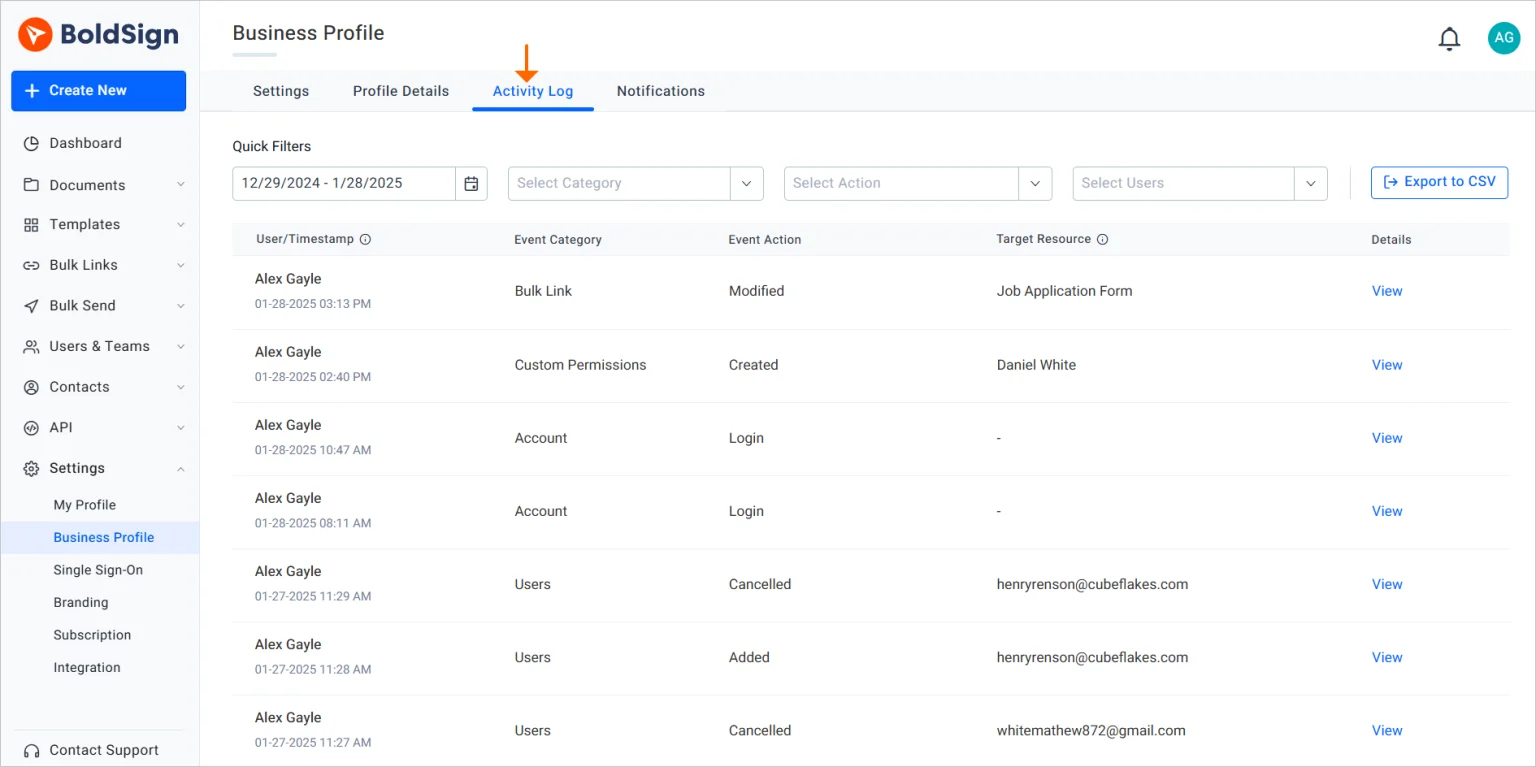
Learn more about activity logs.
Common Properties Customization with Multiselection
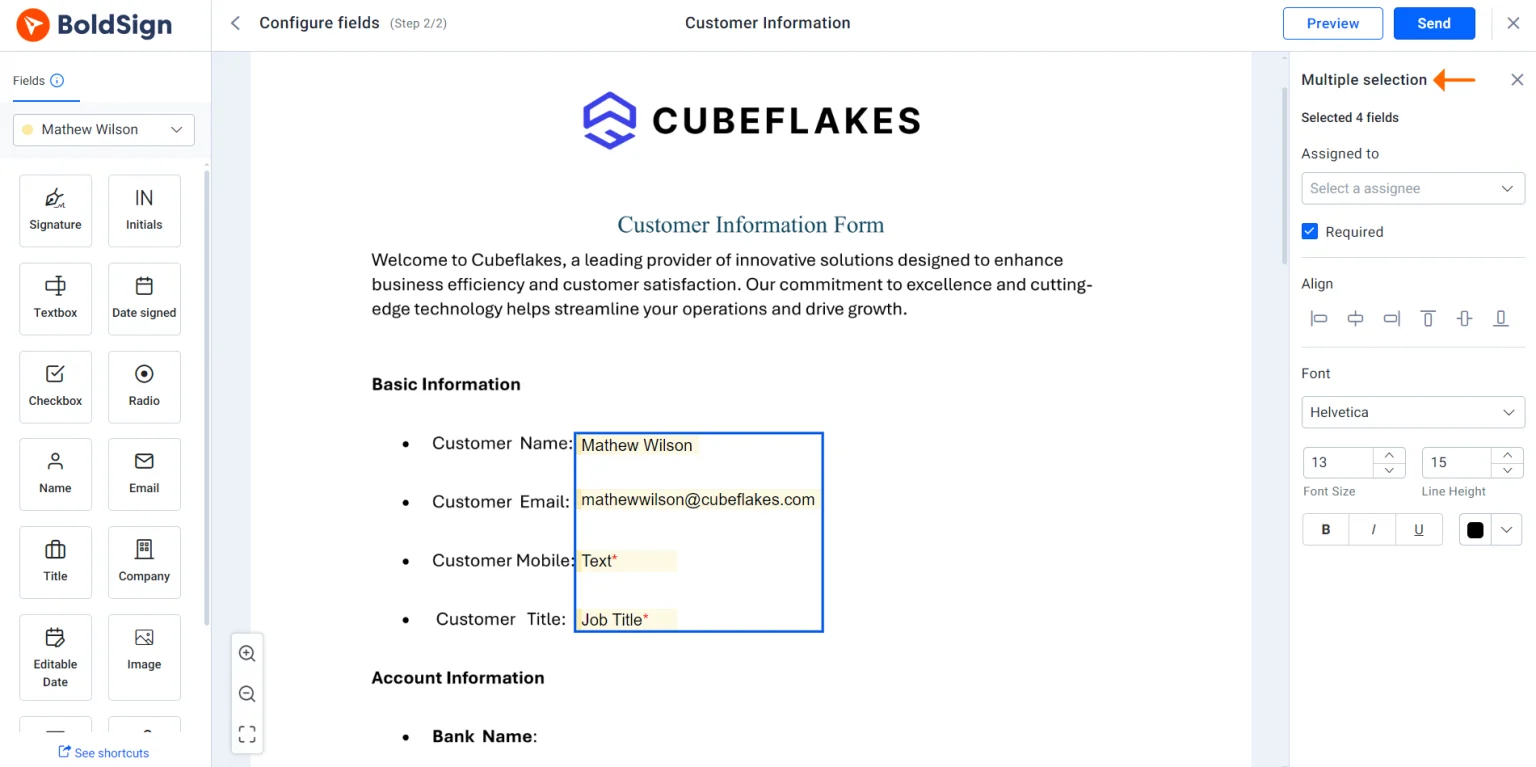
Managing form fields is now more efficient with updated multiselection functionality. Users can modify properties, such as font size, line height, and text formatting, for multiple fields at once. This update speeds up form customization in templates, bulk links, and documents.
Conclusion
The features added to BoldSign in 2024 demonstrate its developers’ commitment to providing a secure, user-friendly, and customizable eSignature solution. These updates have boosted productivity and compliance with industry standards. Whether you’re a small business owner, team manager, or legal professional, BoldSign can simplify your document signing workflows. Explore these features and see the difference BoldSign can make!
Your feedback is invaluable to us. Share your experiences and questions in the comments section below. Looking to explore BoldSign further? Schedule a personalized demo or connect with our dedicated support team through our support portal.

Rayronald Ochola Otieno
Rayronald Ochola Otieno is a content specialist at BoldSign, specializing in video content and help articles within the eSignature domain. As a blog author, he creates well-researched, insightful content that simplifies complex eSignature topics like digital signatures, compliance, and workflow automation for businesses and professionals. With expertise in creating educational videos and articles, Ray helps users understand and adopt secure, efficient signing solutions. Beyond writing and video creation, Ray enjoys exploring new technologies, reading about the latest industry trends, and continually refining his skills.
More posts by Rayronald Ochola Otieno